


 Home
HomeKolya_extension
Kolya Extension Detects YouTube Lies | AI Analysis



Helps TikTok sellers, brands, MCNs, and TAPs discover winning products and find creators.

HelpLook is an AI-powered all-in-one knowledge base tool that helps businesses quickly build knowledge bases, help centers, and...

Your AI Workspace

302.AI is an enterprise-grade AI resource platform with pay-as-you-go pricing, API access to a full range of AI models, and ready-to-use online applications.

剧火AI — AI Screenwriter + Director, a One-Person Short Drama Studio In one sentence, what is it?
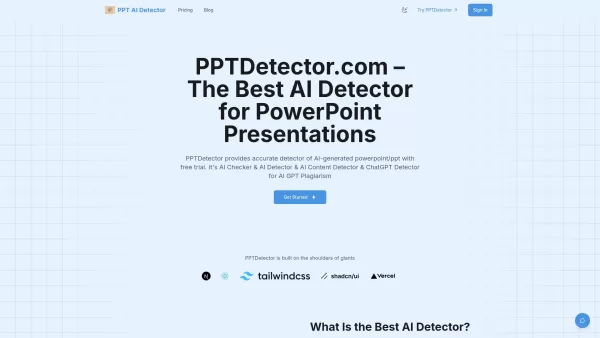
What is AI Detector for PPT? PPTDetector.com is a precise AI detection tool designed to identify AI-generated content in PowerPoint (PPT/PPTX) files. It accurately detects content from AI models like
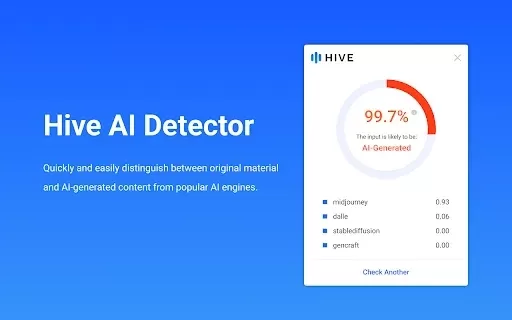
What is Hive AI Detector?Hive AI Detector uses advanced machine learning to analyze various types of media and determine whether they were generated or altered by artificial intelligence. This tool is ideal for journalists, educators, marketers, and
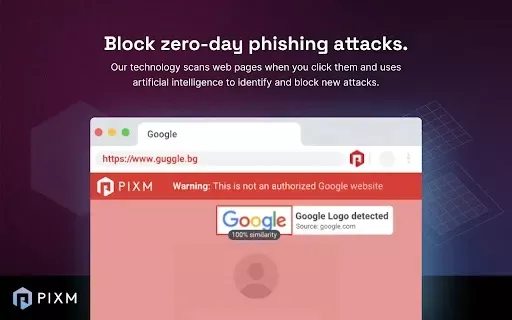
What is PIXM Phishing Protection?PIXM Phishing Protection is a browser extension that leverages artificial intelligence to offer real-time defense against phishing attacks. It inspects the visual elements of websites to immediately detect hazardous o
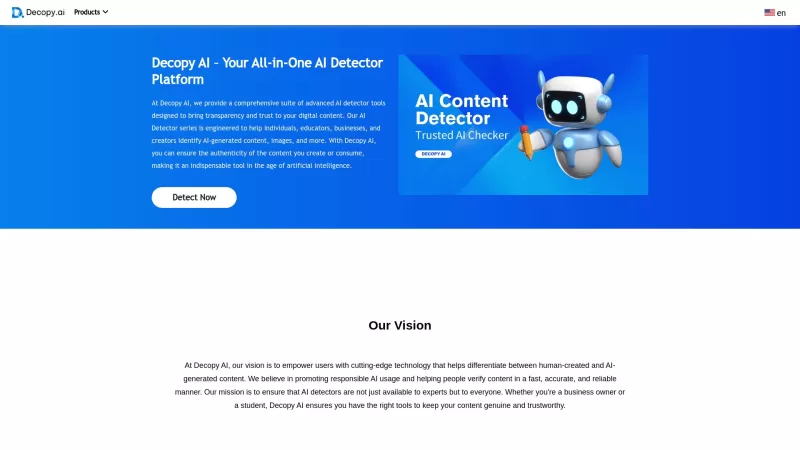
Ever wondered if that slick piece of writing you stumbled upon was crafted by a human or churned out by an AI? Enter Decopy AI, your go-to tool for sniffing out AI-generated content. With an impressive accuracy rate of up to 99%, Decopy AI can spot text f
What is AIDuh?AIDuh is an advanced AI assistant built specifically for vacation rental hosts, property owners, and managers. It uses cutting-edge artificial intelligence to generate customized property guides containing details about the rental, loca
Kolya_extension Product Information
What is the Kolya Extension?
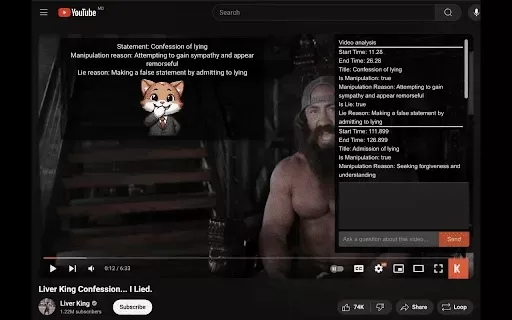
The Kolya Extension helps you verify the accuracy and trustworthiness of information in YouTube videos. It uses a sophisticated Large Language Model (LLM) to analyze video transcripts and identify potential manipulation or falsehoods. The tool displays an easy-to-read overlay directly on the video player, giving you clear insights into the content's reliability. Whether you're viewing news, educational videos, or vlogs, the Kolya Extension enables more informed and credible video consumption by helping you separate fact from fiction.
Who is the Kolya Extension for?
- YouTube viewers
- Fact-checkers
- Educators
- Researchers
- Content consumers
How to use the Kolya Extension
- Step 1: Install the Kolya Extension from the Chrome Web Store.
- Step 2: Open any YouTube video.
- Step 3: The extension automatically scans and analyzes the video transcript.
- Step 4: Check the overlay for detailed information about the video's claims.
- Step 5: Use these insights to assess the content's credibility.
Platform
- web
- chrome
Kolya Extension's Core Features & Benefits
The Core Features
- YouTube video transcript analysis
- Manipulation and falsehood detection
- Informative overlay highlighting video statements
- Powered by Large Language Model (LLM) technology
The Benefits
- Increased confidence in video content
- More informed video watching
- Detection of misleading information
- Simple, real-time analysis overlay
Kolya Extension's Main Use Cases & Applications
- Verifying the reliability of news videos
- Checking educational content for accuracy
- Fact-checking vlogs and influencer content
- Ensuring documentaries provide truthful information
FAQs About the Kolya Extension
How do I view the analysis overlay?
The overlay appears automatically on the video screen once the analysis is complete.
How does Kolya Extension detect lies?
It employs Large Language Model (LLM) analysis to examine YouTube video transcripts for indications of manipulation and inaccuracies.
Is Kolya Extension free to use?
Yes, the Kolya Extension is free and available on the Chrome Web Store.
Does Kolya Extension collect any user data?
No, the extension does not collect or utilize any user data.
Can I use Kolya Extension on other platforms besides Chrome?
At this time, the Kolya Extension is exclusively available for Chrome.
What types of videos can Kolya Extension analyze?
It can analyze any YouTube video that has a transcript.
How accurate is the lie detection?
Accuracy relies on the LLM's analytical power and the quality of the video transcript.
Does Kolya Extension affect my browser's performance?
The extension is lightweight and optimized to run smoothly without noticeable impact on browser performance.
Can I customize the overlay settings?
Customization options are currently limited, though additional settings may be introduced in future updates.
Is Kolya Extension safe to use?
Yes, it is completely safe and adheres to privacy policies, guaranteeing that no user data is sold or mishandled.
Kolya Extension Company Information
- KolyaExtension
- https://kolyaextension.com
Kolya_extension Screenshot

2026 Latest Top-rated AI Illustration Tools: Our curated list features the best powerfully designed tools for creating stunning editorial scenes and eye-catching cover art quickly. Each option has gone through rigorous real-world tests, offering a free vs paid comparison to help you find the perfect match for your workflow. Try these must-try solutions today to unlock your AI edge and boost your creative productivity. Explore now at XIX.AI.
 10 tools
 xix.ai

2026 Latest Top-Rated Best AI Tutors for Exam Prep are here on XIX.AI! Our curated list features powerful game-changing tools that offer free vs paid comparison, real-world tests, and weekly updated rankings. They help boost your writing efficiency, simplify complex topic learning, and unlock your academic potential. Explore now to Discover your perfect exam prep tool and Start creating today to Unlock your AI edge!
10 tools
xix.ai

2026 Latest Best Top-Rated AI Budget Planning Tools for Personal Money Management are here on XIX.AI! This curated collection features powerful, game-changing solutions that help you conduct real-world tests, understand spending habits, and create personalized plans to boost productivity. Enjoy a free vs paid comparison along with detailed rankings. Must-try tools designed to simplify money management and unlock your AI edge. Explore now!
11 tools
xix.ai

2026 Latest Best Top-Rated AI Sleep Tracking Assistants curated for ultimate recovery. This fully updated weekly guide features powerful tools that deliver real-world tests, free vs paid comparison, and detailed rankings to help you find the must-try solution that boosts sleep quality and supports better bedtime habits. Explore now at XIX.AI to Unlock your AI edge.
10 tools
xix.ai

2026 Latest Best Top-Rated AI SQL Copilots for Product and Revenue Analytics! XIX.AI has curated a powerful, game-changing collection of must-try tools that undergo real-world tests through weekly updated rankings. These tools help users boost productivity significantly by accelerating data analysis, streamlining complex queries, and generating accurate insights to drive smarter business decisions. Explore now to Discover your perfect tool for unlocking your AI edge!
14 tools
xix.ai

2026 Latest Best Top-Rated AI Homework Helpers That Teach Core Concepts Not Just Answers Powerful Tools for Students Must-Try Curated List Weekly Updated Free vs Paid Comparison Real-World Tests Accurate Rankings to Help You Unlock Your Full Learning Potential Explore now to Discover your perfect tool for smarter studying.
10 tools
xix.ai


Just tried Kolya_extension on a few political clips. Honestly, it's pretty wild how it flags subtle manipulation in transcripts. Makes me second-guess every YouTube video now 😅. Kinda scary but also super useful for fact-checking. Hope it supports more languages soon!


