


 Home
HomeKhanfarChatGPT Mail



What is Undressbaby AI?Undressbaby is a cutting-edge, AI-driven platform that lets users creatively alter their photos and videos. From swapping faces to trying on virtual outfits, it offers a simple yet powerful solution. Just upload your media, and
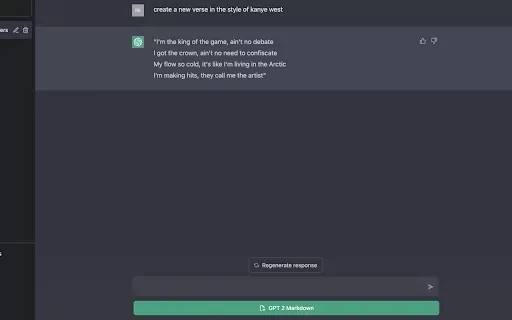
What is GPT2Markdown?GPT2Markdown is a Chrome extension that streamlines the process of exporting your ChatGPT conversations into Markdown format. With a single click, it allows you to download your chat history as a Markdown (.md) file directly to y

Ever been to an event and wished there was a cool way to share all those amazing moments in real time? Enter Fotify, the platform that turns your event into a live, collaborative photo album. It's like having a personal photographer for every guest, all c

What is xPage?xPage leverages AI to simplify the creation of professional eCommerce landing pages. It provides a wide selection of expert-designed templates that you can tailor to your brand. After choosing your template, the AI engine produces a dyn
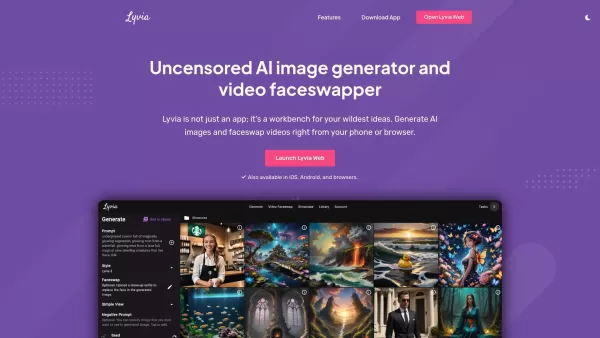
What is Lyvia AI?Lyvia is a powerful platform featuring an uncensored AI image generator and versatile face swap tools for both photos and videos. Accessible on your mobile, tablet, or computer, it’s designed to evolve with you through regular update
KhanfarChatGPT Mail Product Information
What is KhanfarChatGPT Mail?
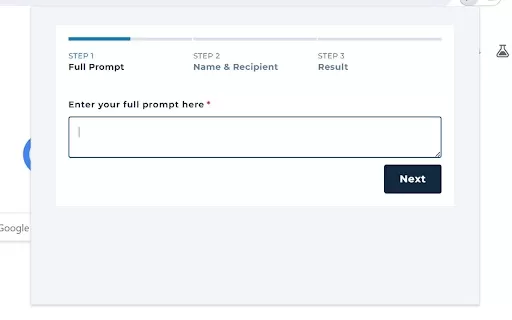
KhanfarChatGPT Mail is an AI-driven Chrome extension that helps users compose emails and messages with ease. It employs sophisticated language processing to create complete emails from minimal input, streamlining communication. The tool is built with a strong emphasis on privacy, keeping your sensitive data secure. With this extension, you can boost productivity, reduce time spent writing, and optimize communication across various platforms.
Who can benefit from KhanfarChatGPT Mail?
- Professionals who need to send emails promptly
- Students writing academic emails
- Anyone seeking to enhance their email writing efficiency
How to use KhanfarChatGPT Mail
- Step 1: Install the KhanfarChatGPT Mail extension from the Chrome Web Store.
- Step 2: Open your email service and click the extension icon.
- Step 3: Provide a short prompt or topic for your message.
- Step 4: Check and adjust the generated email content if needed.
- Step 5: Send your email effortlessly.
Platform
- Chrome
KhanfarChatGPT Mail's Core Features & Benefits
Core Features
- AI-powered email generation
- Privacy-focused design
- Cross-platform compatibility
Key Benefits
- Accelerates email writing
- Delivers professional and clear emails
- Improves overall productivity
KhanfarChatGPT Mail's Main Use Cases & Applications
- Crafting quick replies to client questions
- Developing formal business correspondence
- Writing academic emails to instructors
FAQs about KhanfarChatGPT Mail
Can I edit the generated emails?
Yes, you have the option to review and customize them as required.
What is KhanfarChatGPT Mail?
It's a Chrome extension that leverages AI to assist in drafting emails.
Is it privacy-friendly?
Absolutely, user privacy is a top priority.
How do I install it?
Simply install it from the Chrome Web Store.
What platforms does it support?
It works on Chrome across all devices.
Who should use this tool?
It's perfect for professionals, students, and anyone looking to write emails faster.
Is there a cost to use KhanfarChatGPT Mail?
The extension is completely free to use.
Does it work offline?
No, it requires an active internet connection.
What features does it have?
It provides AI-generated emails and a privacy-conscious design.
Can it be used for personal emails?
Yes, it's suitable for both personal and professional email writing.
KhanfarChatGPT Mail Company Information
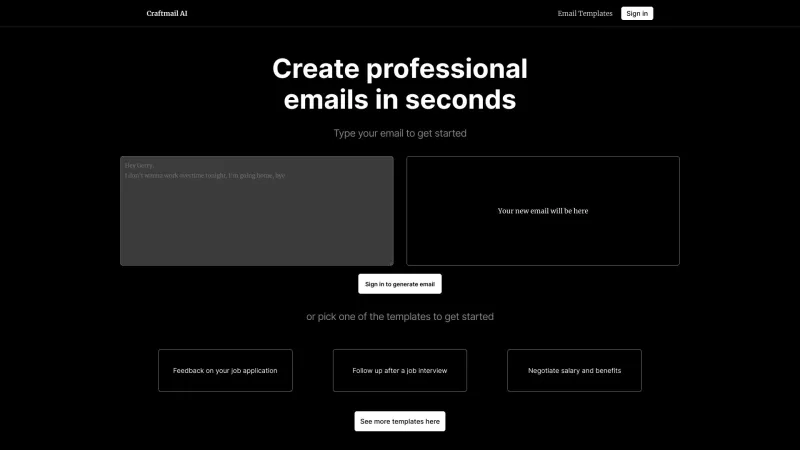
KhanfarChatGPT Mail Screenshot

Discover the 2026 latest top-rated AI romantic chatbots for building genuine, long-term connections. Our curated list features powerful, consistent personalities, free vs paid comparisons, and real-world tests. Find your perfect companion and start building today at XIX.AI.
 10 tools
 xix.ai

Discover the 2026 best AI data science mentors to master SQL, Pandas & ML workflows. Explore our top-rated, curated selection at XIX.AI for powerful, game-changing guidance. Compare free vs paid options with real-world insights. Unlock your data science mastery today.
10 tools
xix.ai

Discover the 2026 best AI flirting and conversation trainers on XIX.AI. Our curated, top-rated selection helps you build social charisma and confidence in real-time. Explore must-try, game-changing tools with free vs paid comparisons and weekly updated rankings. Unlock your social edge today.
10 tools
xix.ai

Discover the 2026 latest top-rated AI tools for automated unit testing. Our curated selection features powerful, game-changing solutions to generate Jest, PyTest & JUnit test cases instantly. Compare free vs paid options with real-world tests and weekly updated rankings on XIX.AI. Unlock your AI edge and boost development productivity today.
10 tools
xix.ai

Discover the 2026 best AI data visualization tools at XIX.AI. Our curated, top-rated selection helps you auto-generate powerful, interactive BI dashboards from raw files instantly. Compare free vs paid options with real-world tests and weekly updated rankings. Unlock your data's potential today.
10 tools
xix.ai

Discover the 2026 best AI branding kits for social media. XIX.AI's curated list features top-rated, game-changing tools to maintain perfectly consistent brand visuals across all channels. Compare free vs paid options with real-world tests. Unlock your brand's visual edge today.
10 tools
xix.ai


