


 Home
HomeJotMe for Google Meet
Live Transcription & Translation: JotMe



Helps TikTok sellers, brands, MCNs, and TAPs discover winning products and find creators.

HelpLook is an AI-powered all-in-one knowledge base tool that helps businesses quickly build knowledge bases, help centers, and...

Your AI Workspace

302.AI is an enterprise-grade AI resource platform with pay-as-you-go pricing, API access to a full range of AI models, and ready-to-use online applications.

剧火AI — AI Screenwriter + Director, a One-Person Short Drama Studio In one sentence, what is it?

Ever heard of Grok? It's this nifty AI assistant from xAI that's all about giving you the straight scoop. And the best part? It's totally free! Grok isn't just your average AI; it's packed with cool features like real-time search, image generation, and tr

Ever wondered what Qwen AI is all about? Well, let me introduce you to this gem from Alibaba Cloud. Qwen AI is not your average language model; it's a powerhouse designed to be your go-to buddy for everything from whipping up text to coding, and even reco

Discover Plume AI: Your Ultimate Academic Writing AssistantAre you tired of struggling with your academic writing? Well, say hello to Plume AI, the innovative AI assistant that's here to revolutionize the way you write! Designed with students in mind, Plume AI harnesses the power of cutting-edge art

Ever wished for a trusty sidekick to help you navigate the digital world with ease? Enter Sider, your personal AI companion designed to seamlessly blend into your daily routine. Starting off as a handy Chrome/Edge extension, Sider transforms your browsing

Ever wondered what Ninja AI is all about? Well, let me tell you, it's like having a Swiss Army knife for your digital needs! Ninja AI isn't just another AI tool; it's a powerhouse that brings together over 24 top-notch Large Language Models (LLMs) to help
JotMe for Google Meet Product Information
What is JotMe for Google Meet?
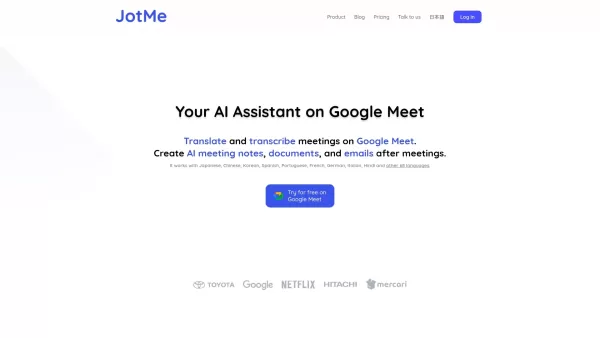
JotMe is an AI-powered assistant that provides real-time transcription and translation directly within Google Meet. It supports 77 languages, breaking down communication barriers to foster clearer collaboration. Users benefit from unlimited transcription, automatic meeting summaries, and fully searchable notes. Designed for professionals, it captures every nuance of conversation, boosting productivity and inclusivity in every meeting.
Who is JotMe for Google Meet for?
- Business Professionals
- Translators & Linguists
- Educators and Trainers
- Remote and Distributed Teams
- Multinational Organizations
How to Get Started with JotMe for Google Meet
- Step 1: Create your account on the JotMe website.
- Step 2: Add the JotMe Chrome extension to your browser.
- Step 3: Launch or join a Google Meet session.
- Step 4: Activate JotMe for live transcription and translation features.
- Step 5: Save and review your meeting transcripts for future access.
Platform
- Web
- Chrome
JotMe for Google Meet's Core Features & Benefits
The Core Features
- Live Transcription
- Real-Time Translation
- Automated Meeting Summaries
- Searchable Transcripts
The Benefits
- Eliminates Language Barriers
- Increases Meeting Productivity
- Captures Comprehensive Notes
- Improves Accessibility for All Participants
JotMe for Google Meet's Main Use Cases & Applications
- Global Business Meetings
- Multilingual Educational Settings
- Remote Team Collaboration
- Cross-Language Customer Support
JotMe for Google Meet's Pros & Cons
The Pros
Provides transcription and translation in more than 100 languages in real-time.
AI-driven translations capture context and nuance, going beyond literal word-for-word conversion.
Generates intelligent meeting notes with summarized action items automatically.
Functions without meeting bots by transcribing audio directly from your system.
Offers flexible access via desktop applications and a Chrome extension for various platforms.
Compatible with popular meeting tools like Zoom, Google Meet, Microsoft Teams, and Webex.
The Cons
Information about open-source availability is not clearly stated.
The free plan has restrictions on monthly translation and transcription minutes.
Pricing may be a consideration for individuals or small teams with high usage needs.
No dedicated mobile applications are available on major app stores at this time.
JotMe for Google Meet's Pricing
Free Plan Available | Yes |
|---|---|
Free Trial Details | |
Pricing Model | Freemium |
Credit Card Required for Trial | No |
Paid Plans Start From | $9 USD |
Lifetime Plan Available | No |
Billing Frequency | Monthly |
Details of Pricing Plan
FREE
$0 USD
- 20 minutes of translation per month
- 50 minutes of transcription per month
- 5 AI credits for real-time answers and automated notes
- Access to your 5 most recent meeting recordings
PRO
$9 USD / Month
- 200 minutes of translation monthly
- Unlimited transcription using the Chrome extension on Google Meet
- 500 minutes of monthly transcription with the desktop app
- 20 AI credits per month
- Advanced features: delete notes, auto-tab opening, automatic AI summary generation
- Access to your last 20 meeting recordings
PREMIUM
$15 USD / Month
- 500 minutes of monthly translation
- Unlimited transcription for the Google Meet Chrome extension
- 2,000 minutes of monthly transcription via the desktop app
- 50 AI credits each month
- All advanced settings included
- Priority customer support
- Unlimited access to all past meeting recordings
For the most current pricing, please visit: https://www.jotme.io/#pricing
FAQs of JotMe for Google Meet
What is JotMe?
JotMe is an AI assistant that delivers live transcription and translation for Google Meet sessions.
How many languages does JotMe translate?
JotMe offers real-time translation across 77 languages.
Is JotMe free to use?
JotMe provides a free plan with usage limits; full details are available on their website.
How does JotMe work?
It seamlessly integrates with Google Meet to transcribe and translate conversations as they happen.
Can I save transcripts?
Yes, all transcripts can be saved and reviewed at any time.
Is it available for mobile devices?
JotMe is currently available as a Chrome extension for desktop use.
What industries can benefit from JotMe?
It is valuable for international business, education, and any field involving multilingual communication.
How accurate is the transcription?
Transcription accuracy is generally high, though it can depend on audio clarity.
Can JotMe handle group meetings?
Yes, it is designed to effectively transcribe multi-speaker meetings.
Are transcripts searchable?
Yes, all transcripts are fully searchable by keyword or phrase.
JotMe for Google Meet Company Information
Website:
https://www.jotme.ioCompany Name:
JotMeSupport Email:
Facebook:
Not AvailableX (Twitter):
Not AvailableYouTube:
Not AvailableInstagram:
Not AvailableTikTok:
Not AvailableLinkedIn:
Not Available
JotMe for Google Meet Screenshot



2026 Latest Top-rated AI Illustration Tools: Our curated list features the best powerfully designed tools for creating stunning editorial scenes and eye-catching cover art quickly. Each option has gone through rigorous real-world tests, offering a free vs paid comparison to help you find the perfect match for your workflow. Try these must-try solutions today to unlock your AI edge and boost your creative productivity. Explore now at XIX.AI.
 10 tools
 xix.ai

2026 Latest Top-Rated Best AI Tutors for Exam Prep are here on XIX.AI! Our curated list features powerful game-changing tools that offer free vs paid comparison, real-world tests, and weekly updated rankings. They help boost your writing efficiency, simplify complex topic learning, and unlock your academic potential. Explore now to Discover your perfect exam prep tool and Start creating today to Unlock your AI edge!
10 tools
xix.ai

2026 Latest Best Top-Rated AI Budget Planning Tools for Personal Money Management are here on XIX.AI! This curated collection features powerful, game-changing solutions that help you conduct real-world tests, understand spending habits, and create personalized plans to boost productivity. Enjoy a free vs paid comparison along with detailed rankings. Must-try tools designed to simplify money management and unlock your AI edge. Explore now!
11 tools
xix.ai

2026 Latest Best Top-Rated AI Sleep Tracking Assistants curated for ultimate recovery. This fully updated weekly guide features powerful tools that deliver real-world tests, free vs paid comparison, and detailed rankings to help you find the must-try solution that boosts sleep quality and supports better bedtime habits. Explore now at XIX.AI to Unlock your AI edge.
10 tools
xix.ai

2026 Latest Best Top-Rated AI SQL Copilots for Product and Revenue Analytics! XIX.AI has curated a powerful, game-changing collection of must-try tools that undergo real-world tests through weekly updated rankings. These tools help users boost productivity significantly by accelerating data analysis, streamlining complex queries, and generating accurate insights to drive smarter business decisions. Explore now to Discover your perfect tool for unlocking your AI edge!
14 tools
xix.ai

2026 Latest Best Top-Rated AI Homework Helpers That Teach Core Concepts Not Just Answers Powerful Tools for Students Must-Try Curated List Weekly Updated Free vs Paid Comparison Real-World Tests Accurate Rankings to Help You Unlock Your Full Learning Potential Explore now to Discover your perfect tool for smarter studying.
10 tools
xix.ai


This is amazing! I've been using JotMe for Google Meet and the real-time translation is surprisingly accurate. It totally saves me from manual note-taking during multilingual meetings. Highly recommend! 😊


