


 Home
HomeJetpack
Jetpack WordPress Plugin: Security, Backups, Performance



Helps TikTok sellers, brands, MCNs, and TAPs discover winning products and find creators.

HelpLook is an AI-powered all-in-one knowledge base tool that helps businesses quickly build knowledge bases, help centers, and...

Your AI Workspace

302.AI is an enterprise-grade AI resource platform with pay-as-you-go pricing, API access to a full range of AI models, and ready-to-use online applications.

剧火AI — AI Screenwriter + Director, a One-Person Short Drama Studio In one sentence, what is it?
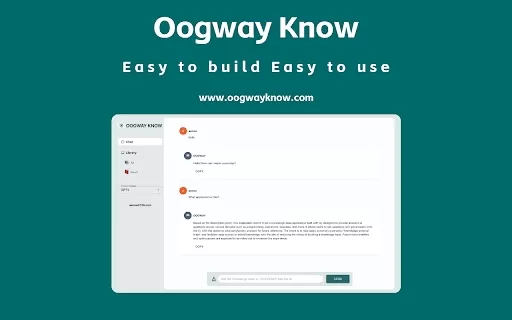
Ever wished you could capture and interact with knowledge directly from your browser? Enter the Knowledge Interaction Plugin AI Chrome Extension—a nifty tool designed to revolutionize how you record and engage with information online. This extension isn't
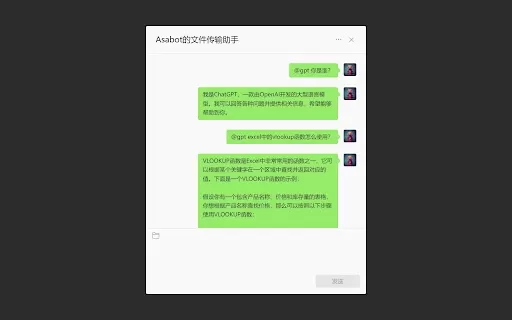
What is ChatGPT for WeChat (Personal Assistant Edition) AI Chrome Extension? ChatGPT for WeChat (Personal Assistant Edition) is a WeChat plugin that automatically responds to messages where you are mentioned. It works with Chrome and Firefox browsers
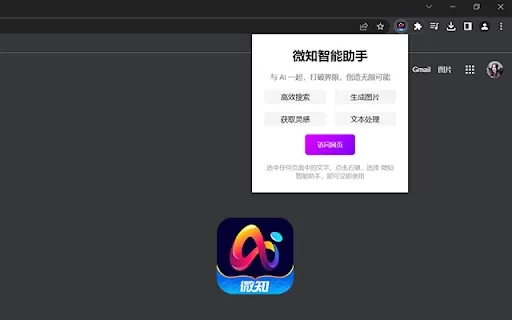
What is the Weizhi AI Assistant Chrome Extension? The Weizhi AI Assistant extension lets users right-click on selected text, choose an action from the context menu, and open a compact window for AI conversation, image generation, or text creation.How

Ever wondered how you can snag the best deals while shopping online? Let me introduce you to DealDazzle, your new best friend for saving money. This nifty browser extension is like having a personal shopping assistant that hunts down budget-friendly alter
Ever wondered what VPLATE is all about? Well, let me break it down for you. VPLATE Video Ads is like your personal assistant for creating short-form video ads. It's an automated plugin that does the heavy lifting for you, turning your product info into eye-catching videos in no time. How to Use VPL
Jetpack Product Information
Ever wondered what Jetpack is and why it's such a big deal for WordPress users? Well, Jetpack is not just another plugin; it's a comprehensive suite of tools designed to bolster your website's security, performance, and growth. Developed by Automattic, the folks behind WordPress.com, Jetpack integrates seamlessly with your WordPress site to offer a one-stop solution for all your site management needs.
How to Get Started with Jetpack
Getting started with Jetpack is as easy as pie. First, you'll need to install and activate the plugin on your WordPress site. Once it's up and running, dive into the plugin settings to tailor Jetpack to your specific needs. Whether you're looking to beef up your site's security or boost its performance, you can toggle features on or off to create a custom experience that's just right for you.
Jetpack's Core Features
Security
When it comes to keeping your site safe, Jetpack has got your back. With features like real-time backups and one-click restores via VaultPress Backup, you can sleep easy knowing your site is protected. Jetpack Scan keeps an eye out for malware and offers one-click fixes, while Akismet Anti-spam ensures your comments and forms stay clean and spam-free.
Site Performance
Who doesn't want a faster website? Jetpack offers a range of performance enhancements that can make your site zip along. From ad-free HD video embedding with VideoPress to instant site search with Jetpack Search, these tools are designed to keep your site running smoothly. Plus, with Jetpack Boost's free speed optimizations, you're not just improving user experience—you're also giving your Google rankings a nice little nudge. And let's not forget the free global CDN that ensures your content is delivered at lightning speed.
Growth Tools
Growing your audience is a breeze with Jetpack's growth tools. With Jetpack Social, you can auto-share your posts and pages to your social media platforms on your schedule. If you're looking to cast a wider net, the Blaze ad network lets you promote your content across millions of sites. Jetpack CRM helps you convert leads into customers, and with Jetpack Stats, you get free advanced insights into your site's performance.
Jetpack's Many Hats
Website Security
Jetpack isn't just about adding cool features; it's about keeping your site safe from the nasties out there. Whether it's spam, malware, or other security threats, Jetpack has the tools to protect your WordPress site.
Backups and Restores
Ever wish you could turn back time on your website? With Jetpack's VaultPress Backup, you can. Real-time backups mean you can restore your site to a previous state with just a click, saving you from potential headaches.
Improved Site Performance
A faster site means happier visitors and better search engine rankings. Jetpack's performance features are designed to make your site run like a well-oiled machine, enhancing both user experience and SEO.
Business Growth
Whether you're a blogger, a business owner, or somewhere in between, Jetpack's growth tools can help you reach a wider audience, convert leads, and keep track of how your site is performing.
Social Media Marketing
Why post manually to social media when Jetpack can do it for you? With its social sharing functionality, you can keep your social channels buzzing with fresh content, all on autopilot.
Content Promotion
Want to get your content in front of more eyes? Jetpack's Blaze ad network is your ticket to reaching millions of potential readers and customers across a vast network of sites.
Frequently Asked Questions about Jetpack
- What is Jetpack?
- Jetpack is a WordPress plugin that enhances your site's security, performance, and growth with a suite of integrated tools.
- How do I use Jetpack?
- Install and activate Jetpack on your WordPress site, then customize the settings to enable or disable features according to your needs.
- What are the core features of Jetpack?
- Jetpack's core features include security tools like VaultPress Backup and Jetpack Scan, performance enhancements such as VideoPress and Jetpack Boost, and growth tools like Jetpack Social and Jetpack CRM.
- What are some use cases for Jetpack?
- Jetpack can be used for website security, backups and restores, improving site performance, business growth, social media marketing, and content promotion.
- What is the pricing for Jetpack backups?
- For detailed pricing information on Jetpack backups, visit the Jetpack Pricing page.
Need help with Jetpack? Reach out to the support team at Jetpack's contact us page.
Jetpack is brought to you by Automattic, the company behind WordPress.com. You can log in to your Jetpack account at Jetpack Login.
For more information on pricing, check out the Jetpack Pricing page. And if you're looking to connect with the Jetpack community, follow them on Facebook, YouTube, LinkedIn, Twitter, or explore their open-source contributions on GitHub.
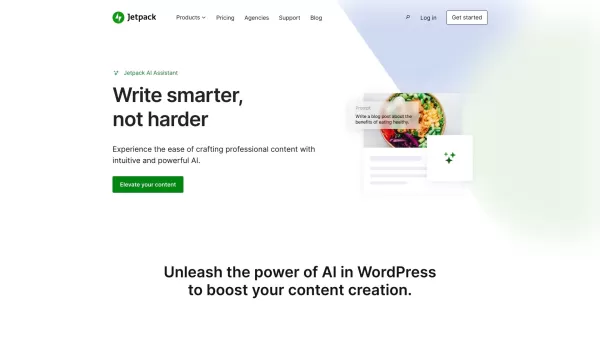
Jetpack Screenshot



2026 Latest Top-rated AI Illustration Tools: Our curated list features the best powerfully designed tools for creating stunning editorial scenes and eye-catching cover art quickly. Each option has gone through rigorous real-world tests, offering a free vs paid comparison to help you find the perfect match for your workflow. Try these must-try solutions today to unlock your AI edge and boost your creative productivity. Explore now at XIX.AI.
 10 tools
 xix.ai

2026 Latest Top-Rated Best AI Tutors for Exam Prep are here on XIX.AI! Our curated list features powerful game-changing tools that offer free vs paid comparison, real-world tests, and weekly updated rankings. They help boost your writing efficiency, simplify complex topic learning, and unlock your academic potential. Explore now to Discover your perfect exam prep tool and Start creating today to Unlock your AI edge!
10 tools
xix.ai

2026 Latest Best Top-Rated AI Budget Planning Tools for Personal Money Management are here on XIX.AI! This curated collection features powerful, game-changing solutions that help you conduct real-world tests, understand spending habits, and create personalized plans to boost productivity. Enjoy a free vs paid comparison along with detailed rankings. Must-try tools designed to simplify money management and unlock your AI edge. Explore now!
11 tools
xix.ai

2026 Latest Best Top-Rated AI Sleep Tracking Assistants curated for ultimate recovery. This fully updated weekly guide features powerful tools that deliver real-world tests, free vs paid comparison, and detailed rankings to help you find the must-try solution that boosts sleep quality and supports better bedtime habits. Explore now at XIX.AI to Unlock your AI edge.
10 tools
xix.ai

2026 Latest Best Top-Rated AI SQL Copilots for Product and Revenue Analytics! XIX.AI has curated a powerful, game-changing collection of must-try tools that undergo real-world tests through weekly updated rankings. These tools help users boost productivity significantly by accelerating data analysis, streamlining complex queries, and generating accurate insights to drive smarter business decisions. Explore now to Discover your perfect tool for unlocking your AI edge!
14 tools
xix.ai

2026 Latest Best Top-Rated AI Homework Helpers That Teach Core Concepts Not Just Answers Powerful Tools for Students Must-Try Curated List Weekly Updated Free vs Paid Comparison Real-World Tests Accurate Rankings to Help You Unlock Your Full Learning Potential Explore now to Discover your perfect tool for smarter studying.
10 tools
xix.ai


Honestly, Jetpack is a mixed bag for me. On one hand, the stats and security features are super handy for keeping my WordPress site safe without much hassle. On the other hand, it can feel a bit bloated if you only use a few modules. I love how Automattic keeps updating it, but sometimes I wonder if I'm paying for features I never touch. 🤔 Still, for beginners, it's probably the easiest way to get started with performance boosts. Just wish the pricing was a bit more flexible! 😅


