


 Home
HomeInOtherWord - Translate Complex Docs



Helps TikTok sellers, brands, MCNs, and TAPs discover winning products and find creators.

HelpLook is an AI-powered all-in-one knowledge base tool that helps businesses quickly build knowledge bases, help centers, and...

Your AI Workspace

302.AI is an enterprise-grade AI resource platform with pay-as-you-go pricing, API access to a full range of AI models, and ready-to-use online applications.

剧火AI — AI Screenwriter + Director, a One-Person Short Drama Studio In one sentence, what is it?
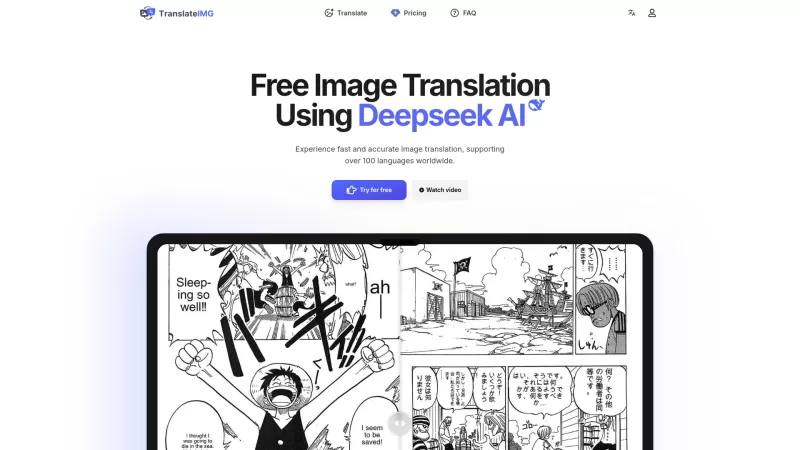
Ever stumbled upon an image with text in a language you can't understand? That's where Deepseek R1 comes in, a nifty online tool that transforms text within images into over 100 different languages. Whether it's a manga page, an e-commerce product descrip
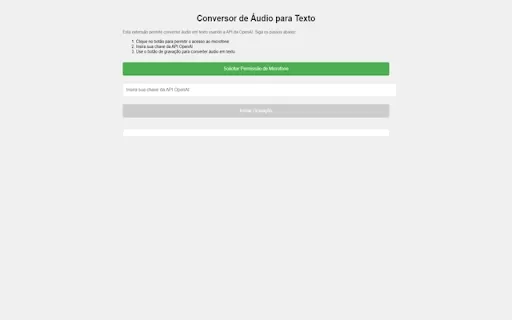
Ever wished you could magically transform your audio recordings into neatly typed text? Well, the Conversor de Áudio para Texto AI Chrome extension is here to make that wish come true! This nifty tool harnesses the power of OpenAI's advanced API to turn y
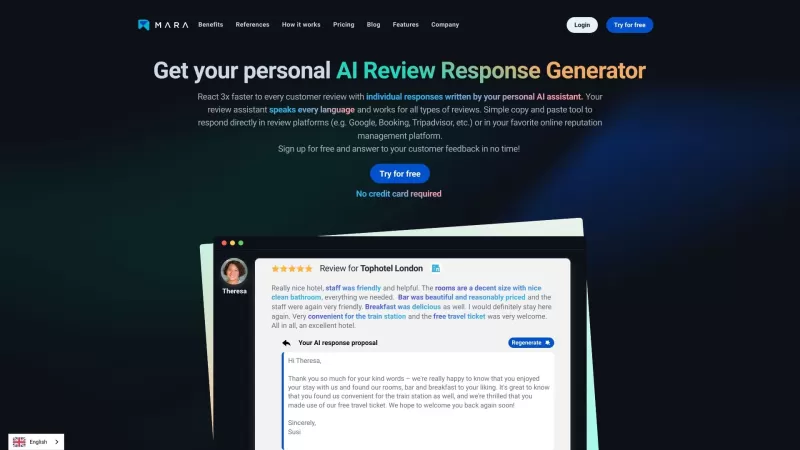
Ever found yourself staring blankly at customer reviews, wondering how to respond in a way that feels genuine and personal? That's where the AI Review Response Generator comes in—a nifty tool designed to take the hassle out of crafting those responses. Cr
Ever wondered how to breathe life into your scripts without spending hours in a recording booth? Meet Cugent, your new best friend in the world of AI voiceovers. This nifty tool takes your scripts—whether they're in PDF, Docs, or just plain text—and transforms them into professional, high-quality vo
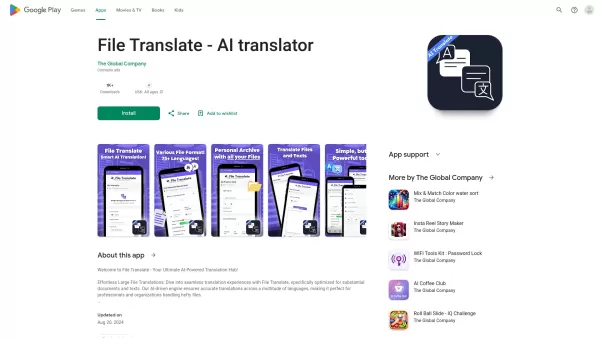
Ever found yourself staring at a mountain of documents, wishing you could magically translate them into another language? Well, that's where File Translator AI comes in—your new best friend for tackling those translation woes. This isn't just any translat
InOtherWord - Translate Complex Docs Product Information
What Is InOtherWord – A Tool for Translating Large Documents?
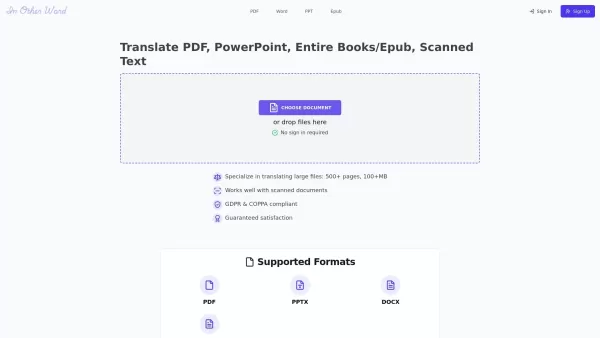
InOtherWord.AI is a robust platform designed specifically for translating lengthy documents such as PDFs, PPTs, DOCX files, and EPUBs into numerous languages. It can also handle scanned documents and delivers high-quality translations every time. Key features include the ability to make post-editings, process multiple files at once, provide API access, and enable easy sharing of translated content. These capabilities make it an excellent choice for businesses, educators, and individuals who require accurate and dependable translation services.
Who Uses InOtherWord – Translate Large Documents?
- Businesses
- Educators
- Researchers
- Legal professionals
- Authors
- Students
How to Use InOtherWord – Translate Large Documents?
- Step 1: Go to the InOtherWord.AI website.
- Step 2: Upload or drag and drop the document you want translated.
- Step 3: Choose the target language for the translation.
- Step 4: Start the translation process.
- Step 5: Download the finished translated document.
Platform Availability
- Web-based platform
InOtherWord – Translate Large Documents’ Core Features & Benefits
The Core Features
- Translation of PDF, PPT, DOCX, and EPUB files
- Support for processing scanned documents
- Post-editing tools
- Glossary management functionality
- Batch processing capability
- API access available
- Easy sharing options
The Benefits
- Highly accurate translations
- Support for more than 100 languages
- Can handle very large files
- User-friendly interface
- Complies with GDPR and COPPA standards for data privacy
- Guaranteed customer satisfaction
InOtherWord – Translate Large Documents’ Main Use Cases & Applications
- General document translation
- Translation of birth certificates
- Book translation services
- Translation of research papers
- Legal document translation
- Business document translation
- Translation of scanned documents
InOtherWord – Translate Large Documents’ Pros & Cons
The Pros
It can handle large files, ranging from over 500 pages to more than 100MB in size.
No account registration is required to use the translation service.
It supports various document types, including scanned documents.
Its data handling practices comply with GDPR and COPPA for protecting user privacy.
It offers support for numerous major languages such as Spanish, French, Chinese, Russian, Japanese, and many others.
It includes advanced features like post-editing, glossary management, batch processing, and API access.
The Cons
There is no open-source version available.
The main website does not list pricing tiers or information about free usage limits.
No mobile app or availability in major app stores is present.
No GitHub repository or access to the source code is offered.
InOtherWord – Translate Large Documents’ Pricing
Is there a free plan? | No |
|---|---|
Details on the free trial | |
Pricing structure | |
Is a credit card needed? | No |
Payment method options | |
Is there a lifetime plan? | No |
Billing cycle |
To find the most up-to-date pricing information, please visit: https://inotherword.ai
FAQs About InOtherWord – Translate Large Documents
How many pages can I have translated?
You can have documents with over 500 pages and a size of more than 100MB translated using this platform.
What languages are supported for translation?
The platform supports translations in more than 100 different languages and dialects.
Where will the translated text appear within the original document?
The translated content will be placed in the same locations as the original text within the document.
How many pages of my document can I translate at one time?
You are able to translate large documents containing up to 500 or more pages simultaneously.
How does the tool carry out the translation process?
The tool utilizes advanced translation algorithms to accurately convert the content into the language you have selected.
Is the translation process secure?
Yes, the platform adheres to GDPR and COPPA standards, ensuring strong data security for users.
Do I need to create an account to use the service?
No account registration is necessary in order to use the translation feature.
Can I make changes to the translated document?
Yes, the platform provides post-editing tools that allow you to refine the translated text as needed.
Are there any fees associated with using this service?
The platform offers free translation services, with a guarantee of satisfaction or a full refund if you are not pleased with the results.
Can I translate images and scanned documents?
Yes, the platform supports the translation of both images and scanned document files.
Company Information for InOtherWord – Translate Large Documents
- InOtherWord.AI
- https://inotherword.ai
InOtherWord - Translate Complex Docs Screenshot


2026 Latest Top-rated AI Illustration Tools: Our curated list features the best powerfully designed tools for creating stunning editorial scenes and eye-catching cover art quickly. Each option has gone through rigorous real-world tests, offering a free vs paid comparison to help you find the perfect match for your workflow. Try these must-try solutions today to unlock your AI edge and boost your creative productivity. Explore now at XIX.AI.
 10 tools
 xix.ai

2026 Latest Top-Rated Best AI Tutors for Exam Prep are here on XIX.AI! Our curated list features powerful game-changing tools that offer free vs paid comparison, real-world tests, and weekly updated rankings. They help boost your writing efficiency, simplify complex topic learning, and unlock your academic potential. Explore now to Discover your perfect exam prep tool and Start creating today to Unlock your AI edge!
10 tools
xix.ai

2026 Latest Best Top-Rated AI Budget Planning Tools for Personal Money Management are here on XIX.AI! This curated collection features powerful, game-changing solutions that help you conduct real-world tests, understand spending habits, and create personalized plans to boost productivity. Enjoy a free vs paid comparison along with detailed rankings. Must-try tools designed to simplify money management and unlock your AI edge. Explore now!
11 tools
xix.ai

2026 Latest Best Top-Rated AI Sleep Tracking Assistants curated for ultimate recovery. This fully updated weekly guide features powerful tools that deliver real-world tests, free vs paid comparison, and detailed rankings to help you find the must-try solution that boosts sleep quality and supports better bedtime habits. Explore now at XIX.AI to Unlock your AI edge.
10 tools
xix.ai

2026 Latest Best Top-Rated AI SQL Copilots for Product and Revenue Analytics! XIX.AI has curated a powerful, game-changing collection of must-try tools that undergo real-world tests through weekly updated rankings. These tools help users boost productivity significantly by accelerating data analysis, streamlining complex queries, and generating accurate insights to drive smarter business decisions. Explore now to Discover your perfect tool for unlocking your AI edge!
14 tools
xix.ai

2026 Latest Best Top-Rated AI Homework Helpers That Teach Core Concepts Not Just Answers Powerful Tools for Students Must-Try Curated List Weekly Updated Free vs Paid Comparison Real-World Tests Accurate Rankings to Help You Unlock Your Full Learning Potential Explore now to Discover your perfect tool for smarter studying.
10 tools
xix.ai


