


 Home
HomeHeyboard: Your AI-Powered Personal Workspace



Helps TikTok sellers, brands, MCNs, and TAPs discover winning products and find creators.

HelpLook is an AI-powered all-in-one knowledge base tool that helps businesses quickly build knowledge bases, help centers, and...

Your AI Workspace

302.AI is an enterprise-grade AI resource platform with pay-as-you-go pricing, API access to a full range of AI models, and ready-to-use online applications.

剧火AI — AI Screenwriter + Director, a One-Person Short Drama Studio In one sentence, what is it?

What is Originality?Originality.AI is an advanced AI-powered platform built to identify AI-generated text and detect plagiarism. It serves writers, publishers, and educators by verifying the authenticity and originality of content. The tool utilizes
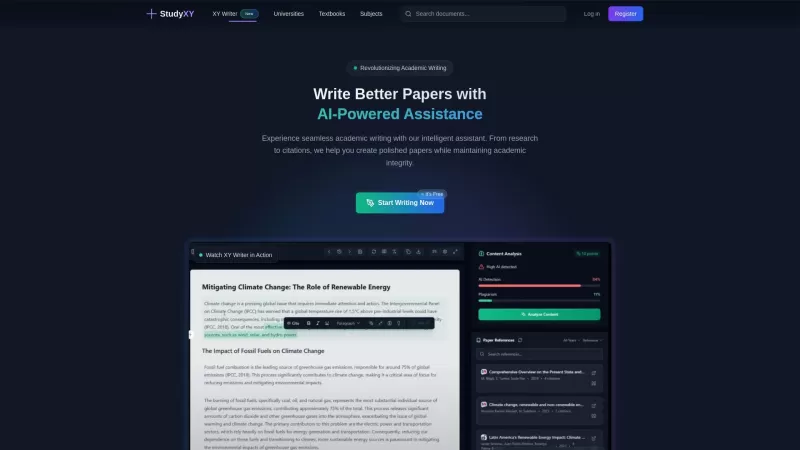
What is XYWriter?XYWriter is your go-to AI-powered academic writing assistant. It's designed to make life easier for students and researchers by helping with everything from managing citations to checking for plagiarism. Plus, it's all about keeping things honest and academically sound.How to Use XY

What is PaperRed? PaperRed is a game-changer in the world of academic tools. It’s a free online plagiarism checker powered by AI technology, designed to help students, writers, and researchers ensure their work is original and polished. Think of it as you
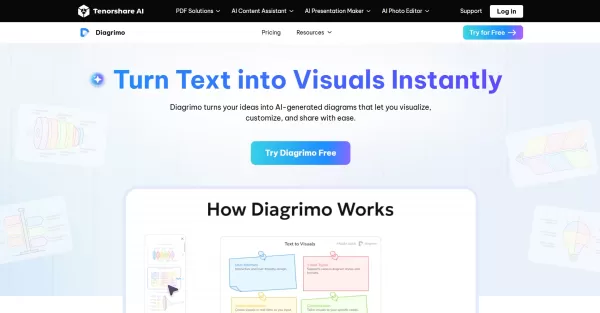
What is Diagrimo?Diagrimo is an AI-powered text-to-visual tool that helps users transform text or concepts into structured diagrams like flowcharts, SWOT analyses, pyramids, and infographics. It supports users in organizing ideas, planning projects,

What is Giststack? Giststack is an AI-driven platform that assists users, especially solopreneurs and marketers, in tackling the hurdles of social media content creation. It gathers content from your preferred websites and newsletters, spots trending
Heyboard: Your AI-Powered Personal Workspace Product Information
What is Heyboard: Your AI-Powered Personal Workspace?
Heyboard is an intelligent AI assistant crafted to optimize your writing workflow. It uses sophisticated natural language processing to support a range of tasks—from drafting emails and reports to summarizing articles and generating content. Whether you're working on academic texts or casual messages, Heyboard adjusts to your personal style, boosting efficiency and making it a must-have tool for accelerating your output. Its user-friendly interface helps you stay focused while elevating the quality of your writing.
Who can benefit from Heyboard: Your AI-Powered Personal Workspace?
- Writers
- Students
- Professionals
- Content creators
- Researchers
How to get started with Heyboard: Your AI-Powered Personal Workspace?
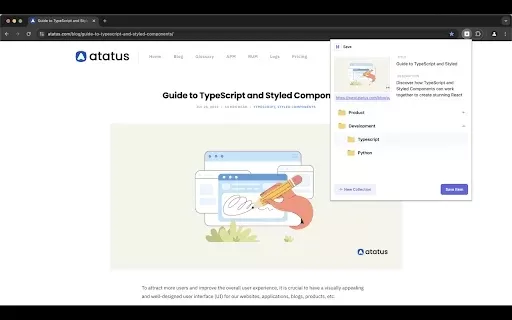
- Step 1: Install the Heyboard extension from the Chrome Web Store.
- Step 2: Pin the extension to your Chrome toolbar for quick access.
- Step 3: Click the Heyboard icon to launch the assistant.
- Step 4: Choose a task type like 'Compose', 'Summarize', or 'Brainstorm'.
- Step 5: Enter your text or select the content you'd like to improve.
- Step 6: Review Heyboard's suggestions and edits.
- Step 7: Finalize and copy your polished text.
Platform
- Web
- Chrome
Heyboard: Your AI-Powered Personal Workspace's Core Features & Benefits
The Core Features
- Text composition assistance
- Summarization
- Brainstorming ideas
- Style adaptation
The Benefits
- Increased productivity
- Enhanced writing quality
- Ease of use
- Time-saving
Heyboard: Your AI-Powered Personal Workspace's Main Use Cases & Applications
- Writing emails and reports
- Summarizing articles
- Creating content for blogs
- Assisting in academic writing
FAQs of Heyboard: Your AI-Powered Personal Workspace
How does Heyboard integrate with my browser?
Heyboard integrates smoothly as a Chrome extension for easy access.
Is Heyboard free?
Yes, Heyboard has a free version with additional premium features.
Can I use Heyboard for academic writing?
Yes, it is built to help with many writing tasks, including academic projects.
What types of content can Heyboard help me create?
Heyboard can help with emails, articles, reports, and other written materials.
Do I need an account to use Heyboard?
No account is required for Heyboard's basic features.
Can I install Heyboard on multiple devices?
Yes, you can install it on any device that supports Chrome.
Does Heyboard support multiple languages?
At the moment, it mainly supports English, with other languages planned for future releases.
How do I get customer support?
Support is available through the contact methods listed in the extension.
Is my data safe with Heyboard?
Yes, Heyboard is committed to user privacy and data security.
What should I do if Heyboard is not working?
Refresh the page or reinstall the extension if problems continue.
Heyboard: Your AI-Powered Personal Workspace Company Information
Heyboard: Your AI-Powered Personal Workspace Screenshot

2026 Latest Best Top-rated AI Conversation Trainer Tools for Interview Practice are here on XIX.AI! This curated collection features powerful, game-changing tools that go through rigorous real-world tests to deliver accurate feedback. You’ll find a free vs paid comparison and detailed rankings to help you choose the must-try option that boosts your confidence and skills. Explore now to Discover your perfect tool for interview success!
 12 tools
 xix.ai

2026 Latest Best Top-rated AI Style Transfer Tools for Creative Experiments! XIX.AI has curated a powerful, game-changing collection of must-try tools that deliver exceptional results through real-world tests and rigorous rankings. These top solutions help creatives boost productivity significantly by accelerating content creation and unlocking endless creative possibilities. Explore now to discover your perfect tool and start creating today!
9 tools
xix.ai

2026 Latest Best Top-Rated AI Dialogue Bubble Tools for Visual Storytelling are here on XIX.AI! This curated collection features powerful, game-changing tools that help creators boost productivity and overcome creative bottlenecks. Get a free vs paid comparison, see real-world tests, and check the latest rankings to find the must-try solutions perfect for crafting engaging visual narratives. Explore now to discover your ideal tool!
10 tools
xix.ai

2026 Latest Top-Rated Best AI Meeting Summary Tools for Clear Decision Tracking and Effortless Follow-Ups. This curated list showcases powerful, game-changing solutions that boost productivity dramatically by automating meeting notes, identifying key action items, and streamlining team coordination across all projects. Get a free vs paid comparison along with real-world tests and weekly updated rankings to help you find the perfect tool. Explore now to unlock your AI edge!
9 tools
xix.ai

2026 Latest Best Top-rated AI Data Cleaning Tools for quick fixing of missing values and duplicates. This curated list showcases powerful, game-changing solutions that boost productivity significantly. Each option has undergone rigorous real-world tests to ensure reliability. Get a free vs paid comparison and discover the must-try tool that fits your needs best. Explore now at XIX.AI to Unlock your AI edge.
11 tools
xix.ai

2026 Latest Best Top-Rated AI Creative Ideation Tools for Artists are curated by XIX.AI to help creators break through visual blocks and boost creativity instantly. These powerful game-changing tools offer real-world tests, detailed free vs paid comparison, and weekly updated rankings. Discover your perfect tool to accelerate content creation and unlock your AI edge today. Explore now!
14 tools
xix.ai


I've been using Heyboard for a week now, and it's surprisingly good at drafting emails. The AI suggestions are actually helpful, not just generic. But I'm a bit worried about privacy since it's cloud-based. Still, very impressed! 😊


