


 Home
HomeGroupMe ™ Translator - Automatically translate received and sent messages



Helps TikTok sellers, brands, MCNs, and TAPs discover winning products and find creators.

HelpLook is an AI-powered all-in-one knowledge base tool that helps businesses quickly build knowledge bases, help centers, and...

Your AI Workspace

302.AI is an enterprise-grade AI resource platform with pay-as-you-go pricing, API access to a full range of AI models, and ready-to-use online applications.

剧火AI — AI Screenwriter + Director, a One-Person Short Drama Studio In one sentence, what is it?

Ever stumbled upon an image with text in a language you can't understand? That's where Deepseek R1 comes in, a nifty online tool that transforms text within images into over 100 different languages. Whether it's a manga page, an e-commerce product descrip
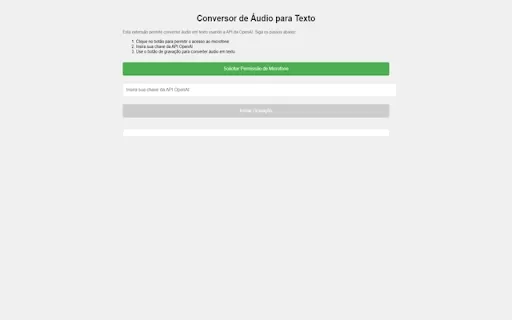
Ever wished you could magically transform your audio recordings into neatly typed text? Well, the Conversor de Áudio para Texto AI Chrome extension is here to make that wish come true! This nifty tool harnesses the power of OpenAI's advanced API to turn y
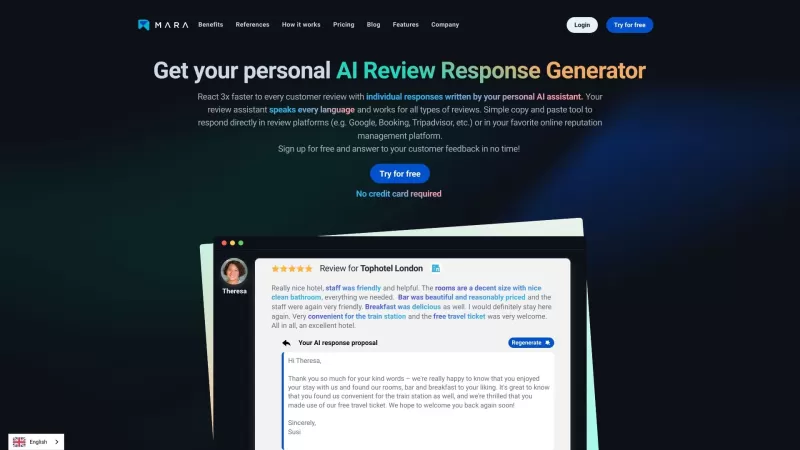
Ever found yourself staring blankly at customer reviews, wondering how to respond in a way that feels genuine and personal? That's where the AI Review Response Generator comes in—a nifty tool designed to take the hassle out of crafting those responses. Cr
Ever wondered how to breathe life into your scripts without spending hours in a recording booth? Meet Cugent, your new best friend in the world of AI voiceovers. This nifty tool takes your scripts—whether they're in PDF, Docs, or just plain text—and transforms them into professional, high-quality vo
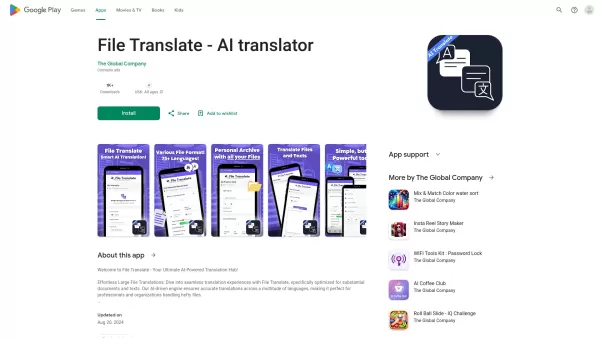
Ever found yourself staring at a mountain of documents, wishing you could magically translate them into another language? Well, that's where File Translator AI comes in—your new best friend for tackling those translation woes. This isn't just any translat
GroupMe ™ Translator - Automatically translate received and sent messages Product Information
What Is GroupMe™ Translator? Automatically Translate Received and Sent Messages
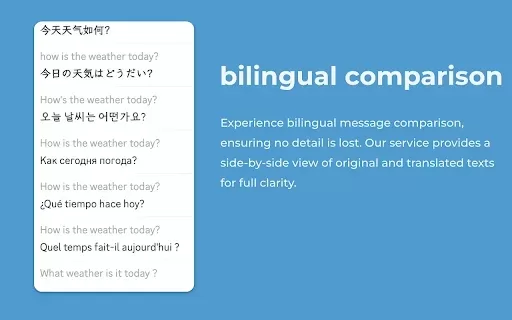
GroupMe Translator is an innovative Chrome extension that provides real‑time message translation on the GroupMe platform. Designed to break down language barriers, it allows users to communicate effortlessly with friends, colleagues, and family worldwide. Supporting over 100 languages and integrating leading translation engines such as Google, Microsoft, and DeepL, this easy‑to‑use and secure extension keeps your conversations private while enhancing your international communication.
Who Will Use GroupMe™ Translator? Automatically Translate Received and Sent Messages
- GroupMe users
- International teams
- Language learners
- Global friends
How to Use the GroupMe™ Translator? Automatically Translate Received and Sent Messages
- Step 1: Download and install the GroupMe Translator extension from the Chrome Web Store.
- Step 2: Open GroupMe and start a chat.
- Step 3: Click the translator extension icon on the browser toolbar.
- Step 4: Choose your desired language for translation.
- Step 5: Type your message as usual and send it.
- Step 6: The extension automatically translates messages in real time.
Platform
- Chrome
GroupMe™ Translator – Automatically Translate Received and Sent Messages' Core Features & Benefits
The Core Features
- Real-time message translation
- Support for over 100 languages
- Integration with major translation engines
- Seamless GroupMe interface integration
- Privacy protection
The Benefits
- Eliminates language barriers
- Enhances global communication
- Saves time and improves conversation efficiency
- Protects user privacy
GroupMe™ Translator – Automatically Translate Received and Sent Messages' Main Use Cases & Applications
- International business communication
- Connecting with global friends
- Collaborating with diverse teams
- Learning new languages
FAQs About GroupMe™ Translator – Automatically Translate Received and Sent Messages
Is my data safe with GroupMe Translator?
Yes, the extension ensures data privacy and does not share or sell user data.
How many languages does it support?
It supports over 100 languages.
Is it free to use?
Yes, the extension is free to download and use.
Can I use it on mobile?
Currently, it is available for the Chrome browser on desktop.
Does it work offline?
No, it requires an internet connection to access translation engines.
How do I switch the translation language?
Click the extension icon and select your preferred language.
Does it integrate with other chat platforms?
No, this extension is specifically for GroupMe.
Is there a word limit for translations?
No, it translates messages of all lengths.
Do I need a GroupMe account to use it?
Yes, you need a GroupMe account to use the extension.
Can I suggest new features?
Yes, you can contact the developer with your suggestions.
Company Information for GroupMe™ Translator – Automatically Translate Received and Sent Messages
- ChatTranslators
- https://groupmetranslator.com
GroupMe ™ Translator - Automatically translate received and sent messages Screenshot


2026 Latest Best Top-rated AI Style Transfer Platforms ranked by expert assessments. This curated collection offers powerful game-changing tools that help users reimagine photos with stunning distinct visual looks, boosting creativity and productivity effortlessly. XIX.AI stands out as a trusted source for weekly updated free vs paid comparison insights along with real-world tests. Explore now to Discover your perfect tool and Unlock your AI edge.
 10 tools
 xix.ai

2026 Latest Best AI platforms for tracking competitors on Shopify to stay ahead in pricing, merchandising, and promotions. XIX.AI curates top-rated, powerful tools that offer real-world tests and free vs paid comparison through weekly updated rankings. Must-try solutions help boost productivity and unlock your AI edge. Explore now!
10 tools
xix.ai

2026 Latest Top-rated AI Fitness Coaches for Home Workouts are here on XIX.AI! Our curated list features powerful, game-changing tools that create adaptive workout plans tailored to your goals, helping you boost productivity and break through fitness plateaus. Get a free vs paid comparison along with real-world tests and updated rankings weekly. Explore now to Discover your perfect tool and Start creating today to Unlock your AI edge!
10 tools
xix.ai
2026 Latest Best Top-rated AI Comment Moderation Tools for TikTok Shops and High-Volume Brand Communities are curated here by XIX.AI. Our weekly updated rankings feature powerful, game-changing solutions that deliver real-world tests results to help you boost content quality, enhance writing efficiency, and streamline community management effortlessly. Free vs paid comparison insights are also available. Explore now to Discover your perfect tool for unlocking your AI edge!
9 tools
xix.ai

2026 Latest Best CapCut AI Video Editors for Reels Shorts Ads and Social Commerce Launches! This curated list features top-rated powerful game-changing tools that deliver impressive results through real-world tests. You’ll find a free vs paid comparison along with detailed rankings to help you choose the perfect fit. XIX.AI offers expert insights to help you unlock your AI edge in content creation. Explore now to discover your ideal tool and boost your productivity today!
14 tools
xix.ai

2026 Latest Best Top-rated AI Study Discovery Tools are here on XIX.AI! This curated list includes powerful game-changing resources for quick access to journals, datasets, and industry trends. Get a free vs paid comparison along with real-world tests and updated rankings weekly. Must-try options help boost your research efficiency and unlock your AI edge. Explore now to discover your perfect tool!
10 tools
xix.ai


