


 Home
HomeGrammarly: AI Writing and Grammar Checker App
Grammarly: AI Writing Assistant | Grammar & Tone



Helps TikTok sellers, brands, MCNs, and TAPs discover winning products and find creators.

HelpLook is an AI-powered all-in-one knowledge base tool that helps businesses quickly build knowledge bases, help centers, and...

Your AI Workspace

302.AI is an enterprise-grade AI resource platform with pay-as-you-go pricing, API access to a full range of AI models, and ready-to-use online applications.

剧火AI — AI Screenwriter + Director, a One-Person Short Drama Studio In one sentence, what is it?

What is Originality?Originality.AI is an advanced AI-powered platform built to identify AI-generated text and detect plagiarism. It serves writers, publishers, and educators by verifying the authenticity and originality of content. The tool utilizes

What is PaperRed? PaperRed is a game-changer in the world of academic tools. It’s a free online plagiarism checker powered by AI technology, designed to help students, writers, and researchers ensure their work is original and polished. Think of it as you
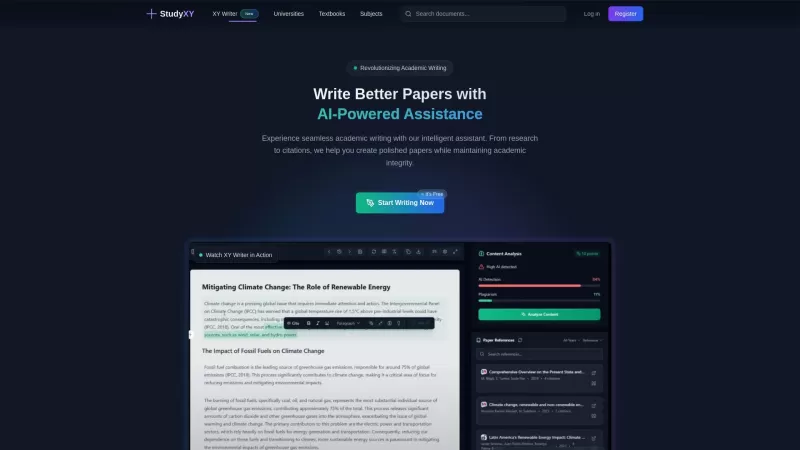
What is XYWriter?XYWriter is your go-to AI-powered academic writing assistant. It's designed to make life easier for students and researchers by helping with everything from managing citations to checking for plagiarism. Plus, it's all about keeping things honest and academically sound.How to Use XY
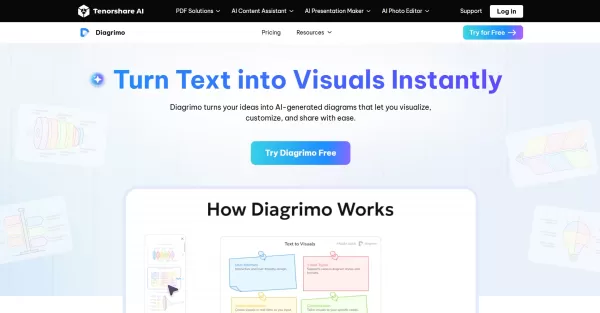
What is Diagrimo?Diagrimo is an AI-powered text-to-visual tool that helps users transform text or concepts into structured diagrams like flowcharts, SWOT analyses, pyramids, and infographics. It supports users in organizing ideas, planning projects,

What is Giststack? Giststack is an AI-driven platform that assists users, especially solopreneurs and marketers, in tackling the hurdles of social media content creation. It gathers content from your preferred websites and newsletters, spots trending
Grammarly: AI Writing and Grammar Checker App Product Information
What is the Grammarly: AI Writing and Grammar Checker App?
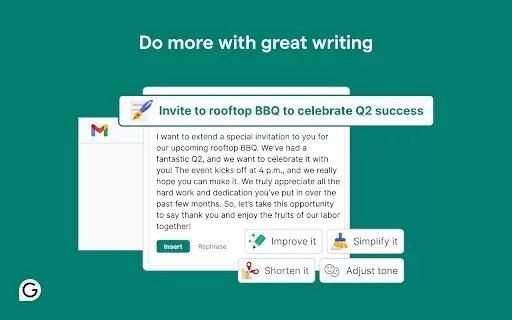
Grammarly is an AI-powered writing tool that offers real-time grammar and writing assistance. It detects spelling, punctuation, and grammar mistakes while providing style and engagement suggestions. Accessible on multiple platforms and browsers, it helps users communicate more clearly and confidently. Features like tone detection and vocabulary enhancement support writers at all skill levels, from students and professionals to everyday users aiming to improve their writing.
Who can benefit from the Grammarly: AI Writing and Grammar Checker App?
- Students
- Professionals
- Writers
- Marketers
- Bloggers
How to get started with the Grammarly: AI Writing and Grammar Checker App?
- Step 1: Install the Grammarly extension from the Chrome Web Store.
- Step 2: Sign up for or log in to your Grammarly account.
- Step 3: Begin typing in text fields like emails or documents.
- Step 4: Check real-time improvement suggestions from Grammarly.
- Step 5: Apply or dismiss suggestions to enhance your writing.
Platform
- Web
- Mac
- Windows
- iOS
- Android
- Chrome
Grammarly: AI Writing and Grammar Checker App's Core Features & Benefits
The Core Features
- Grammar Checking
- Spelling Corrections
- Punctuation Suggestions
- Style Recommendations
- Plagiarism Detection
- Tone Analysis
The Benefits
- Boosts writing clarity
- Improves communication impact
- Reduces time spent on editing
- Minimizes writing errors
- Builds writing confidence
Grammarly: AI Writing and Grammar Checker App's Main Use Cases & Applications
- Academic writing
- Business communication
- Content creation
- Email drafting
FAQs of Grammarly: AI Writing and Grammar Checker App
What is Grammarly?
Grammarly is an AI-based writing assistant designed to help enhance writing quality.
Is Grammarly free?
Grammarly includes a free plan with basic features and a premium subscription for advanced support.
Does Grammarly work offline?
Grammarly is mainly an online tool, with limited offline functionality.
Can Grammarly be used on mobile?
Yes, Grammarly provides mobile apps for both Android and iOS devices.
How does Grammarly detect errors?
Grammarly uses AI and sophisticated algorithms to spot spelling and grammar issues.
Can Grammarly check tone?
Yes, Grammarly includes tone detection to help align your writing with the intended style.
Is Grammarly safe to use?
Grammarly adheres to strict privacy policies to safeguard user data.
What formats does Grammarly support?
Grammarly works with emails, documents, social media posts, and various other formats.
Can I customize Grammarly settings?
Yes, you can adjust settings to suit your writing goals and preferences.
Does Grammarly work with Google Docs?
Yes, Grammarly integrates with Google Docs to provide live writing assistance.
Grammarly: AI Writing and Grammar Checker App Company Information
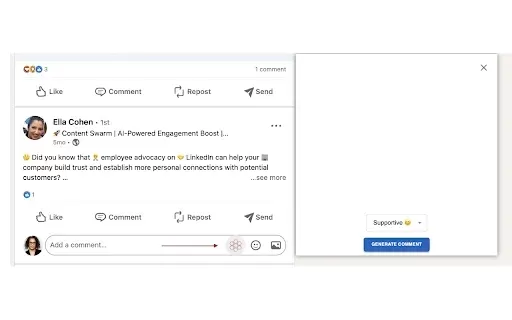
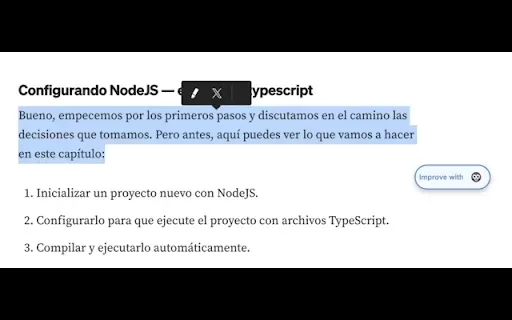
Grammarly: AI Writing and Grammar Checker App Screenshot

2026 Latest Best Top-Rated AI Writing Tools for Blogs and Articles! XIX.AI curates a powerful, game-changing selection through weekly updated rankings and real-world tests. You’ll find must-try options that boost writing efficiency, help create high-quality content fast, and streamline SEO optimization without breaking the bank. Compare free vs paid plans to pick the perfect fit. Explore now to Unlock your AI edge!
 12 tools
 xix.ai
2026 Latest Best Top-rated AI Tone Adjustment Tools for Professional Copy are here on XIX.AI! This curated collection features powerful, game-changing solutions that help you refine messaging effortlessly, boost writing efficiency, and create polished content tailored to any audience. Get a free vs paid comparison along with real-world tests and updated rankings weekly. Explore now to Discover your perfect tool and Unlock your AI edge in copywriting today!
11 tools
xix.ai
2026 Latest Best Claude editing tools ranked as top-rated must-try options for crafting clear professional business writing with precise tone control and multiple rewrite passes. XIX.AI has curated a powerful game-changing collection that undergoes real-world tests weekly to ensure optimal results. Get a free vs paid comparison overview before exploring now to discover your perfect tool and unlock your AI edge.
10 tools
xix.ai
2026 Latest Top-Rated AI Assistants: Curated selection of game-changing tools to generate quality content, enhance communication, and boost productivity. Our weekly updated rankings include free/paid comparisons. Explore your perfect AI match at XIX.AI
10 tools
xix.ai
Discover the 2026 latest curated list of the best AI content writing tools. Our top-rated must-try picks help you write faster, conquer writer's block, and create high-quality articles and documentation. XIX.AI provides real-world tests and weekly updated rankings to find your perfect tool. Explore now.
10 tools
xix.ai


