


 Home
HomeGPTExcel
AI Excel & Sheets Formula Assistant



Helps TikTok sellers, brands, MCNs, and TAPs discover winning products and find creators.

HelpLook is an AI-powered all-in-one knowledge base tool that helps businesses quickly build knowledge bases, help centers, and...

Your AI Workspace

302.AI is an enterprise-grade AI resource platform with pay-as-you-go pricing, API access to a full range of AI models, and ready-to-use online applications.

剧火AI — AI Screenwriter + Director, a One-Person Short Drama Studio In one sentence, what is it?

What is AI Excel Bot?AI Excel Bot uses advanced AI algorithms to help you build complex Excel and Google Sheets formulas in seconds. By leveraging natural language processing, it makes writing, editing, and understanding formulas much easier. Whether

What is Simplify Money?Simplify Money is an AI-driven personal finance application built to empower users with effective money management. It delivers holistic financial planning, covering salary oversight, tax optimization, and investment guidance v

What is Ajelix AI Excel Tools?Ajelix provides intelligent, AI-powered tools designed to automate processes within Excel and Google Sheets, simplifying data analytics, visualization, and business intelligence for professionals and teams. Empower your
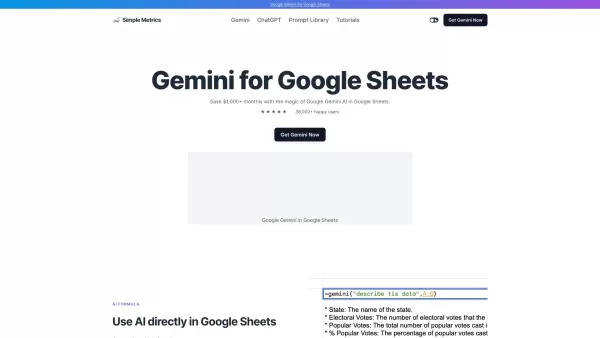
What is Gemini AI for Sheets?Gemini AI for Sheets by Simple Metrics is a powerful add-on that integrates natively with Google Sheets. It enables sophisticated data analysis, automated content creation, sentiment analysis, and live data interpretation
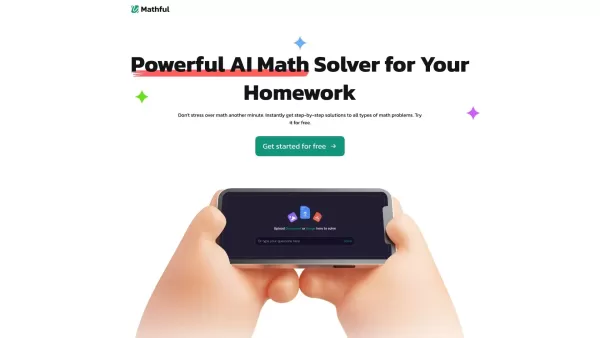
What is Mathful?Mathful is an advanced math-solving platform enhanced by artificial intelligence, enabling users to effortlessly find solutions to various mathematical problems. You can capture a picture of a math problem or input it manually, and Ma
GPTExcel Product Information
What is GPTExcel?
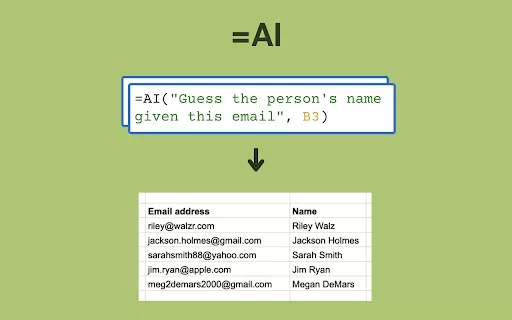
GPTExcel is an AI-powered assistant designed to create, decipher, and automate intricate formulas for both Microsoft Excel and Google Sheets. It streamlines your workflow with large datasets or complex calculations, minimizing manual work and boosting overall efficiency.
Who will use GPTExcel?
- Microsoft Excel Users
- Google Sheets Users
- Accountants
- Data Analysts
- Businesses Managing Large Datasets
How to use the GPTExcel?
- Step 1: Go to the GPTExcel website
- Step 2: Sign up or log into your account
- Step 3: Upload an existing spreadsheet or create a new one
- Step 4: Use the AI assistant to generate or understand formulas
- Step 5: Apply the provided formulas to your data
- Step 6: Save and download your updated spreadsheet
Platform
- Web
GPTExcel's Core Features & Benefits
The Core Features
- Generates Excel Formulas
- Explains Existing Formulas
- Supports Google Sheets
- Automates Repetitive Tasks
- Provides Real-Time Assistance
The Benefits
- Increases Productivity
- Reduces Manual Work
- Improves Data Accuracy
- Simplifies Complex Calculations
- Significant Time Savings
GPTExcel's Main Use Cases & Applications
- Building Advanced Excel Formulas
- Automating Routine Tasks
- Enhancing Data Analysis
- Improving Financial Reporting
- Optimizing Business Workflows
GPTExcel's Pros & Cons
The Pros
Compatible with multiple platforms including Excel, Google Sheets, LibreOffice Calc, and Airtable
Offers extensive AI tools like formula generation, script automation, and SQL or regex creation
Advanced features include interactive spreadsheet chats and converting images to tables
Automatically generates charts and graphs for better data visualization
Free tier does not require a credit card
Generous free plan with core features and a flexible paid subscription
The Cons
Not open source, which prevents community contributions or self-hosting options
Usage limits on the free plan may be too low for power users
No dedicated mobile app or browser extension is currently offered
Access to certain advanced features requires a paid subscription
GPTExcel's Pricing
Has free plan | YES |
|---|---|
Free trial details | |
Pricing model | Freemium |
Is credit card required | No |
Paid from | 6.99 USD |
Has lifetime plan | No |
Billing frequency | Monthly |
Details of Pricing Plan
Free
0 USD
- AI Chat Assistant
- Up to 4 requests per day (refreshes every 12 hours)
- Spreadsheet Formula Assistant AI
- Automation Script Assistant for Spreadsheets
- SQL Query Assistant AI
- Regex Assistant AI
- Excel Table Template Generator
- Standard Customer Support
Pro
6.99 USD
- AI Chat Assistant
- Up to 3,000 requests per month
- Spreadsheet Formula Assistant AI
- Automation Script Assistant for Spreadsheets
- SQL Query Assistant AI
- Regex Assistant AI
- Excel Table Template Generator
- Priority Customer Support
For the most current pricing, visit: https://gptexcel.uk?aff=O0D1K
FAQs of GPTExcel
What is GPT Excel?
GPT Excel is an artificial intelligence tool that helps users generate and understand Excel and Google Sheets formulas.
Is GPT Excel compatible with Google Sheets?
Yes, it is fully compatible with both Microsoft Excel and Google Sheets.
How does GPT Excel improve productivity?
By automating the process of creating and interpreting complex spreadsheet formulas, it significantly cuts down on manual work.
Can GPT Excel handle large datasets?
Absolutely. It is engineered to efficiently manage and process large volumes of data.
Is there a free trial available?
You can check on the official GPT Excel website for current free trial availability.
How secure is my data with GPT Excel?
GPT Excel employs strong security protocols to safeguard your data and privacy.
What platforms is GPT Excel compatible with?
It is currently available as a web-based platform.
Do I need any prior knowledge to use GPT Excel?
No, the tool is built to be intuitive for users of all skill levels, from beginners to experts.
What are the benefits of using GPT Excel?
Key benefits include increased productivity, considerable time savings, and the simplification of complex data tasks.
Can GPT Excel provide real-time assistance?
Yes, it delivers real-time support and guidance as you work.
GPTExcel Company Information
Website:
https://gptexcel.ukCompany Name:
GPT ExcelSupport Email:
NAFacebook:
NAX (Twitter):
NAYouTube:
NAInstagram:
NATikTok:
NALinkedIn:
NA
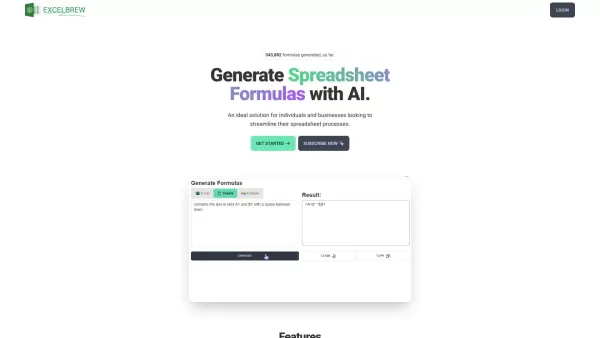
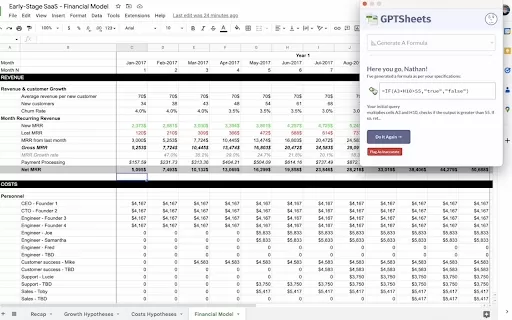
GPTExcel Screenshot

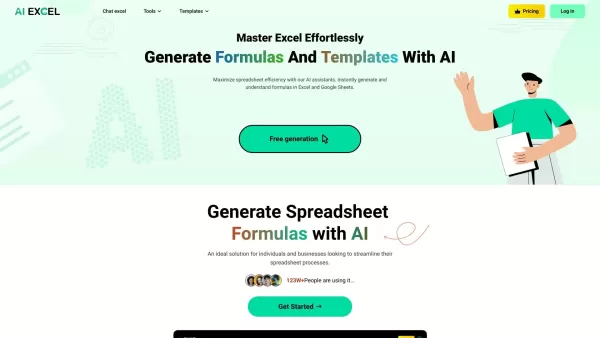
2026 Latest: Discover the top-rated AI tools for Google Sheets and Excel formulas. Our curated selection of powerful solutions helps you automate calculations, analyze data faster, and boost productivity. Compare free vs paid options with real-world tests. Explore the best and unlock your AI edge at XIX.AI.
 10 tools
 xix.ai

Discover the 2026 curated list of top-rated AI tools for Excel. We compare free vs paid solutions, showcasing powerful tools that turn text into formulas, boost your spreadsheet productivity, and save hours. Real-world tests & weekly updated rankings at XIX.AI. Find your perfect assistant today.
10 tools
xix.ai

Discover the 2026 latest top-rated AI tools in our curated selection for beginners and non-technical users, designed to simplify Excel with powerful, game-changing features. Weekly updated rankings offer detailed free vs paid analysis to help you generate and work with formulas like a pro, boosting spreadsheet productivity instantly. Explore our handpicked, expert-tested recommendations only on XIX.AI to find your perfect fit.
10 tools
xix.ai
Explore 2026's latest, top-rated AI Excel formula generators curated by XIX.AI. Discover the must-try, powerful tools for fast data analysis and error-free calculations, with free vs. paid comparisons and real-world performance rankings. Start mastering your spreadsheets today!
10 tools
xix.ai

2026 Latest Top AI Tools for Converting Plain Language into Excel Formulas. Explore our curated & weekly updated rankings of best & top-rated tools you must try. See real-world tests and a complete free vs paid comparison to instantly generate accurate formulas and boost your spreadsheet productivity. Unlock your AI edge at XIX.AI.
10 tools
xix.ai


