


 Home
HomeGalileo | AI-Powered Tutoring
Galileo AI: AI Tutoring for Personal Learning Support



What is Originality?Originality.AI is an advanced AI-powered platform built to identify AI-generated text and detect plagiarism. It serves writers, publishers, and educators by verifying the authenticity and originality of content. The tool utilizes
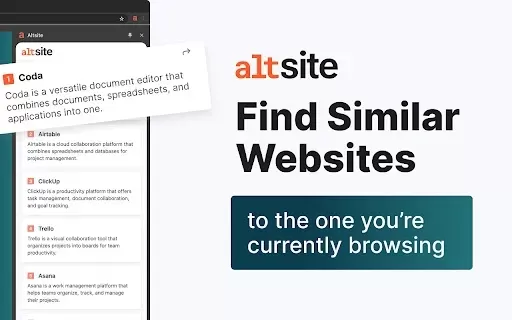
What is Altsite?Altsite is a browser extension that helps users find websites similar to the one they're currently visiting. Using advanced AI technology, it analyzes website content and instantly generates a list of related sites. This tool is ideal

What is Lilybank AI? Lilybank AI is a game-changer in the world of content creation. It's like having a team of AI wizards at your fingertips, ready to churn out high-quality content faster than you can say "publish." From crafting compelling blog posts t
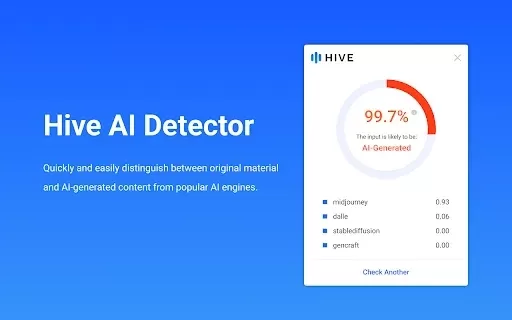
What is Hive AI Detector?Hive AI Detector uses advanced machine learning to analyze various types of media and determine whether they were generated or altered by artificial intelligence. This tool is ideal for journalists, educators, marketers, and

What is Rosebud?Rosebud.ai is a cutting-edge platform that uses generative AI to streamline the game development workflow. It offers a suite of tools to produce game assets—including characters, environments, and textures—and to animate avatars using
Galileo | AI-Powered Tutoring Product Information
What is Galileo | AI-Powered Tutoring?
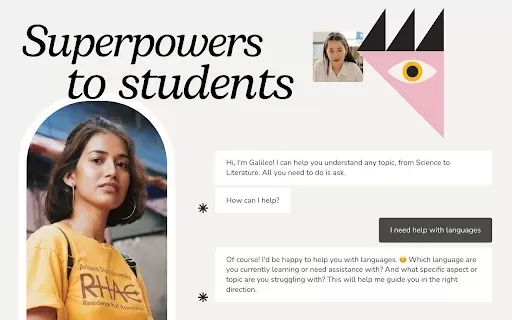
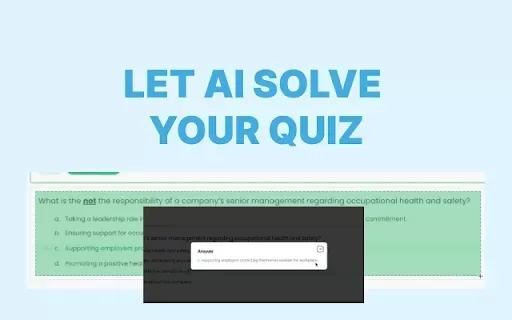
Galileo AI is a Chrome extension developed to support students across various subjects. By leveraging advanced artificial intelligence, it clarifies complex topics, analyzes exam queries, improves writing proficiency, and delivers immediate feedback on academic work. This intelligent tool serves as a dedicated personal tutor, fostering an interactive and clear learning process. It empowers students to address their studies with greater assurance. Through integrated AI analytics, Galileo transforms traditional study methods and elevates overall educational outcomes.
Who will use Galileo | AI-Powered Tutoring?
- Students
- Educators
- Parents
- Tutors
How to use the Galileo | AI-Powered Tutoring?
- Step 1: Install the Galileo AI extension from the Chrome Web Store.
- Step 2: Launch the extension and choose your desired subject area.
- Step 3: Enter your specific question or upload the material requiring assistance.
- Step 4: Get instant clarifications, writing improvements, or study tips for exams.
- Step 5: Apply the personalized feedback to deepen your grasp of the subject.
Platform
- Chrome
Galileo | AI-Powered Tutoring's Core Features & Benefits
The Core Features
- Personalized feedback
- Real-time writing enhancement
- Exam question analysis
- Concept clarification
The Benefits
- Deepens comprehension of challenging concepts
- Refines writing skills
- Optimizes study time
- Strengthens academic self-assurance
Galileo | AI-Powered Tutoring's Main Use Cases & Applications
- Homework support
- Exam preparation
- Writing refinement
- Learning complex concepts
FAQs of Galileo | AI-Powered Tutoring
How quickly can I expect responses from Galileo AI?
You will receive AI-generated responses in a matter of seconds, supporting efficient and productive study sessions.
Transform your learning experience with Galileo AI, an intelligent tutoring extension that offers personalized help and feedback across various subjects.
Galileo AI-Powered Tutor – Your Intelligent Learning Companion
Galileo | AI-Powered Tutoring Company Information
Galileo | AI-Powered Tutoring Screenshot




Discover the 2026 best AI language exchange bots for instant, native-level conversation practice in 50+ languages. Explore our top-rated, curated list with free vs paid comparisons and real-world tests. Find your perfect practice partner and unlock fluency faster at XIX.AI.
 10 tools
 xix.ai

Discover the 2026 best AI realistic face generators at XIX.AI. Our top-rated, curated list features powerful tools for crafting virtual models and identity portraits from text. Compare free vs paid options with real-world tests. Unlock your creative potential today!
10 tools
xix.ai

Discover the 2026 best AI background removers at XIX.AI. Our curated list features top-rated, game-changing tools for flawless one-click edits—perfect for erasing complex backgrounds and tricky flyaway hair. Compare free vs paid options with real-world tests. Find your perfect editor and unlock professional results today.
10 tools
xix.ai

Discover the 2026 latest top-rated AI PDF chatbots for researchers. XIX.AI's curated list features powerful, game-changing tools to extract methodology and data from journals fast. Compare free vs paid options with real-world tests. Unlock your research edge today.
10 tools
xix.ai

Discover the 2026 best AI data cleaning tools for Excel on XIX.AI. Our curated, top-rated list features powerful solutions to automate spreadsheet workflows and complex regex tasks. Compare free vs paid options with real-world tests. Unlock your data productivity edge today.
9 tools
xix.ai

Discover the 2026 guide to ethical AI companionship. Explore our curated, top-rated analysis of data handling and safety standards. Compare free vs paid options and understand real-world privacy protections. Find your trusted, secure companion with XIX.AI's expert rankings.
10 tools
xix.ai


