


 Home
HomeFile Concat Tool - Prepare Files for AI
FileConcat:高效多文件合并工具



Helps TikTok sellers, brands, MCNs, and TAPs discover winning products and find creators.

HelpLook is an AI-powered all-in-one knowledge base tool that helps businesses quickly build knowledge bases, help centers, and...

Your AI Workspace

302.AI is an enterprise-grade AI resource platform with pay-as-you-go pricing, API access to a full range of AI models, and ready-to-use online applications.

剧火AI — AI Screenwriter + Director, a One-Person Short Drama Studio In one sentence, what is it?

What is Undressbaby AI?Undressbaby is a cutting-edge, AI-driven platform that lets users creatively alter their photos and videos. From swapping faces to trying on virtual outfits, it offers a simple yet powerful solution. Just upload your media, and

What is GPT2Markdown?GPT2Markdown is a Chrome extension that streamlines the process of exporting your ChatGPT conversations into Markdown format. With a single click, it allows you to download your chat history as a Markdown (.md) file directly to y

What is Lyvia AI?Lyvia is a powerful platform featuring an uncensored AI image generator and versatile face swap tools for both photos and videos. Accessible on your mobile, tablet, or computer, it’s designed to evolve with you through regular update
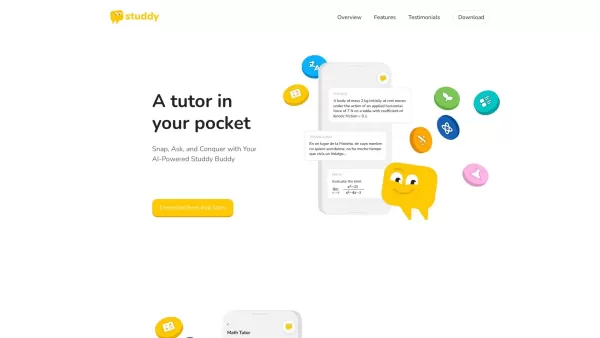
What is Studdy?Studdy AI is an intelligent tutoring app that helps students complete homework, grasp difficult subjects, and improve their grades. Leveraging advanced AI, it offers immediate support for math, science, reading, and other areas. The ap

What is xPage?xPage leverages AI to simplify the creation of professional eCommerce landing pages. It provides a wide selection of expert-designed templates that you can tailor to your brand. After choosing your template, the AI engine produces a dyn
File Concat Tool - Prepare Files for AI Product Information
What is the File Concat Tool - Prepare Files for AI?
FileConcat is an online tool that simplifies file management by allowing you to merge multiple files into one. Quickly combine text files, PDFs, or spreadsheets with a user-friendly interface that gets the job done in just a few clicks. Upload, arrange, and merge your files efficiently to streamline your workflows and save time.
Who can use the File Concat Tool - Prepare Files for AI?
- Students
- Business Professionals
- Researchers
- Writers
- Educators
How to use the File Concat Tool - Prepare Files for AI?
- Step 1: Visit FileConcat.com
- Step 2: Upload the files you want to merge
- Step 3: Arrange the files in your preferred order
- Step 4: Click 'Combine' to merge the files
- Step 5: Download the final merged file
Platform
- Web
File Concat Tool - Prepare Files for AI Core Features & Benefits
Core Features
- File Uploading
- File Arranging
- File Combining
- File Downloading
Benefits
- Saves Time
- Simplifies File Management
- User-Friendly Interface
- Free to Use
File Concat Tool - Prepare Files for AI Main Use Cases & Applications
- Merging reports for presentations
- Combining research documents
- Compiling written chapters into a book
- Consolidating spreadsheets for data analysis
File Concat Tool - Prepare Files for AI Pros & Cons
Pros
100% offline processing ensures complete privacy and data security.
Easy drag-and-drop interface for combining files and folders.
Optimized output format tailored for AI language models like ChatGPT and Claude.
Open-source under the MIT license, enabling transparency and community contributions.
Token usage estimation and smart file processing give you better control.
Modern UI with dark mode support for comfortable use.
Cons
No official pricing model or information about paid features.
Limited to browser-based use, which may not fit all workflows.
No mobile apps or browser extensions available.
Lacks direct AI capabilities or autonomous agent functions.
Relies on users to supply relevant files; no built-in file retrieval or AI integration beyond formatting.
FAQs About File Concat Tool - Prepare Files for AI
What types of files can I merge on FileConcat?
You can merge text files, PDFs, and spreadsheets.
Is FileConcat free to use?
Yes, FileConcat is completely free.
Do I need to create an account to use FileConcat?
No, you can use FileConcat without creating an account.
How secure is my data on FileConcat?
Your data is kept secure and private on FileConcat.
Can I change the order of files before merging?
Yes, you can rearrange files before combining them.
Are there any limits on how many files I can merge?
Currently, there are no specified limits on the number of files you can merge.
Is there a file size limit for uploading?
Please refer to the platform for any file size restrictions during upload.
Can I edit files after merging them?
Files must be edited before merging, as editing is not available after combination.
How long does the merging process take?
The process is fast and typically completes in seconds, depending on file sizes.
Can I use FileConcat on my mobile device?
Yes, FileConcat is accessible via web browsers on mobile devices.
File Concat Tool - Prepare Files for AI Company Information
- FileConcat
- https://fileconcat.com
File Concat Tool - Prepare Files for AI Screenshot




2026 Latest Best Top-Rated AI Melody Writing Tools for Song Drafts! XIX.AI has curated a highly powerful game-changing collection that goes through rigorous real-world tests to deliver the best writing experience. You can find detailed free vs paid comparisons, accurate rankings, and must-try options designed to help you create stunning song drafts effortlessly and boost your creative productivity significantly. Explore now to discover your perfect tool!
 8 tools
 xix.ai

2026 Latest Best Top-rated AI Conversation Trainer Tools for Interview Practice are here on XIX.AI! This curated collection features powerful, game-changing tools that go through rigorous real-world tests to deliver accurate feedback. You’ll find a free vs paid comparison and detailed rankings to help you choose the must-try option that boosts your confidence and skills. Explore now to Discover your perfect tool for interview success!
12 tools
xix.ai

2026 Latest Best Top-rated AI Style Transfer Tools for Creative Experiments! XIX.AI has curated a powerful, game-changing collection of must-try tools that deliver exceptional results through real-world tests and rigorous rankings. These top solutions help creatives boost productivity significantly by accelerating content creation and unlocking endless creative possibilities. Explore now to discover your perfect tool and start creating today!
9 tools
xix.ai

2026 Latest Best Top-Rated AI Dialogue Bubble Tools for Visual Storytelling are here on XIX.AI! This curated collection features powerful, game-changing tools that help creators boost productivity and overcome creative bottlenecks. Get a free vs paid comparison, see real-world tests, and check the latest rankings to find the must-try solutions perfect for crafting engaging visual narratives. Explore now to discover your ideal tool!
10 tools
xix.ai

2026 Latest Top-Rated Best AI Meeting Summary Tools for Clear Decision Tracking and Effortless Follow-Ups. This curated list showcases powerful, game-changing solutions that boost productivity dramatically by automating meeting notes, identifying key action items, and streamlining team coordination across all projects. Get a free vs paid comparison along with real-world tests and weekly updated rankings to help you find the perfect tool. Explore now to unlock your AI edge!
9 tools
xix.ai

2026 Latest Best Top-rated AI Data Cleaning Tools for quick fixing of missing values and duplicates. This curated list showcases powerful, game-changing solutions that boost productivity significantly. Each option has undergone rigorous real-world tests to ensure reliability. Get a free vs paid comparison and discover the must-try tool that fits your needs best. Explore now at XIX.AI to Unlock your AI edge.
11 tools
xix.ai


