


 Home
HomeDreamMachine AI Video Generator
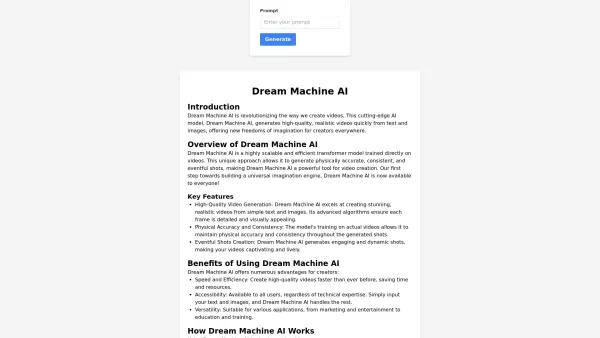
Dream Machine AI: Video Generator from Text & Images



What is Originality?Originality.AI is an advanced AI-powered platform built to identify AI-generated text and detect plagiarism. It serves writers, publishers, and educators by verifying the authenticity and originality of content. The tool utilizes

What is Altsite?Altsite is a browser extension that helps users find websites similar to the one they're currently visiting. Using advanced AI technology, it analyzes website content and instantly generates a list of related sites. This tool is ideal

What is Lilybank AI? Lilybank AI is a game-changer in the world of content creation. It's like having a team of AI wizards at your fingertips, ready to churn out high-quality content faster than you can say "publish." From crafting compelling blog posts t
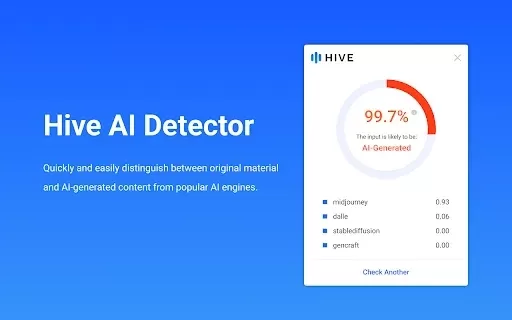
What is Hive AI Detector?Hive AI Detector uses advanced machine learning to analyze various types of media and determine whether they were generated or altered by artificial intelligence. This tool is ideal for journalists, educators, marketers, and
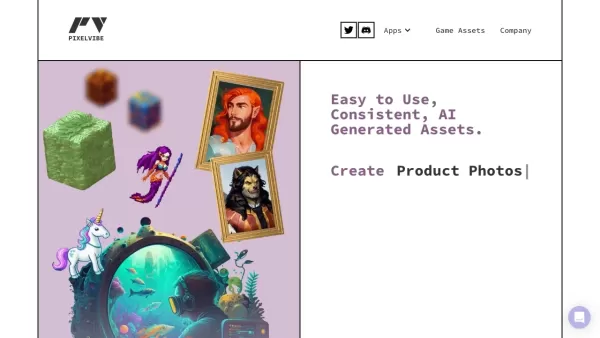
What is Rosebud?Rosebud.ai is a cutting-edge platform that uses generative AI to streamline the game development workflow. It offers a suite of tools to produce game assets—including characters, environments, and textures—and to animate avatars using
DreamMachine AI Video Generator Product Information
What is DreamMachine AI Video Generator?
DreamMachine AI is an advanced video generation tool that uses sophisticated artificial intelligence to create high-quality videos directly from text descriptions or uploaded images. By describing your desired scene through text, the AI intelligently analyzes your input to produce visually compelling videos with realistic motion and intricate detail. It harnesses powerful deep learning technology to ensure every output is both stunning and meticulously crafted. This tool is built to simplify the video creation process for a wide range of applications—from marketing materials and educational resources to social media content—making professional-grade video production accessible to beginners and experts alike.
Who uses DreamMachine AI Video Generator?
- Content creators
- Marketing professionals
- Educators
- Social media managers
- Video editors
How to use the DreamMachine AI Video Generator
- Step 1: Go to the DreamMachine AI website.
- Step 2: Sign up or log into your account.
- Step 3: Choose the type of video you want to create.
- Step 4: Enter your text prompt or upload your images.
- Step 5: Adjust the settings to your preference.
- Step 6: Click Generate and wait for your video to be ready.
Platform
- Web
- iOS
- Android
DreamMachine AI Video Generator’s Core Features & Benefits
Core Features
- Text-to-video generation
- Image-to-video conversion
- Realistic motion and cinematography
- Customizable video settings
Benefits
- Quick video production
- Easy-to-use interface
- High-quality video output
- Boosted creative freedom and flexibility
DreamMachine AI Video Generator's Main Use Cases & Applications
- Marketing and advertising videos
- Social media content
- Educational and tutorial videos
- Promotional materials
DreamMachine AI Video Generator FAQs
What is DreamMachine AI?
DreamMachine AI is a powerful AI tool that transforms text and images into professional-quality videos.
How does DreamMachine AI work?
It uses advanced deep learning algorithms to understand text and image inputs and generate corresponding video content.
Who can benefit from DreamMachine AI?
Content creators, marketers, educators, and anyone looking to produce videos quickly and easily will find it useful.
Can I use DreamMachine AI for commercial projects?
Yes, you can create videos for commercial use, as long as you comply with the platform's terms of service.
How long does video generation take?
Generation time varies based on complexity, but most videos are ready within a few minutes.
What kinds of videos can I create?
You can produce a variety of videos, including marketing clips, promotional content, tutorials, and more.
Is there a maximum video length?
Currently, generated videos are typically brief, around 5 seconds in duration.
Do I need video editing experience to use it?
No prior skills are required—the platform is user-friendly and designed for all experience levels.
What image file formats are accepted?
You can upload images in common formats such as JPG, PNG, and GIF.
Is there a free plan available?
Yes, a free version is offered, though it comes with some usage limitations.
DreamMachine AI Video Generator Company Information
DreamMachine AI Video Generator Screenshot


Discover the 2026 best AI flirting and conversation trainers on XIX.AI. Our curated, top-rated selection helps you build social charisma and confidence in real-time. Explore must-try, game-changing tools with free vs paid comparisons and weekly updated rankings. Unlock your social edge today.
 10 tools
 xix.ai

Discover the 2026 latest top-rated AI tools for automated unit testing. Our curated selection features powerful, game-changing solutions to generate Jest, PyTest & JUnit test cases instantly. Compare free vs paid options with real-world tests and weekly updated rankings on XIX.AI. Unlock your AI edge and boost development productivity today.
10 tools
xix.ai

Discover the 2026 best AI data visualization tools at XIX.AI. Our curated, top-rated selection helps you auto-generate powerful, interactive BI dashboards from raw files instantly. Compare free vs paid options with real-world tests and weekly updated rankings. Unlock your data's potential today.
10 tools
xix.ai

Discover the 2026 best AI branding kits for social media. XIX.AI's curated list features top-rated, game-changing tools to maintain perfectly consistent brand visuals across all channels. Compare free vs paid options with real-world tests. Unlock your brand's visual edge today.
10 tools
xix.ai

Discover the 2026 latest top-rated AI companion tools for immersive roleplay and connection. XIX.AI's curated guide features powerful, game-changing apps with weekly updated rankings, free vs. paid comparisons, and real-world tests. Find your perfect match and unlock meaningful digital companionship today.
10 tools
xix.ai

Discover the 2026 best AI assistants for crafting epic xianxia & wuxia tales. XIX.AI's curated list features top-rated, game-changing tools to master cultivation progression and martial arts choreography. Compare free vs paid options with real-world tests. Unlock your creative potential and start writing today!
10 tools
xix.ai


