


 Home
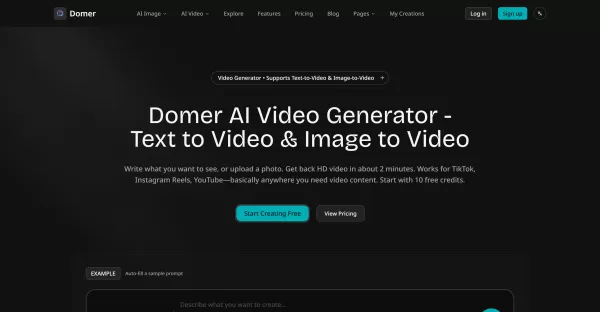
HomeDomer AI Video Generator



Helps TikTok sellers, brands, MCNs, and TAPs discover winning products and find creators.

HelpLook is an AI-powered all-in-one knowledge base tool that helps businesses quickly build knowledge bases, help centers, and...

Your AI Workspace

302.AI is an enterprise-grade AI resource platform with pay-as-you-go pricing, API access to a full range of AI models, and ready-to-use online applications.

剧火AI — AI Screenwriter + Director, a One-Person Short Drama Studio In one sentence, what is it?
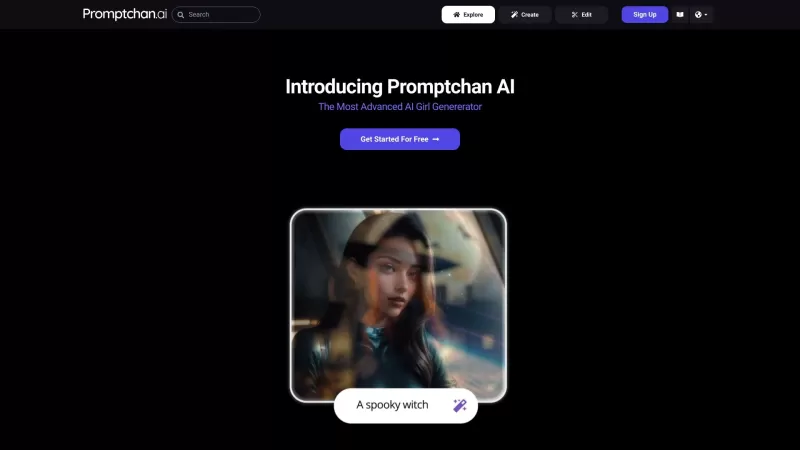
Ever stumbled upon Promptchan AI and wondered what it's all about? Well, let me break it down for you. Promptchan AI is your go-to spot for creating and diving into a world of AI-generated girl images and videos. Whether you're into Anime or prefer someth

What is AIShowX?AIShowX represents the next generation of creative tools - a comprehensive online platform powered by artificial intelligence that empowers anyone to produce professional-quality videos, images, and audio content with remarkable ease.
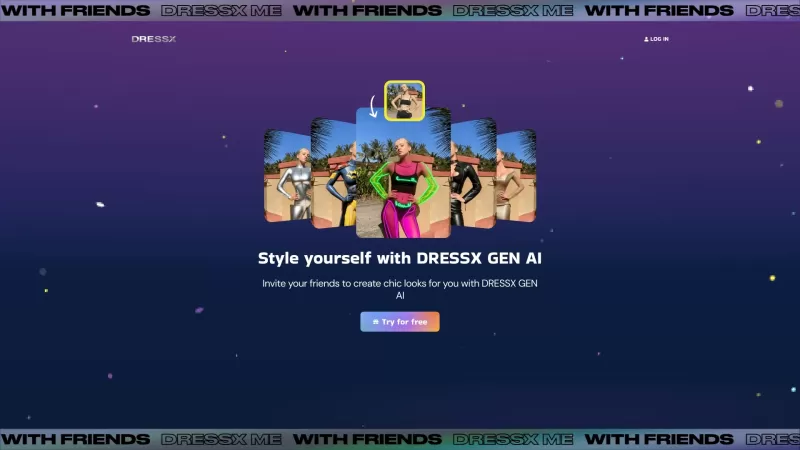
Ever wondered what it would be like to step into a world where fashion is just a click away? Well, DRESSX GEN AI is here to make that dream a reality. This nifty tool lets you upload a photo of yourself and, in a snap, you're digitally dressed in an outfi
Welcome to the world of Funy AI—a playground for creators where imagination meets innovation. Whether you're looking to craft an AI kissing video, experiment with face swapping, or transform static images into dynamic stories, Funy AI has got you covered.
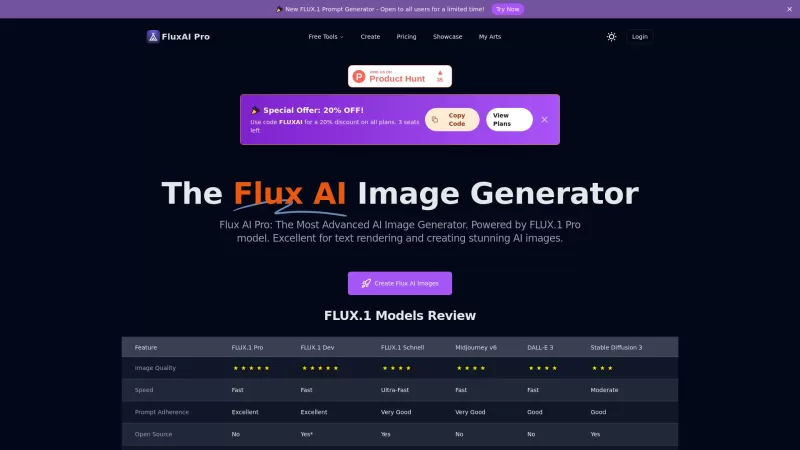
Flux AI Pro is an exciting platform that brings the magic of AI image generation right to your fingertips. It's powered by the innovative Flux.1 series of models, which are specifically crafted to transform your text prompts into stunning, high-quality im
Domer AI Video Generator Product Information
Understanding Domer AI Video Generator
Domer is a web-based AI creative platform designed to generate videos and images from text prompts or photos. Users can select from text-to-video, image-to-video, text-to-image, and image-to-image workflows. Domer offers multiple video models (Veo for quality, Kling for speed, Wan for longer clips) and various image models, displaying credit costs per job. Outputs are downloadable MP4/PNG/JPG files, free of watermarks, and cleared for commercial use. The platform provides free starter credits, paid credit bundles, and subscription tiers with rollover credits and private generation options.
Who is Domer AI Video Generator For?
- Social media creators (TikTok, Reels, Shorts)
- Independent marketers and advertisers
- Small agencies and content teams
- E-commerce sellers needing product demos
- Graphic designers and illustrators
- Educators and course creators
- Hobbyists and meme makers
- Prototype and concept developers
How to Use the Domer AI Video Generator?
- Step 1: Visit https://domer.io and sign up or start with free credits.
- Step 2: Choose a workflow — Text-to-Video, Image-to-Video, Text-to-Image, or Image-to-Image.
- Step 3: Enter a descriptive prompt (or upload an image) specifying camera angles, motion, lighting, duration, and aspect ratio.
- Step 4: Select a model (Veo for quality, Kling for speed, Wan for longer clips) and review the credit cost.
- Step 5: Start generation and wait for the job to complete (typically ~60–120 seconds depending on model).
- Step 6: Preview and download the MP4 or image file with no watermark.
- Step 7: Purchase additional credits or upgrade plan if needed; manage creations in your account.
Platform
- Web
Domer AI Video Generator's Core Features & Benefits
The Core Features
- Text-to-video generation
- Image-to-video animation
- Text-to-image and image-to-image generation
- Multiple video models (Veo, Kling, Wan)
- HD, watermark-free exports
- Credit-based pricing with free starter credits
- Support for common media formats (PNG, JPG, MP4, MOV, MP3, WAV)
- Private generation and commercial use allowed
The Benefits
- Fast production of social-ready videos without filming
- Multiple model choices for quality, speed, or length
- No watermark and commercial usage permitted
- Credits never expire and roll over by plan
- Easy workflow for non-technical users
- Flexible pricing tiers for hobbyists to professionals
Domer AI Video Generator's Main Use Cases & Applications
- Create TikTok, Instagram Reels, and YouTube Shorts from text prompts
- Animate product photos into short promotional videos
- Produce ad concepts and social ads quickly for A/B testing
- Generate thumbnails and concept images for marketing
- Prototype visual ideas before committing to live shoots
- Create educational clips and explainer visuals for courses
Domer AI Video Generator's Pros & Cons
The Pros
Quick generation (about 1–2 minutes per video)
Multiple model options to balance speed/quality/length
Watermark-free exports and commercial usage rights
Free starter credits to try before buying
Credit-based pricing with rollover and subscription options
The Cons
Credit-based costs can add up for heavy users
Video length limited by model (Wan up to 15s)
No dedicated mobile apps listed (web-only)
Complex scenes may need multiple iterations for best results
Advanced fine-grained control may be limited compared to full editing suites
Domer AI Video Generator's Pricing
Has free plan | YES |
|---|---|
Free trial details | Try it out with 10 free credits (one-time), up to 5 images |
Pricing model | Pay-as-you-go |
Is credit card required | No |
Paid from | 9.99 USD |
Has lifetime plan | No |
Billing frequency | Monthly |
Details of Pricing Plan
Free
0 USD
- 10 credits (one-time)
- Up to 5 images
- Credits never expire
- Basic models only
- Queue delay for busy times
- HD, Watermark-Free Downloads
- Unlimited Conversation
- Ad-free experience
Basic
9.99 USD
- 2400 credits per year
- Up to 1200 images
- Credits never expire
- Basic + Mid models
- HD, Watermark-Free Downloads
- Private Generation
- Faster Generation Speed
- Ad-free experience
Pro
19.99 USD
- 6000 credits per year
- Up to 3000 images
- Credits never expire
- All models
- HD, Watermark-Free Downloads
- Private Generation
- Faster Generation Speed
- Unlimited Conversation
- Ad-free experience
Discount:
Save 16.7% with annual billing
For the latest prices, please visit: https://domer.io/pricing
FAQs of Domer AI Video Generator
How long does it take to generate a video?
Typical generation times range from about 60 to 120 seconds depending on the chosen model (Kling is fastest, Veo prioritizes quality).
Do generated videos have watermarks?
No — Domer exports videos and images without watermarks on all plans.
Can I use outputs commercially?
Yes — Domer permits commercial use of generated outputs according to the site terms.
What file formats does Domer support?
Domer accepts PNG, JPG, WebP for images; MP4 and MOV for video uploads; and MP3/WAV for audio. Exports are MP4 for video and PNG/JPG for images.
How do credits and pricing work?
You start with 10 free credits. Paid plans and one-time credit purchases are available; credits do not expire and unused credits roll over by plan.
What are the different video models and why choose them?
Veo focuses on quality, Kling prioritizes speed, and Wan supports longer clips (up to 15 seconds) or 1080p — choose based on your needs for quality, speed, or length.
Is there a free trial?
Yes — Domer provides 10 free credits to let new users test features before purchasing.
Can I upload my own images to animate?
Yes — use Image-to-Video to upload photos and describe motion, camera pans, rotations, or zoom effects.
How do I get support or report issues?
You can contact support via [email protected] for help with billing, technical issues, or account questions.
Are there limits on resolution or video length?
Resolution and length depend on the chosen model; Wan supports longer clips up to 15 seconds and can offer 1080p, while other models have shorter clip limits.
Domer AI Video Generator Company Information
Domer AI Video Generator Launch embedsUse website badges to drive support from your community for your Creati.ai Launch. They're easy to embed on your homepage or footer.
How to install?
Domer AI Video Generator Screenshot


2026 Latest Top-rated AI Illustration Tools: Our curated list features the best powerfully designed tools for creating stunning editorial scenes and eye-catching cover art quickly. Each option has gone through rigorous real-world tests, offering a free vs paid comparison to help you find the perfect match for your workflow. Try these must-try solutions today to unlock your AI edge and boost your creative productivity. Explore now at XIX.AI.
 10 tools
 xix.ai

2026 Latest Top-Rated Best AI Tutors for Exam Prep are here on XIX.AI! Our curated list features powerful game-changing tools that offer free vs paid comparison, real-world tests, and weekly updated rankings. They help boost your writing efficiency, simplify complex topic learning, and unlock your academic potential. Explore now to Discover your perfect exam prep tool and Start creating today to Unlock your AI edge!
10 tools
xix.ai

2026 Latest Best Top-Rated AI Budget Planning Tools for Personal Money Management are here on XIX.AI! This curated collection features powerful, game-changing solutions that help you conduct real-world tests, understand spending habits, and create personalized plans to boost productivity. Enjoy a free vs paid comparison along with detailed rankings. Must-try tools designed to simplify money management and unlock your AI edge. Explore now!
11 tools
xix.ai

2026 Latest Best Top-Rated AI Sleep Tracking Assistants curated for ultimate recovery. This fully updated weekly guide features powerful tools that deliver real-world tests, free vs paid comparison, and detailed rankings to help you find the must-try solution that boosts sleep quality and supports better bedtime habits. Explore now at XIX.AI to Unlock your AI edge.
10 tools
xix.ai

2026 Latest Best Top-Rated AI SQL Copilots for Product and Revenue Analytics! XIX.AI has curated a powerful, game-changing collection of must-try tools that undergo real-world tests through weekly updated rankings. These tools help users boost productivity significantly by accelerating data analysis, streamlining complex queries, and generating accurate insights to drive smarter business decisions. Explore now to Discover your perfect tool for unlocking your AI edge!
14 tools
xix.ai

2026 Latest Best Top-Rated AI Homework Helpers That Teach Core Concepts Not Just Answers Powerful Tools for Students Must-Try Curated List Weekly Updated Free vs Paid Comparison Real-World Tests Accurate Rankings to Help You Unlock Your Full Learning Potential Explore now to Discover your perfect tool for smarter studying.
10 tools
xix.ai


