


 Home
HomeDiagram



Helps TikTok sellers, brands, MCNs, and TAPs discover winning products and find creators.

HelpLook is an AI-powered all-in-one knowledge base tool that helps businesses quickly build knowledge bases, help centers, and...

Your AI Workspace

302.AI is an enterprise-grade AI resource platform with pay-as-you-go pricing, API access to a full range of AI models, and ready-to-use online applications.

剧火AI — AI Screenwriter + Director, a One-Person Short Drama Studio In one sentence, what is it?

Ever stumbled upon Cherry Studio AI and wondered what it's all about? Well, let me break it down for you. Cherry Studio AI isn't just another run-of-the-mill AI tool; it's a powerhouse desktop client that lets you dive into advanced AI interactions across

Discover Plume AI: Your Ultimate Academic Writing AssistantAre you tired of struggling with your academic writing? Well, say hello to Plume AI, the innovative AI assistant that's here to revolutionize the way you write! Designed with students in mind, Plume AI harnesses the power of cutting-edge art

Ever wondered how to turn your jumbled thoughts and complex queries into something you can actually grasp? Enter The Visualizer, your new best friend in the world of learning and creativity. This nifty tool takes your written queries, URLs, and even PDFs,

Ever wished for a trusty sidekick to help you navigate the digital world with ease? Enter Sider, your personal AI companion designed to seamlessly blend into your daily routine. Starting off as a handy Chrome/Edge extension, Sider transforms your browsing

Ever wondered what Ninja AI is all about? Well, let me tell you, it's like having a Swiss Army knife for your digital needs! Ninja AI isn't just another AI tool; it's a powerhouse that brings together over 24 top-notch Large Language Models (LLMs) to help
Diagram Product Information
What Is Diagram?
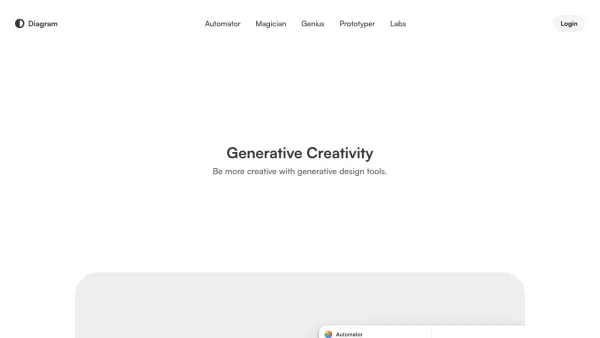
Diagram uses AI to make it easier to turn complex ideas into clear diagrams. Its intuitive interface and powerful AI tools let you summarize, sort, and visualize concepts effortlessly. Whether you're working alone or with a team, Diagram simplifies task automation and keeps feedback organized, helping boost productivity and spark collaborative creativity.
Who Uses Diagram?
- Designers
- Project Managers
- Team Leads
- Educators
- Students
- Content Creators
How to Use Diagram?
- Step 1: Sign up or log in to Diagram.
- Step 2: Import or create your project.
- Step 3: Use AI tools to turn your ideas into diagrams.
- Step 4: Sort and organize feedback.
- Step 5: Automate tasks to save time.
- Step 6: Collaborate with your team and share your work.
Platform
- Web
Diagram's Core Features and Benefits
Core Features
- AI-Generated Diagrams
- Feedback Organization
- Task Automation
Benefits
- Quick Idea Visualization
- Enhanced Team Collaboration
- Increased Productivity
Main Use Cases and Applications
- Project Planning
- Educational Materials
- Content Creation
- Brainstorming Sessions
Pros and Cons of Diagram
Pros
A comprehensive all-in-one design and prototyping solution.
AI-powered features that speed up design and prototype creation.
Real-time collaboration boosts teamwork and productivity.
Automated tedious tasks such as layer renaming and background removal.
Supports AI-driven generation and editing of images and text.
Trusted and widely adopted across diverse industries.
Cons
Not open-source; limited customization options for underlying AI features.
No dedicated mobile apps mentioned for Google Play or App Store.
Pricing details require visiting the pricing page; no direct pricing information is available on the homepage.
Diagram Pricing
Has Free Plan? | YES |
|---|---|
Free Trial Details | |
Pricing Model | Freemium |
Is Credit Card Required? | No |
Paid From | 3 USD |
Has Lifetime Plan? | No |
Billing Frequency | Monthly |
Pricing Plan Details
Starter
0 USD
- Unlimited Drafts
- UI Kits and Templates
- Basic Design File Inspection
Professional
3 USD
- Unlimited Files and Projects
- Team-Wide Design Libraries
- Advanced Dev Mode Inspection
Organization
5 USD
- Unlimited Teams
- Shared Libraries and Fonts
- Centralized Admin Tools
Enterprise
5 USD
- Custom Team Workspaces
- Design System Theming and APIs
- SCIM Seat Management
For the latest prices, visit: https://www.figma.com/pricing/
Diagram FAQs
Is Diagram Suitable for Educational Use?
Yes, it is great for creating educational materials.
What Is Diagram?
Diagram is an AI tool that helps you visualize complex ideas into simple diagrams.
How Do I Start Using Diagram?
Sign up or log in, then create or import a project to get started.
What Platforms Are Supported?
Diagram is a web-based tool.
Can I Collaborate with My Team?
Yes, Diagram supports team collaboration effortlessly.
Does Diagram Automate Tasks?
Yes, it includes task automation capabilities.
What Are the Core Features?
AI-generated diagrams, feedback organization, and task automation features.
How Can Diagram Benefit My Workflow?
It helps visualize ideas quickly, enhances team collaboration, and boosts overall productivity.
Who Can Use Diagram?
Designers, project managers, team leads, educators, students, and content creators.
Are There Any Alternatives to Diagram?
Yes, popular alternatives include Lucidchart, Miro, and Microsoft Visio.
Company Information
Website:
https://diagram.chatCompany Name:
DiagramSupport Email:
Facebook:
https://www.facebook.com/draw.ioX (Twitter):
https://x.com/diagramYouTube:
https://youtube.com/user/drawioInstagram:
https://instagram.com/diagramofficialTiktok:
https://tiktok.com/@diagramofficialLinkedIn:
https://www.linkedin.com/company/diagram
Diagram Screenshot


2026 Latest Best n8n AI Automation Tools for Internal Ops, Data Sync, and Multi-Step Agent Flows are here! XIX.AI has curated a top-rated list of powerful game-changing tools that boost productivity across all work tasks. Each entry goes through rigorous real-world tests to ensure reliability, with detailed free vs paid comparison and weekly updated rankings. Must-try options help you unlock your AI edge and streamline workflows effortlessly. Explore now to discover your perfect tool!
 11 tools
 xix.ai
2026 Latest Best Top-Rated Prompt Management Tools for Multi Model Teams! XIX.AI has curated a powerful, game-changing collection of must-try tools that offer free vs paid comparison, real-world tests, and detailed rankings. These top-rated solutions help boost productivity significantly by streamlining workflows, eliminating repetition, and unlocking creativity across all team projects. Explore now to Discover your perfect tool and Start creating today!
9 tools
xix.ai

2026 Latest Best Top-Rated AI Meeting Summary Tools for Remote Teams! XIX.AI has curated a powerful, game-changing collection of must-try tools that go through real-world tests to deliver accurate transcripts and actionable insights. You’ll find free vs paid comparison data and detailed rankings to help you pick the perfect option that boosts productivity and streamlines team communication. Explore now to Unlock your AI edge!
13 tools
xix.ai

2026 Latest Best Top-Rated AI DevOps Helpers Curated for Monitoring Deployments, Logs, and Incidents. XIX.AI delivers powerful game-changing tools that boost productivity significantly through real-world tests and rigorous rankings. Get a free vs paid comparison to find the must-try solution perfect for your workflow. Explore now to unlock your AI edge.
7 tools
xix.ai

2026 Latest Best Top-Rated AI Background Removal Tools for Product Photos are here on XIX.AI! Our curated list includes powerful, game-changing solutions that deliver professional results through real-world tests. You’ll find a free vs paid comparison, weekly updated rankings, and must-try options to help you boost productivity and create flawless product shots without any hassle. Explore now to unlock your AI edge!
11 tools
xix.ai

2026 Latest Best Top-Rated AI Pull Request Review Tools for GitHub Repositories are here on XIX.AI! Our curated list features powerful, game-changing solutions that help teams streamline code reviews, catch errors faster, and boost productivity with real-world tests. Get a free vs paid comparison to find the perfect tool for your workflow. Explore now to unlock your AI edge!
10 tools
xix.ai


