


 Home
HomeCopy for Chat GPT



Helps TikTok sellers, brands, MCNs, and TAPs discover winning products and find creators.

HelpLook is an AI-powered all-in-one knowledge base tool that helps businesses quickly build knowledge bases, help centers, and...

Your AI Workspace

302.AI is an enterprise-grade AI resource platform with pay-as-you-go pricing, API access to a full range of AI models, and ready-to-use online applications.

剧火AI — AI Screenwriter + Director, a One-Person Short Drama Studio In one sentence, what is it?

What is Originality?Originality.AI is an advanced AI-powered platform built to identify AI-generated text and detect plagiarism. It serves writers, publishers, and educators by verifying the authenticity and originality of content. The tool utilizes
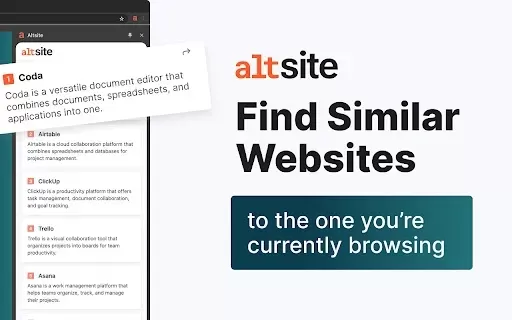
What is Altsite?Altsite is a browser extension that helps users find websites similar to the one they're currently visiting. Using advanced AI technology, it analyzes website content and instantly generates a list of related sites. This tool is ideal
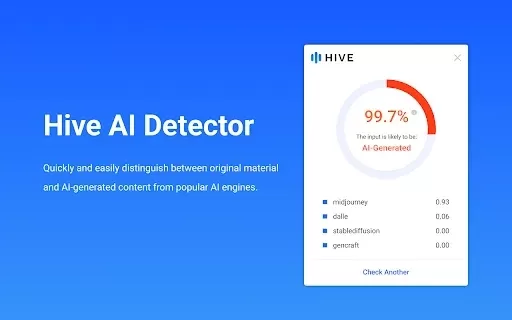
What is Hive AI Detector?Hive AI Detector uses advanced machine learning to analyze various types of media and determine whether they were generated or altered by artificial intelligence. This tool is ideal for journalists, educators, marketers, and

What is Lilybank AI? Lilybank AI is a game-changer in the world of content creation. It's like having a team of AI wizards at your fingertips, ready to churn out high-quality content faster than you can say "publish." From crafting compelling blog posts t
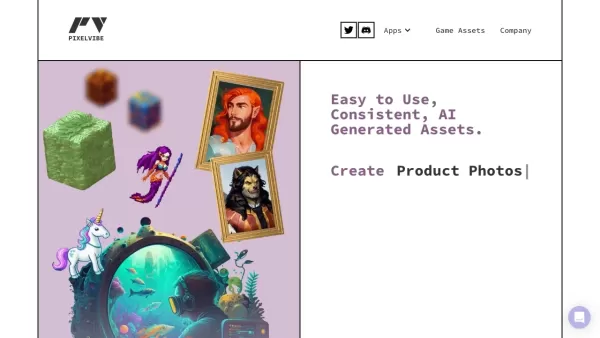
What is Rosebud?Rosebud.ai is a cutting-edge platform that uses generative AI to streamline the game development workflow. It offers a suite of tools to produce game assets—including characters, environments, and textures—and to animate avatars using
Copy for Chat GPT Product Information
What is Copy for Chat GPT?
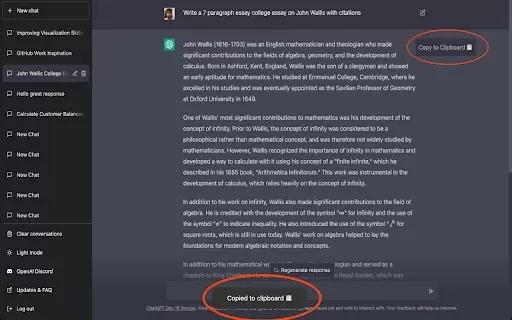
Copy for Chat GPT is a handy Chrome extension that makes it easy to copy responses from ChatGPT. With just one click or by pressing CMD+K, you can quickly copy any text generated by ChatGPT. It also includes a built-in feature to check copied responses for plagiarism, helping ensure your content is original. This tool is perfect for content creators, students, and professionals who regularly use ChatGPT for writing drafts, articles, or marketing materials. It simplifies your workflow, making it effortless to save and verify the content you create.
Who will use Copy for Chat GPT?
- Content creators
- Students
- Professionals
- Marketers
How to use the Copy for Chat GPT?
- Step 1: Install the Copy for Chat GPT extension from the Chrome Web Store.
- Step 2: Open ChatGPT and generate the response you need.
- Step 3: Click the extension button or press CMD+K to copy the text.
- Step 4: Paste the copied text into your document or preferred software.
- Step 5: You can optionally run the text through a plagiarism checker.
Platform
- Chrome
Copy for Chat GPT's Core Features & Benefits
The Core Features
- One-click text copying
- Plagiarism detection
The Benefits
- Saves time
- Simplifies content management
- Ensures originality
Copy for Chat GPT's Main Use Cases & Applications
- Copying text for articles
- Saving generated ideas
- Preparing content for presentations
FAQs of Copy for Chat GPT
How do I install the extension?
Go to the Chrome Web Store, search for 'Copy for Chat GPT', and click 'Add to Chrome'.
Can I use this extension on other browsers?
This extension is built specifically for the Chrome browser.
Is the copied text editable?
Yes, you can edit the copied text in any text editor or document program.
Do I need an account to use this extension?
No account is needed; you can start using it right after installation.
Is it free to use?
Yes, the extension is completely free to download and use.
Can I copy images or multimedia?
Currently, the extension only supports copying text.
Is there a limit to how much I can copy?
There are no limits; you can copy as much text as you generate.
Can I customize the copying settings?
Advanced customization options are not available at this time.
What if I encounter issues?
You can contact support using the email provided on the extension's page.
How does the plagiarism detector work?
The extension sends the copied text to a plagiarism detection service for analysis.
Copy for Chat GPT Company Information
Website:
https://5-letter-words.comCompany Name:
NASupport Email:
NAFacebook:
NAX(Twitter):
NAYouTube:
NAInstagram:
NATiktok:
NALinkedIn:
NA
Copy for Chat GPT Screenshot


2026 Latest Best Top-rated AI Competitive Research Tools for Small Businesses! XIX.AI has curated a highly powerful game-changing collection, updated weekly with rigorous real-world tests and detailed rankings. You can find a comprehensive free vs paid comparison to help you identify the must-try tools that boost your productivity and give you a competitive edge. Explore now to discover your perfect tool!
 9 tools
 xix.ai
2026 Latest Best Photoshop AI retouch tools for ecommerce apparel, skin cleanup, and color consistency! This top-rated curated list features powerful game-changing solutions that help you boost writing efficiency, streamline content creation, and achieve perfect visual results effortlessly. Each tool has undergone real-world tests through weekly updated rankings, complete with free vs paid comparison details. Backed by XIX.AI, it’s the must-try guide for anyone aiming to unlock your AI edge. Explore now!
10 tools
xix.ai
2026 Latest Best Top-Rated AI Prompt Libraries for optimizing all types of ChatGPT workflows. XIX.AI has curated a powerful, game-changing collection that goes through rigorous real-world tests to ensure top performance. You can find detailed free vs paid comparisons and expert rankings to help you choose the must-try tools that boost your productivity and unlock your AI edge. Explore now!
11 tools
xix.ai
2026 Latest Best AI Quiz Builder Platforms for Teachers, Tutors, and Cohort-Based Learning Programs! XIX.AI has curated a top-rated list of powerful game-changing tools that go through real-world tests to deliver accurate rankings. These must-try platforms help boost writing efficiency, streamline content creation, and simplify quiz design across all learning scenarios. Explore now to discover your perfect tool for unlocking your AI edge in teaching!
13 tools
xix.ai
2026 Latest Best AI Pull Request Review Tools for GitHub Teams are here on XIX.AI! This top-rated curated list showcases powerful game-changing solutions that streamline refactoring, bug fixing, and security gap detection across all team workflows. Enjoy a free vs paid comparison along with real-world tests and detailed rankings to help you find the perfect tool that boosts productivity significantly. Explore now to unlock your AI edge!
12 tools
xix.ai
2026 Latest Best Top-rated AI Text to Speech Tools for Natural Voiceovers are here on XIX.AI! This curated list features powerful, game-changing options that deliver crystal-clear voices for every use case, backed by real-world tests and weekly updated rankings. Get a free vs paid comparison to find the must-try solution that boosts your productivity instantly. Explore now to Unlock your AI edge!
11 tools
xix.ai


