


 Home
Homecomponents.ai
Components AI: Open-Source Generative Design Tools



Helps TikTok sellers, brands, MCNs, and TAPs discover winning products and find creators.

HelpLook is an AI-powered all-in-one knowledge base tool that helps businesses quickly build knowledge bases, help centers, and...

Your AI Workspace

302.AI is an enterprise-grade AI resource platform with pay-as-you-go pricing, API access to a full range of AI models, and ready-to-use online applications.

剧火AI — AI Screenwriter + Director, a One-Person Short Drama Studio In one sentence, what is it?

Midjourney is more than just a tech startup; it's an independent research lab on a mission to push the boundaries of human creativity. They're all about exploring new ways of thinking and boosting our collective imagination. It's like they're trying to gi

Ever found yourself staring at a blank slide or page, wondering how to make it look good without spending hours on design? Enter Gamma App, your new best friend for whipping up stunning presentations, webpages, and documents. Powered by AI, this tool is l

Ever stumbled upon Foxify and wondered what it's all about? Well, let me tell you, Foxify is your go-to online AI image creator, and the best part? It's absolutely free! Whether you're a budding artist or just looking to spice up your social media posts,
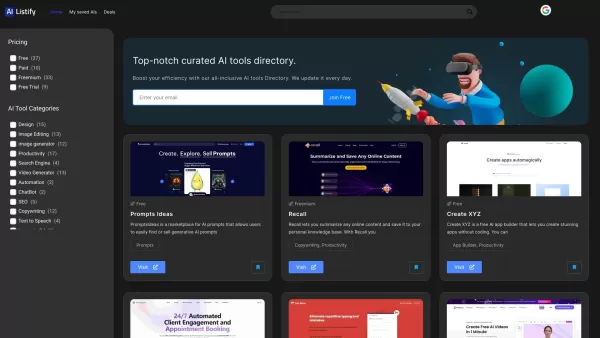
Ever stumbled upon a treasure trove of AI tools that just clicks with your needs? That's AIListify for you—a curated directory designed to catapult your AI journey to new heights. It's like having a personal guide through the ever-evolving landscape of artificial intelligence resources. How to Navi
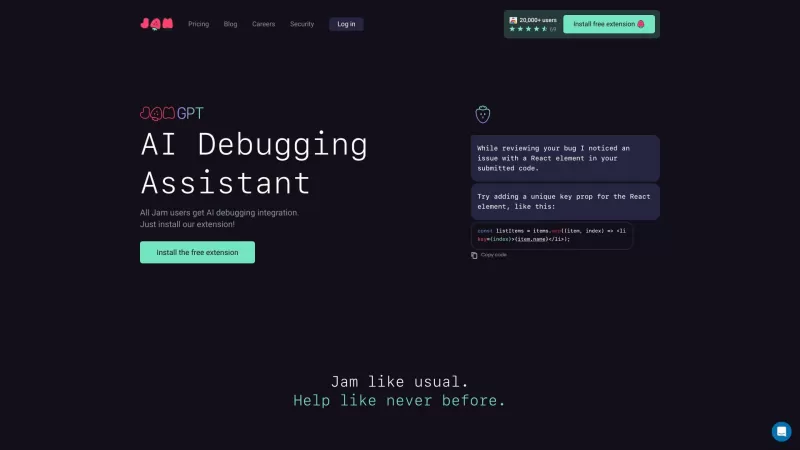
Ever stumbled upon a pesky bug in a software product and wished you could report it effortlessly? Enter Jam, your new best friend in the world of bug reporting. With Jam, you can snap a screenshot or record your screen to instantly create a bug report tha
components.ai Product Information
What is Components AI?
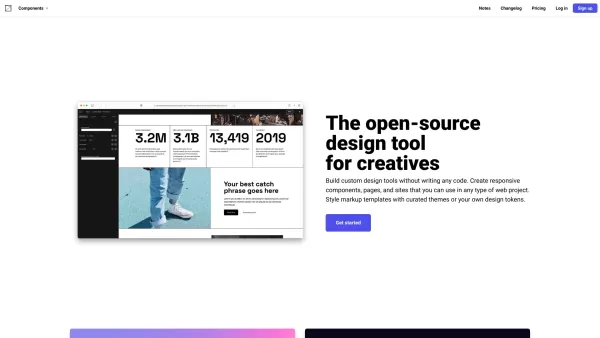
Components AI is a suite of generative and parametric design tools that help you customize, organize, and publish designs. It enables the creation of responsive components, pages, and websites with no coding required. The platform offers APIs for smooth integration into your existing tools, streamlining the workflow for design and development teams. With support for various design formats, it's adaptable for a wide range of web-based creative projects.
Who can use Components AI?
- Web Developers
- Designers
- Creative Teams
- UI/UX Designers
- Agencies
How to use Components AI
- Step 1: Go to the Components AI website.
- Step 2: Sign up or log into your account.
- Step 3: Explore the available design tools and APIs.
- Step 4: Select the tools that best match your project requirements.
- Step 5: Integrate the selected tools into your web project.
- Step 6: Customize and refine your design as needed.
- Step 7: Publish your designs directly from the platform.
Platform
- Web
Core Features & Benefits of Components AI
Key Features
- Generative design tools
- Open-source platform
- Customizable components
- Responsive page creation
- Integration APIs
Key Benefits
- User-friendly interface
- No coding needed
- High customizability
- Speeds up the design process
- Easy web integration
Main Use Cases & Applications
- Web design projects
- UI/UX design
- Creating responsive components
- Custom tool development
- Integrating design systems
Pros & Cons of Components AI
Advantages
Open-source and free to use, encouraging community contributions and transparency.
Offers a no-code environment for building custom design tools, making it accessible to creatives without programming experience.
Supports generative design with parametric controls and exports in multiple formats.
Includes automated accessibility documentation and responsive theme support.
Offers extensive font support, including variable fonts and over 1,000 Google Fonts.
Constraint-based design ensures brand guidelines are followed while maintaining flexibility.
One-click publishing makes sharing and collaboration easy.
Disadvantages
Not primarily focused on AI technology or AI agents, which limits advanced AI-driven features.
May require design expertise to fully utilize the generative and parametric design capabilities.
No dedicated mobile apps or browser extensions are currently listed.
Lacks direct integration with AI-powered automation or agent functionalities.
Components AI Pricing
Free plan available | YES |
|---|---|
Free trial details | |
Pricing model | Freemium |
Credit card required | No |
Paid plans start from | 24 USD |
Lifetime plan available | No |
Billing frequency | Monthly |
Pricing Plan Details
Creator
0 USD
- Save your designs
- Unlimited files
- Unlimited publishing
- High-quality curated themes
- Access to hundreds of pre-built open-source components
Pro
24 USD
- All Creator features, plus
- Component swapping
- Folders to organize components and pages
- Unlimited themes
- Unlimited sites
- Unlimited projects
- Private projects
- Project templates
- Email and chat support
Enterprise
Custom Pricing
- Guided onboarding and setup
- Custom solutions for your generative design workflows
Discount:
Use code PARAMETRIC at checkout for 50% off your first 12 months.
For the most current pricing, visit: https://components.ai
Components AI FAQs
What are some alternatives to Components AI?
Alternatives include Figma, Sketch, Adobe XD, InVision, and Webflow.
Can I contribute to the open-source platform?
Yes, as an open-source platform, community contributions are welcome and encouraged.
What is Components AI?
Components AI is a collection of generative and parametric design tools for web projects.
Do I need coding skills to use Components AI?
No, you can build custom tools with Components AI without writing any code.
Can I integrate Components AI with my existing projects?
Yes, Components AI provides APIs for straightforward integration.
Is Components AI free to use?
Components AI is open-source, though certain features or usage tiers may involve costs.
What platforms does Components AI support?
It is designed for web-based projects.
Who can benefit from using Components AI?
Web developers, designers, and creative teams can all benefit from using it.
What are the main features of Components AI?
Key features include generative design tools, customizable components, and responsive page creation.
How do I get started with Components AI?
Visit the website, sign up, and begin exploring the available tools.
Components AI Company Information
Website:
https://components.aiCompany Name:
Components AISupport Email:
NAFacebook:
NAX (Twitter):
NAYouTube:
NAInstagram:
NATikTok:
NALinkedIn:
https://www.linkedin.com/company/components-ai
components.ai Screenshot




2026 Latest: Explore our curated list of the best AI frontend development tools for crafting stunning app interfaces. Compare top-rated, powerful options with free vs paid insights from real-world tests. Find your game-changing dev asset and build better, faster. Discover your perfect tool on XIX.AI.
 10 tools
 xix.ai


