


 Home
HomeCarvis.AI
AI Car Diagnostics & Repair Guides | Carvis



Helps TikTok sellers, brands, MCNs, and TAPs discover winning products and find creators.

HelpLook is an AI-powered all-in-one knowledge base tool that helps businesses quickly build knowledge bases, help centers, and...

Your AI Workspace

302.AI is an enterprise-grade AI resource platform with pay-as-you-go pricing, API access to a full range of AI models, and ready-to-use online applications.

剧火AI — AI Screenwriter + Director, a One-Person Short Drama Studio In one sentence, what is it?

What is Ajelix AI Excel Tools?Ajelix provides intelligent, AI-powered tools designed to automate processes within Excel and Google Sheets, simplifying data analytics, visualization, and business intelligence for professionals and teams. Empower your
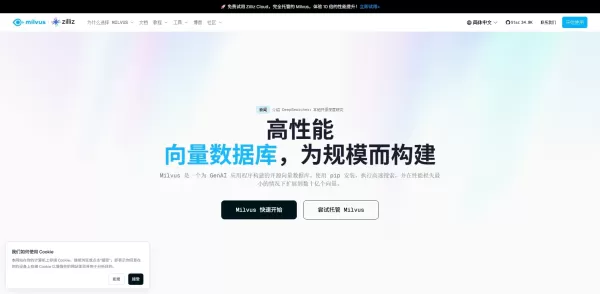
What is Milvus?Milvus is an open-source vector database built to power demanding AI and machine learning workloads. It excels at storing, indexing, and performing ultra-fast similarity searches on massive datasets of embeddings and vector data. By su
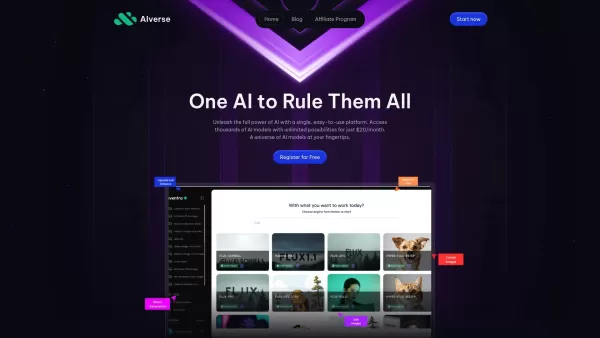
What is AIverse - All in One AI?AIverse is an all-encompassing AI platform that grants users instant access to thousands of specialized AI models for text generation, image enhancement, audio transcription, and video production. Designed with simplic
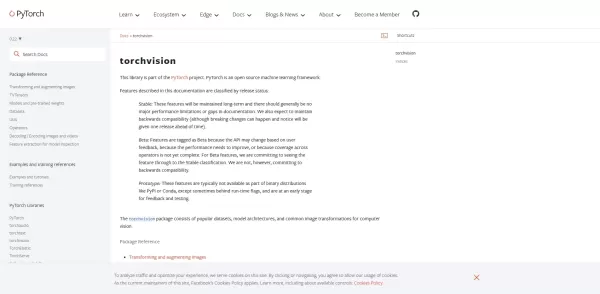
What is PyTorch Vision (TorchVision)?TorchVision is a specialized PyTorch package that streamlines the creation of computer vision applications. It provides access to widely-used datasets like ImageNet and COCO, a range of pre-trained models for quic
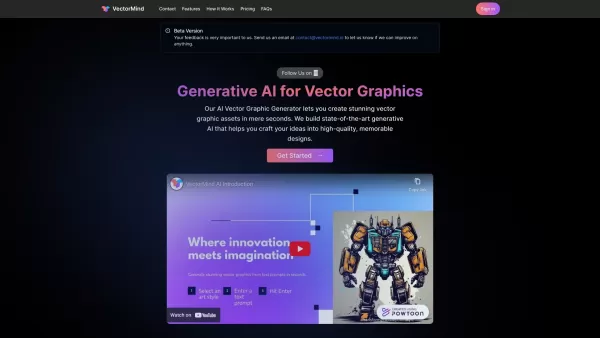
What is VectorMind AI?VectorMind is an advanced AI tool for instantly generating stunning vector graphics. It uses state-of-the-art generative AI and offers a vast library of prompt templates for diverse art styles, enabling effortless creation of pr
Carvis.AI Product Information
What is Carvis.AI?
Carvis AI is an innovative application designed to simplify car diagnostics and repairs. By leveraging advanced artificial intelligence and computer vision, Carvis analyzes vehicles to identify problems, generate detailed condition reports, suggest necessary tools and parts, and provide clear repair instructions. The platform features easy-to-follow guides and helpful video tutorials, empowering users with personalized maintenance advice to save time and reduce repair costs.
Who will use Carvis.AI?
- Car owners
- Automotive mechanics
- DIY repair enthusiasts
- Fleet management professionals
- Auto repair shops
How to use Carvis.AI?
- Step 1: Download and install the Carvis app.
- Step 2: Create an account and log in.
- Step 3: Enter your vehicle's VIN (Vehicle Identification Number).
- Step 4: Follow the on-screen instructions to run a diagnostic scan.
- Step 5: Access your personalized repair guides and tool recommendations.
- Step 6: Watch linked tutorial videos for visual guidance when needed.
Platform
- Web
- iOS
- Android
Carvis.AI's Core Features & Benefits
The Core Features
- Accurate AI-powered diagnostics
- Step-by-step repair guides
- Curated tool lists
- Recommended replacement parts
- Integrated YouTube tutorials
The Benefits
- Saves time on vehicle troubleshooting
- Reduces overall maintenance costs
- Delivers comprehensive condition reports
- Makes DIY repairs more accessible
- Improves vehicle management efficiency
Carvis.AI's Main Use Cases & Applications
- Diagnosing car problems
- Following detailed repair instructions
- Performing do-it-yourself maintenance
- Managing repairs for vehicle fleets
- Sourcing required tools and components
Carvis.AI's Pros & Cons
The Pros
Uses advanced AI and machine learning to analyze visual data
Offers versatile applications across multiple industries
Features intuitive, user-friendly data visualization tools
Enables efficient extraction of insights from images and video
The Cons
Carvis.AI's Pricing
Offers a free plan | No |
|---|---|
Free trial details | 14-day free trial, no credit card needed |
Pricing model | Free Trial |
Is a credit card required | No |
Paid plans start from | 7 USD |
Offers a lifetime plan | No |
Billing frequency | Monthly |
Details of Pricing Plan
Personal
7 USD per month
- 512 GB of storage
- 1 user account
- Basic customer support
Business
12 USD per month
- 5 TB of storage
- Up to 6 users
- Basic support
- Third-party integrations
Enterprise
30 USD per month
- 20 TB of storage
- Unlimited users
- Priority premium support
- Full integration access
- Custom branding options
Discounts:
Save up to 30% with annual billing
For the latest pricing information, please visit: https://app.carvis.ai
FAQs of Carvis.AI
How does Carvis inspect vehicles?
Carvis employs sophisticated AI algorithms and computer vision technology to visually inspect vehicles and pinpoint potential issues.
What kind of reports does Carvis provide?
Carvis generates comprehensive reports detailing the vehicle's condition, diagnostic findings, and personalized repair suggestions.
Is Carvis available in my region?
Carvis is accessible worldwide. Please check your local app store for specific availability.
Can I customize the repair guides?
Yes, the repair guides can be tailored to your specific vehicle model and the issues detected.
What platforms is Carvis compatible with?
Carvis is available as a web application and mobile apps for both iOS and Android devices.
How do I get started with Carvis?
To begin, download the app, create your user account, and enter your vehicle's VIN to set up your profile.
What are the core features of Carvis?
Key features include precise vehicle diagnostics, detailed repair guides, tool and part recommendations, and integrated video tutorials.
Who can benefit from using Carvis?
The app is designed for car owners, professional mechanics, DIY hobbyists, fleet operators, and automotive repair businesses.
How accurate is Carvis in diagnosing vehicle issues?
Carvis delivers highly accurate diagnostics thanks to its foundation in advanced artificial intelligence and machine learning.
Is there a customer support option for Carvis?
Yes, customer support is available directly through the Carvis website and within the application itself.
Carvis.AI Company Information
Website:
https://carvis.aiCompany Name:
Carvis AISupport Email:
Facebook:
Not AvailableX (Twitter):
Not AvailableYouTube:
Not AvailableInstagram:
Not AvailableTikTok:
https://www.tiktok.com/@carvis_aiLinkedIn:
https://www.linkedin.com/company/carvis
Carvis.AI Screenshot


2026 Latest Best Top-rated AI Technical Documentation Tools for Developer Teams! XIX.AI has curated a powerful, game-changing collection of must-try tools that go through rigorous real-world tests and weekly updated rankings. These top-rated solutions help teams boost productivity dramatically by streamlining content creation, fixing documentation errors, and accelerating coding workflows across all projects. Explore now to Discover your perfect tool for unlocking your AI edge!
 13 tools
 xix.ai

2026 Latest Best Top-rated AI Technical Documentation Tools for API Guides Release Notes and Onboarding Docs. This curated list features powerful game-changing solutions that streamline content creation boost writing efficiency and save time across all project phases. XIX.AI provides weekly updated rankings along with free vs paid comparison results from real-world tests. Explore now to Discover your perfect tool and Unlock your AI edge.
10 tools
xix.ai


