


 Home
HomeBetafi: Record, Add Notes, Transcribe Calls



Helps TikTok sellers, brands, MCNs, and TAPs discover winning products and find creators.

HelpLook is an AI-powered all-in-one knowledge base tool that helps businesses quickly build knowledge bases, help centers, and...

Your AI Workspace

302.AI is an enterprise-grade AI resource platform with pay-as-you-go pricing, API access to a full range of AI models, and ready-to-use online applications.

剧火AI — AI Screenwriter + Director, a One-Person Short Drama Studio In one sentence, what is it?
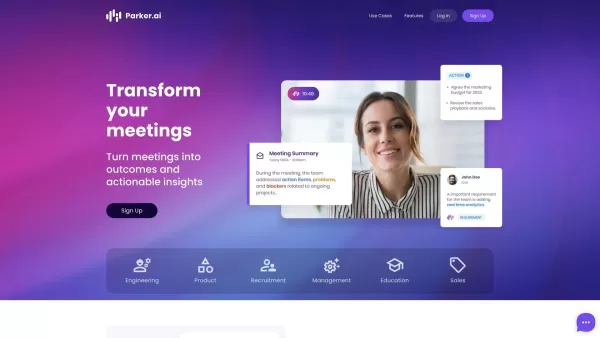
What is Parker AI?Parker AI is an advanced artificial intelligence meeting assistant created to streamline how product conversations are captured, analyzed, and managed. It connects with leading communication platforms like Zoom and Slack, documentin
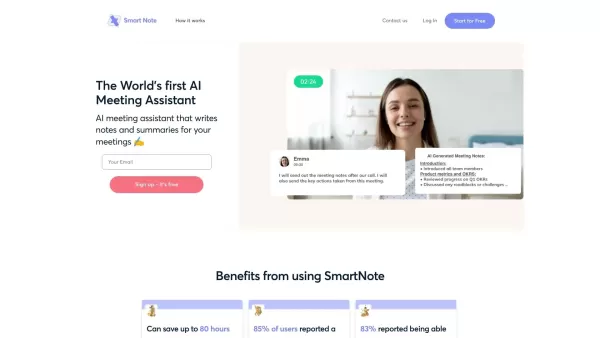
What is SmartNote AI?SmartNote AI is a powerful artificial intelligence tool that automatically transcribes and summarizes meeting discussions. It captures every important detail by generating clear summaries, key decision points, action items, and m
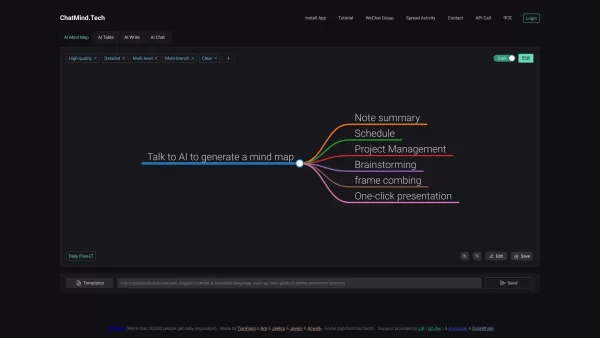
What is ChatMind - AI?ChatMind is an advanced AI-powered tool that turns abstract ideas into clear, visual structures. Utilizing models like GPT-3.5 and GPT-4, it effortlessly converts dense documents from PDFs, Word files, PowerPoint slides, and eve

What is ChatApe?ChatApe AI integrates cutting-edge language models like GPT-4, Gemini, and Claude 3 to deliver comprehensive assistance. It handles diverse tasks such as document analysis, summarization, and creating custom brand content. Beyond offe
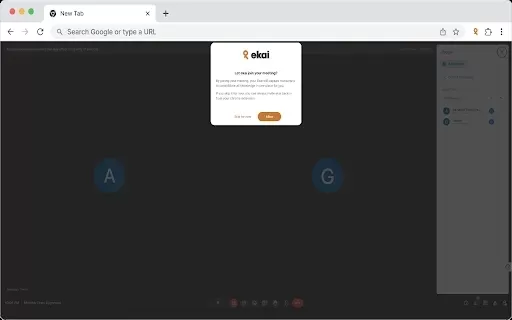
What is Ekai?Ekai is an innovative browser extension that redefines how you capture, access, and engage with meeting content and web data. Featuring meeting intelligence, recording controls, a knowledge base builder, Slack integration, AI-powered cha
Betafi: Record, Add Notes, Transcribe Calls Product Information
What Is Betafi? Record, Add Notes, and Transcribe Calls
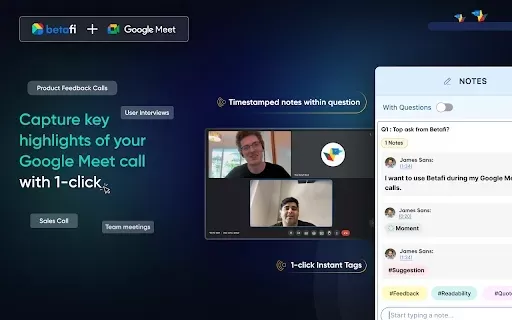
Betafi transforms your Google Meet experience by seamlessly integrating recording and note-taking directly into your calls. With a single click, you can capture every discussion point, letting you stay engaged in the conversation instead of struggling to remember details. The automatic transcription feature provides a written record of the meeting, making future reference effortless. Whether you're hosting a team meeting, a client call, or a workshop, Betafi simplifies capturing and sharing key insights.
Who Uses Betafi? Record, Add Notes, and Transcribe Calls
- Business Professionals
- Students
- Team Leaders
- Educators
- Remote Workers
How to Use Betafi: Record, Add Notes, and Transcribe Calls
- Step 1: Install the Betafi extension from the Chrome Web Store.
- Step 2: Open Google Meet and start or join a meeting.
- Step 3: Click the Betafi icon to start recording.
- Step 4: Take notes during the call using the built-in note-taking feature.
- Step 5: End the call to automatically generate a transcript.
Supported Platform
- Chrome
Betafi: Record, Add Notes, and Transcribe Calls – Core Features and Benefits
Core Features
- Record Google Meet Calls
- Real-Time Note-Taking
- Automatic Transcription
- Easy Note Sharing
Benefits
- Boosts Meeting Productivity
- Provides a Permanent Record
- Saves Time on Note-Taking
- Improves Information Retention
Betafi: Record, Add Notes, and Transcribe Calls – Main Use Cases and Applications
- Team Collaboration
- Client Meetings
- Educational Sessions
- Feedback Collection
FAQs – Betafi: Record, Add Notes, and Transcribe Calls
What Is Betafi?
Betafi is a Chrome extension that enhances Google Meet calls by adding recording, note-taking, and transcription capabilities.
How Do I Install Betafi?
You can install it directly from the Chrome Web Store.
Can I Use Betafi for Free?
Betafi offers a free version with basic features, while premium features may require a subscription.
Is My Data Secure with Betafi?
Yes, Betafi prioritizes user privacy and data security.
Can I Edit My Notes After a Meeting?
Yes, you can edit and organize your notes after the meeting.
Does Betafi Work on All Browsers?
Betafi is designed specifically for Chrome and Chrome-based browsers.
How Can I Access My Recorded Meetings?
You can access your recorded meetings and transcripts through your Betafi account.
Is There a Limit to How Long I Can Record?
Recording length may vary depending on your account type.
Can I Share My Notes Easily?
Yes, you can share your notes directly from the application.
Does It Support Multiple Languages?
Yes, Betafi supports multiple languages for transcription.
Betafi: Record, Add Notes, and Transcribe Calls – Company Information
Website:
https://www.betafi.coCompany Name:
BetafiSupport Email:
Facebook:
NAX (Twitter):
https://twitter.com/betafi_coYouTube:
NAInstagram:
NATikTok:
NALinkedIn:
NA
Betafi: Record, Add Notes, Transcribe Calls Screenshot


2026 Latest Best Top-Rated AI Internal Link Tools for Better Site Structure are here on XIX.AI! This curated collection features powerful, game-changing solutions that go through real-world tests to deliver superior results. Get a free vs paid comparison, see rankings, and discover must-try options to boost your site’s SEO performance and streamline content organization. Explore now to unlock your AI edge!
 11 tools
 xix.ai

2026 Latest Best Top-rated AI Note Organizing Tools for Daily Work are here on XIX.AI! This curated list features powerful, game-changing solutions that help boost productivity significantly through real-world tests and rigorous rankings. You’ll find a detailed free vs paid comparison to help you choose the perfect fit for your needs. Explore now to Discover your perfect tool and Unlock your AI edge in daily tasks!
11 tools
xix.ai

2026 Latest Best Top-Rated AI Investment Research Tools for Retail Analysts, carefully curated by XIX.AI. These powerful tools offer game-changing advantages for accelerating content creation, boosting writing efficiency, and streamlining analysis tasks to help professionals unlock their AI edge. Get a free vs paid comparison along with real-world tests and detailed rankings. Explore now to discover your perfect tool!
11 tools
xix.ai

2026 Latest Best Top-Rated AI Test Generators for API and Function Development. XIX.AI has curated a powerful, game-changing collection of must-try tools that go through rigorous real-world tests to deliver accurate results. You’ll find detailed free vs paid comparison insights and updated rankings weekly. Explore now to discover your perfect tool and unlock your AI edge in software testing.
7 tools
xix.ai

2026 Latest Best Top-rated AI Business Plan Generators are here on XIX.AI! This curated collection features powerful game-changing tools that help creators turn innovative ideas into polished investor deck drafts quickly. You’ll find weekly updated rankings, free vs paid comparison insights, and real-world tests to help you choose the must-try solution that boosts productivity and delivers top results. Explore now to discover your perfect tool for securing funding!
11 tools
xix.ai

2026 Latest Best AI Invoice OCR Platforms for QuickBooks, Xero, and Multi-Entity Reconciliation! XIX.AI curates a top-rated list of powerful tools that deliver accurate real-world tests and weekly updated rankings. These must-try solutions streamline invoice processing, boost productivity, and save time across complex business setups. Get a free vs paid comparison to find your perfect fit. Explore now to unlock your AI edge!
8 tools
xix.ai


