


 Home
HomeArtology AI



Helps TikTok sellers, brands, MCNs, and TAPs discover winning products and find creators.

HelpLook is an AI-powered all-in-one knowledge base tool that helps businesses quickly build knowledge bases, help centers, and...

Your AI Workspace

302.AI is an enterprise-grade AI resource platform with pay-as-you-go pricing, API access to a full range of AI models, and ready-to-use online applications.

剧火AI — AI Screenwriter + Director, a One-Person Short Drama Studio In one sentence, what is it?

What is Banana AI - Free AI Photo Editor?Banana AI is a free, AI-driven photo editor that uses Google's Nano Banana technology (Gemini 2.5 Flash Image) to transform your pictures with simple text commands. Easily remove unwanted objects, swap backgro
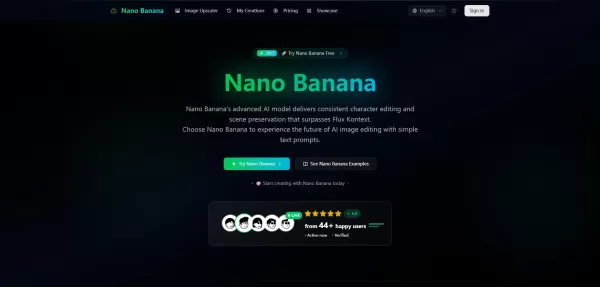
What is Google Nano Banana?Nano Banana is a cutting-edge AI platform for generating and editing images. By integrating text and image inputs, it enables consistent character editing and scene preservation. The platform offers ultra-fast generation, h

What is Deepfake Maker Nano Banana AI? Nano Banana AI is an advanced artificial intelligence platform that generates stunning images from text descriptions and facilitates seamless image-to-image transformations. This cutting-edge AI model revolution
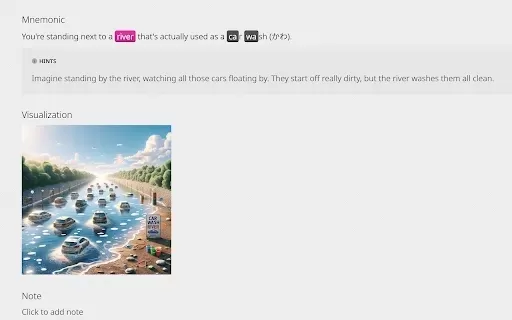
What is KaniAI?KaniAI is a Chrome extension that enriches the WaniKani platform by providing AI-generated visual aids for Kanji lessons and reference pages. With just one click, users can generate a visual representation of the mnemonic story connect

What is Nano Banana | Nanana AI? Nanana AI is the leading AI image generator and AI image editor on the market. It taps into the full potential of Google's revolutionary Nano Banana model to offer unmatched image creation and editing power. As an ear
Artology AI Product Information
What Is Artology AI?
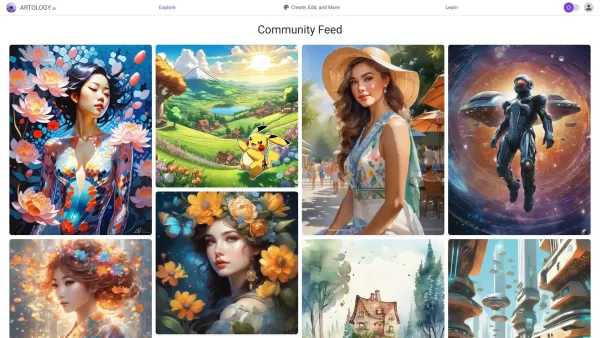
Artology is a cutting-edge AI art generation platform that helps users create and manage visually stunning images. It uses Stable Diffusion-based generative AI to turn text prompts into unique artworks. Users can explore text-to-image and image-to-image transformations, along with features like inpainting and upscaling to add fine details or enhance existing visuals. This tool is perfect for anyone wanting to push the boundaries of digital art.
Who Can Use Artology AI?
- Digital Artists
- Graphic Designers
- Content Creators
- Photographers
- Social Media Influencers
How to Use Artology AI?
- Step 1: Sign up or log in to Artology.ai.
- Step 2: Choose the type of art generation (text-to-image, image-to-image, etc.).
- Step 3: Enter your text prompt or upload an initial image.
- Step 4: Adjust settings and parameters to fine-tune the output.
- Step 5: Click 'Generate' to create your art.
- Step 6: Review the generated image and make further tweaks if needed.
- Step 7: Download or share your artwork.
Platform
- Web
Artology AI's Core Features and Benefits
Core Features
- Text-to-Image Transformation
- Image-to-Image Conversion
- Image Inpainting
- Image Upscaling
- User-Friendly Interface
Benefits
- Free to Use
- Highly Customizable Settings
- Supports a Wide Range of Artistic Styles
- Quick and Easy Generation Process
- Ideal for Professional and Personal Projects
Artology AI's Main Use Cases and Applications
- Creating Social Media Content
- Generating Artwork for Blogs or Websites
- Designing Marketing Materials
- Producing Digital Art for Sale
- Enhancing Personal Photography
Artology AI FAQs
What Is Artology?
Artology is an AI-powered art generator platform that creates and manages stunning images from text prompts and existing images.
Is Artology Free to Use?
Yes, Artology provides free access to its AI art generation tools.
What Types of Art Can I Create with Artology?
You can create various art forms, including text-to-image and image-to-image transformations, as well as enhanced artworks using inpainting and upscaling features.
Do I Need Any Prior Art Skills to Use Artology?
No prior art skills are required. Artology is designed to be user-friendly and accessible for all.
Can I Use Artology for Commercial Purposes?
Yes, you can use the generated artwork for personal and commercial purposes.
What Platforms Is Artology Available On?
Artology is available as a web-based platform.
How Do I Save the Images I Create?
After generating an artwork, you can download the image directly to your device.
Can I Edit My Image After Generating It on Artology?
Yes, you can make further adjustments to refine your artwork after generation.
Is There a Limit to How Many Images I Can Create?
While there may be limitations based on free and paid tiers, Artology generally allows for creating multiple images.
How Can I Get Support If I Encounter Issues?
You can contact Artology support via email or through their official social media channels.
Artology AI Company Information
Website:
https://artology.aiCompany Name:
Artology AISupport Email:
NAFacebook:
NAX(Twitter):
NAYouTube:
NAInstagram:
NATiktok:
NALinkedIn:
NA
Artology AI Screenshot

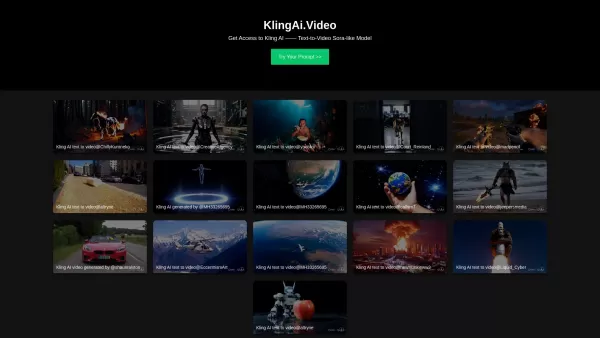
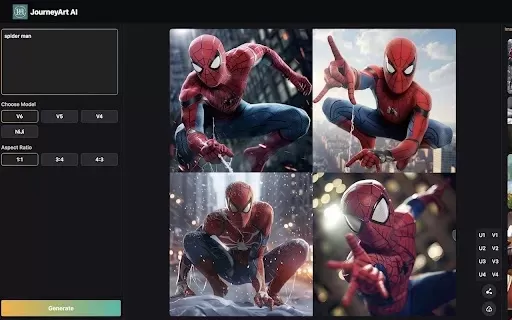

2026 Latest Top-Rated Best AI Investment Research Tools are here on XIX.AI! This curated list includes powerfully accurate signals to assess portfolio risks and help you make smarter, data-driven decisions. We conduct real-world tests weekly to update rankings and offer a free vs paid comparison. Discover your perfect tool to boost investment analysis efficiency today. Explore now!
 10 tools
 xix.ai
2026 Latest Best Top-Rated AI Customer Chatbot Tools for Website Support are here on XIX.AI! Our curated list features powerful, game-changing solutions that boost response speeds, improve customer satisfaction, and save tons of manual work. Each option goes through rigorous real-world tests, complete with free vs paid comparison details. Explore now to find the perfect tool that boosts your online support efficiency!
10 tools
xix.ai
2026 Latest Best Instagram AI Comment Reply Tools for Shops, DMs, and Community Management! XIX.AI has curated a top-rated list of powerful game-changing solutions featuring weekly updated rankings, free vs paid comparison, and real-world tests. These must-try tools help boost productivity significantly by streamlining reply tasks, saving time, and enhancing customer engagement across all social media platforms. Explore now to discover your perfect tool for seamless community management!
10 tools
xix.ai
2026 Latest Best Top-Rated AI Photo Retouch Tools for Portrait Editing are here on XIX.AI! This curated list features powerful, game-changing solutions that help creators boost writing efficiency and unlock their full creative potential. We conduct real-world tests and provide detailed free vs paid comparison along with weekly updated rankings to ensure you find the must-try perfect tool for flawless portrait edits. Explore now to discover your ideal choice!
12 tools
xix.ai
2026 Latest Best Top-rated Voice Cloning Tools for Podcasting, Course Creation, and Product Walkthroughs are here on XIX.AI. This curated list features powerful game-changing solutions that undergo real-world tests to deliver flawless results every time. You’ll find a free vs paid comparison along with detailed rankings to help you choose the most suitable option for boosting your productivity. Explore now and Discover your perfect tool for enhancing audio content creation.
9 tools
xix.ai
2026 Latest Best Top-rated AI Rewrite Tools for Business Writing are here on XIX.AI! This curated list features powerful, game-changing tools that undergo real-world tests to make dense copy clearer and boost writing efficiency. Get a free vs paid comparison and see which option suits your needs. Explore now to discover your perfect tool and unlock your AI edge in business communication.
13 tools
xix.ai


