


 Home
HomeArch



Helps TikTok sellers, brands, MCNs, and TAPs discover winning products and find creators.

HelpLook is an AI-powered all-in-one knowledge base tool that helps businesses quickly build knowledge bases, help centers, and...

Your AI Workspace

302.AI is an enterprise-grade AI resource platform with pay-as-you-go pricing, API access to a full range of AI models, and ready-to-use online applications.

剧火AI — AI Screenwriter + Director, a One-Person Short Drama Studio In one sentence, what is it?
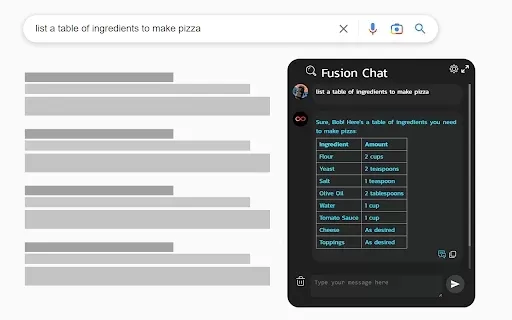
What is ChatGPT 4 for Google - ChatGPT Everywhere?The ChatGPT-4 for Google Chat extension brings the power of OpenAI's ChatGPT directly into your Google Chat workspace. It empowers you to craft replies, pull key information, and optimize your workflo
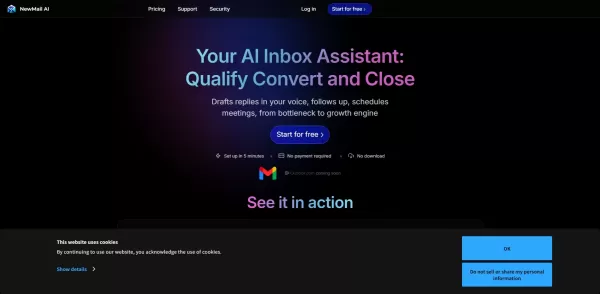
What is NewMail AI?NewMail AI provides a comprehensive suite of features that simplify email management. Powered by advanced AI algorithms, it automatically sorts incoming emails, highlights urgent messages, and proposes intelligent responses to boos
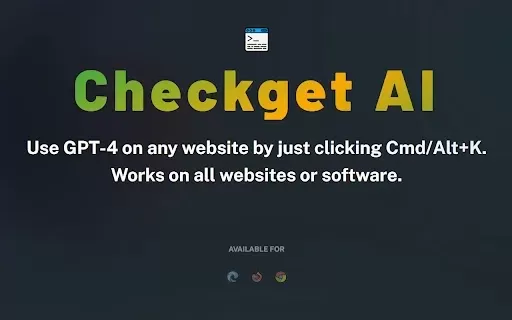
What is Checkget AI?Checkget is an advanced browser extension driven by GPT-4 technology. It streamlines daily activities like drafting emails, writing code, translating text, and responding to messages. Its smooth integration across all websites all
What is Techne?Techne is an advanced tool that helps you create interactive and digital designs. It offers a variety of features, such as design templates, interactive elements, and intuitive interfaces. Using Techne, you can simplify your design wor
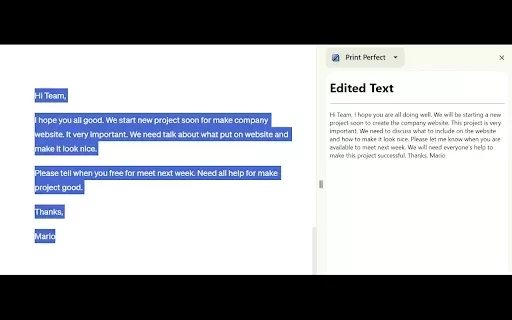
What is Print Perfect AI Text Editor?The Print Perfect AI Text Editor is a sophisticated tool engineered to transform your writing. Built on OpenAI's cutting-edge technology, it fixes grammatical mistakes, improves sentence construction, and perfects
Arch Product Information
What is Arch?
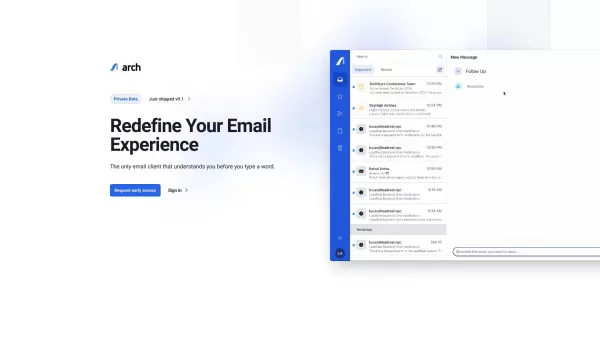
Arch AI Copilot transforms email management by using artificial intelligence to deliver intelligent summaries, automatically generate replies, and simplify writing emails. This tool helps users dramatically reduce time spent on email, enhance the quality of their communication, and sustain higher productivity levels. It's built to integrate effortlessly with your existing email setup, offering an intuitive user experience and measurable efficiency improvements.
Who uses Arch?
- Busy Professionals
- Business Leaders & Executives
- Freelancers & Solopreneurs
- Customer Support Teams
- Sales & Marketing Teams
- Anyone with high-volume email responsibilities
How to use Arch
- Step 1: Sign up or log into your Arch AI account.
- Step 2: Securely connect your email account to Arch AI.
- Step 3: Let Arch AI review your email history for context.
- Step 4: Get quick insights using AI-powered email summaries.
- Step 5: Send faster replies with AI-suggested responses.
- Step 6: Write new emails efficiently with AI composition aid.
- Step 7: Maintain and improve your workflow with regular use.
Platform
- Web Browser
Arch's Core Features & Benefits
Core Features
- Intelligent Email Summaries
- AI-Generated Response Suggestions
- AI-Assisted Email Drafting
- Direct Integration with Major Email Providers
Key Benefits
- Drastically Reduce Time on Email
- Improve Clarity & Tone in Communication
- Increase Daily Productivity
- Centralized & Simplified Email Workflow
Primary Use Cases & Applications
- Managing High-Volume Professional Inboxes
- Streamlining Customer Service Replies
- Automating Sales & Outreach Communications
- Improving Internal Team Correspondence
Arch's Pros & Cons
Advantages
Comprehensive platform that centralizes leasing communications, scheduling, applications, and analytics
Round-the-clock self-scheduling minimizes manual coordination and boosts tour conversion rates
Built-in application portal with e-signature and document upload simplifies tenant onboarding
AI-powered messaging suggestions save time and enhance communication effectiveness
Customizable forms and compliance tools, including pet screening
Detailed leasing analytics to optimize operations and reduce vacancy periods
Limitations
No publicly available open-source code or GitHub repository
Pricing is not transparent and requires direct contact for details
Focus seems geared toward large luxury properties in markets like NYC, potentially less suited for smaller portfolios or different regions
Limited discussion of dedicated mobile apps or integrations beyond core property management and calendar systems
FAQs about Arch
What is Arch AI Copilot?
Arch AI Copilot is a productivity tool that uses artificial intelligence to help manage emails through features like smart summaries and automated response generation.
Is Arch AI Copilot free to use?
Arch AI Copilot provides a free trial; continued access to advanced features likely requires a paid subscription.
How does Arch AI boost email productivity?
It increases productivity by providing instant email summaries, AI-crafted reply options, and assisted drafting, enabling users to handle their inbox faster and more effectively.
What platforms support Arch AI?
Arch AI is accessible via web browsers.
Can I connect Arch AI to my current email?
Yes, Arch AI is designed for seamless integration with most major email service providers.
Is my confidential email data safe with Arch AI?
Yes, Arch AI adheres to strict data protection standards to keep your email information secure and private.
Does Arch AI support languages other than English?
Arch AI mainly operates in English at present, with potential support for additional languages planned for future updates.
Is Arch AI suitable for team use?
Absolutely. Teams can leverage Arch AI to collaboratively manage high email volumes and streamline communication workflows.
How do I begin using Arch AI?
Start by registering on the Arch AI website, linking your email account, and exploring its productivity features.
What are some alternatives to Arch AI?
Popular alternatives include Grammarly, Boomerang, Superhuman, SaneBox, and Mailbutler.
Arch Company Information
Website:
https://arch.aiCompany Name:
ArchSupport Email:
NAFacebook:
NAX(Twitter):
NAYouTube:
NAInstagram:
NATiktok:
NALinkedIn:
NA
Arch Screenshot



2026 Latest Best Top-Rated AI Transcript Tools for Client Call Notes! XIX.AI has curated a powerful, game-changing collection of must-try tools that go through real-world tests to deliver accurate, detailed notes. You can compare free and paid options side by side and see how they boost your productivity. Explore now to discover your perfect tool and unlock your AI edge in client communication!
 10 tools
 xix.ai

2026 Latest Best Top-rated AI Dubbing Platforms for Multilingual Shorts, Tutorials, and Product Walkthroughs! XIX.AI curates a powerful game-changing collection after rigorous real-world tests and weekly updated rankings. You’ll find must-try options that boost productivity significantly, helping you create high-quality content faster without wasting time. Explore now to discover your perfect tool and unlock your AI edge.
9 tools
xix.ai

2026 Latest Best ChatGPT Meeting Follow-Up Tools Ranked! XIX.AI has curated a top-rated collection of powerful tools that help you quickly turn meeting notes into actionable items, track owners and deadlines effortlessly, and stay organized throughout your projects. Every tool goes through rigorous real-world tests to ensure reliability. Check out the free vs paid comparison and rankings to discover your perfect solution for boosting productivity. Explore now!
9 tools
xix.ai

2026 Latest Best AI Agenda Builders page features a curated list of top-rated tools that make planning weekly team syncs effortless. These powerful solutions help you create organized, efficient agendas in just minutes, saving valuable time and boosting productivity. XIX.AI ensures all entries go through rigorous real-world tests before inclusion. Get a free vs paid comparison and discover the must-try options that deliver game-changing results. Explore now to find your perfect tool for smoother workflows!
15 tools
xix.ai

2026 Latest Best Top-Rated AI Business Plan Tools for Startups! XIX.AI curates a powerful, game-changing collection of must-try tools that go through real-world tests and rigorous weekly updated rankings. These top solutions help startups draft flawless plans, boost productivity, and unlock their full AI edge. Explore now to discover your perfect tool!
9 tools
xix.ai

2026 Latest Best Top-rated AI Persona Builder Tools for Audience Research are here on XIX.AI! This curated list features powerful, game-changing tools that help you conduct real-world tests and create accurate audience profiles through detailed free vs paid comparison. You’ll discover the must-try options that boost writing efficiency and unlock your AI edge in marketing strategies. Explore now to find your perfect tool!
9 tools
xix.ai


