


 Home
HomeAppReview - Chrome Extension
Automated code review for Power Apps



Helps TikTok sellers, brands, MCNs, and TAPs discover winning products and find creators.

HelpLook is an AI-powered all-in-one knowledge base tool that helps businesses quickly build knowledge bases, help centers, and...

Your AI Workspace

302.AI is an enterprise-grade AI resource platform with pay-as-you-go pricing, API access to a full range of AI models, and ready-to-use online applications.

剧火AI — AI Screenwriter + Director, a One-Person Short Drama Studio In one sentence, what is it?

Ever wondered what it's like to have your very own automated product security engineer? Enter Pixeebot, your tireless companion in the world of code security. This little gem is designed to keep your projects safe and sound, acting as a vigilant guardian
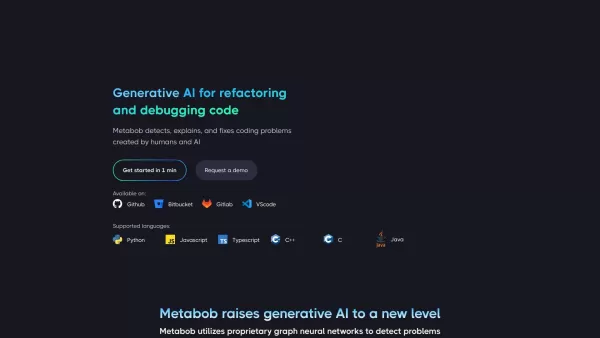
What is Metabob? Metabob is an AI-powered code review tool designed to accelerate debugging by automatically detecting, understanding, and resolving complex issues within your codebase. It leverages graph-attention networks and generative AI to tackl
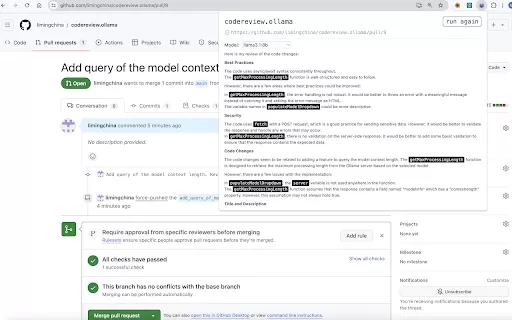
What is the AI Chrome Extension for Reviewing Pull Requests on GitHub or Merge Requests on GitLab with Ollama and LLMs? This tool enables users to streamline code reviews for GitHub Pull Requests or GitLab Merge Requests by harnessing Ollama and Larg
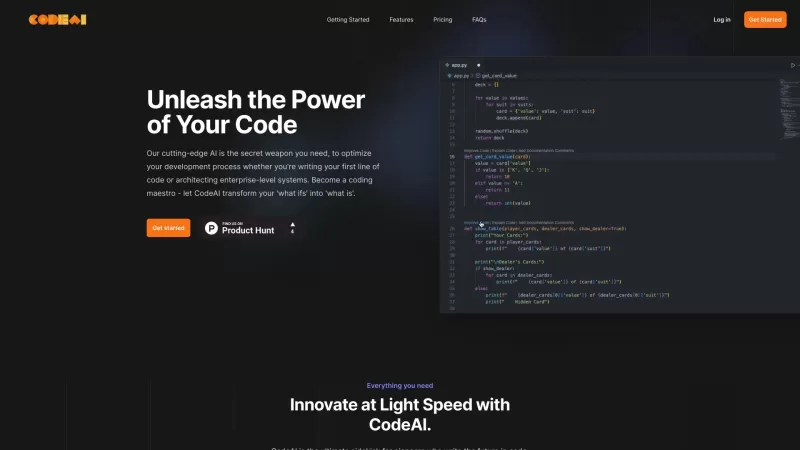
Ever wished you had a trusty sidekick to help you navigate the often complex world of coding? Meet CodeAI, the revolutionary VS Code extension that's like having a super-smart AI buddy by your side. Designed to streamline your development process, CodeAI
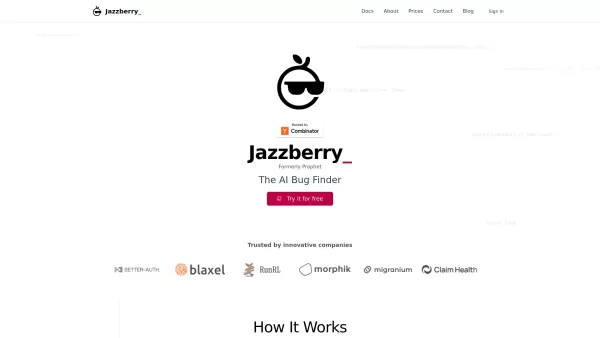
What is Jazzberry? Jazzberry is an AI-powered agent that identifies bugs in code through actual code execution. It integrates with GitHub to automatically generate detailed bug reports directly on pull requests. Previously named Prophet, this AI Bug
AppReview - Chrome Extension Product Information
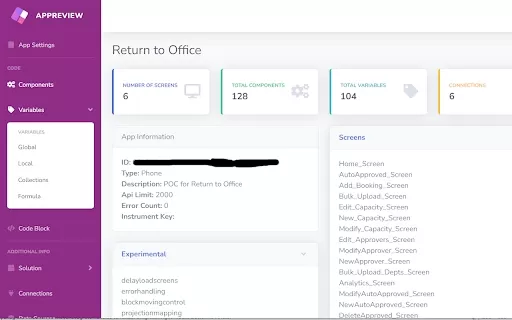
Ever found yourself knee-deep in Microsoft Power Apps, wondering if there's a way to streamline your code review process? Well, let me introduce you to the AppReview AI Chrome extension. This little gem is designed to make your life easier by automatically reviewing your Power Apps code. Just upload your solution or legacy app zip, and AppReview gets to work, pulling out all sorts of juicy details. We're talking experimental settings, screens, components, variables, formulas, connections, data sources, flows, environment variables, tables, test scripts, and even a code review scoring system with flags. Oh, and don't forget the simple screen diagram—it's like a roadmap for your app's architecture!
How to Use the AppReview AI Chrome Extension?
So, you're ready to dive in? It's pretty straightforward. Just upload your Power App solution or legacy app zip. AppReview will then extract all the key information you need for a thorough code review. The best part? You can view all your component code on a single screen, making it super easy to spot any issues. Plus, you can check the connection privileges used, ensuring everything's locked down tight.
AppReview AI Chrome Extension's Core Features
All Component Code Shown in One Screen
Imagine being able to see every piece of your app's code laid out in front of you. No more flipping between tabs or scrolling endlessly. AppReview makes it happen, giving you a comprehensive view of all your components at once. It's like having a bird's-eye view of your entire app's codebase!
Connection Privileges Tracking
Security is no joke, especially when you're dealing with sensitive data. AppReview keeps an eye on your connection privileges, helping you ensure that only the right people have access to the right parts of your app. It's like having a security guard watching over your connections 24/7.
AppReview AI Chrome Extension's Use Cases
Ensure Code Quality of Microsoft Power Apps Solutions
Whether you're a seasoned pro or just starting out, maintaining high code quality is crucial. AppReview helps you keep your Microsoft Power Apps solutions in tip-top shape. By providing a detailed analysis and scoring system, it's like having a personal code quality inspector at your fingertips.
FAQ from AppReview
- What information does AppReview extract from the Power App and solution?
- AppReview extracts a wealth of information, including experimental settings, screens, components, variables, formulas, connections, data sources, flows, environment variables, tables, test scripts, and even a code review scoring system with flags. Plus, it provides a simple screen diagram to help you visualize your app's structure.
AppReview - Chrome Extension Screenshot
2026 Latest Best Top-rated GitHub Copilot Code Review Tools curated for pull requests refactors and security fixes offer powerful game-changing assistance to boost coding efficiency significantly. XIX.AI provides weekly updated free vs paid comparison along with real-world tests and detailed rankings to help you find the perfect solution. Explore now to unlock your AI edge in development.
 13 tools
 xix.ai
Discover the 2026 best AI code reviewers on XIX.AI. Our curated list features top-rated, game-changing tools for automating clean code compliance and refactoring legacy repo files. Compare free vs paid options with real-world tests and weekly updated rankings. Unlock your AI edge today.
10 tools
xix.ai
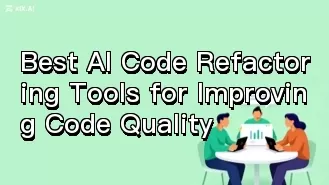
2026 Latest Top AI Code Refactoring Tools: Discover our expert-picked, powerful tools that automate code cleanup, enhance maintainability, and improve software quality. Get weekly updated rankings, real-world tests, and free vs paid comparisons on XIX.AI. Find your perfect development assistant today!
9 tools
xix.ai
Explore 2026's top-rated AI code review tools for automated pull request analysis. Discover how these game-changing solutions enhance efficiency, ensure quality, and streamline your development workflow. XIX.AI's curated, weekly updated rankings help you compare free vs paid options based on real-world tests to find your perfect match. Unlock smarter coding today.
10 tools
xix.ai
Discover 2026's top-rated, must-try AI coding tools for developers. Get weekly updated rankings & a curated comparison of powerful, game-changing assistants based on real-world tests. Boost your development efficiency and unlock your perfect tool now on XIX.AI.
9 tools
xix.ai


Just tried this extension for my Power Apps project and it's a total game-changer! Finally no more manual code reviews 🙌. The AI suggestions are surprisingly accurate, caught a few bugs I would've missed. Only wish it had more customization options. 5/5 would recommend!


