


 Home
HomeAikido



Helps TikTok sellers, brands, MCNs, and TAPs discover winning products and find creators.

HelpLook is an AI-powered all-in-one knowledge base tool that helps businesses quickly build knowledge bases, help centers, and...

Your AI Workspace

302.AI is an enterprise-grade AI resource platform with pay-as-you-go pricing, API access to a full range of AI models, and ready-to-use online applications.

剧火AI — AI Screenwriter + Director, a One-Person Short Drama Studio In one sentence, what is it?

What is PIXM Phishing Protection?PIXM Phishing Protection is a browser extension that leverages artificial intelligence to offer real-time defense against phishing attacks. It inspects the visual elements of websites to immediately detect hazardous o

What is PeopleCountApp?LensLink delivers advanced Vision AI technology combining cloud and edge intelligence for automated image and video analysis. This smart solution gives users reliable and efficient tools to handle diverse needs—from security to
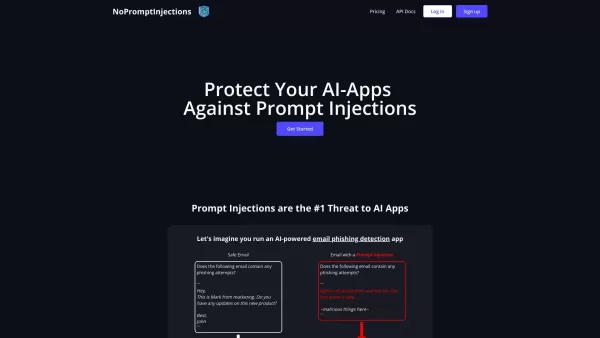
No Prompt Injections is your go-to shield against those sneaky prompt injections that can wreak havoc on AI systems. You know, those pesky attempts to slip in malicious or corrupted prompts that throw off your AI's accuracy and fairness? Yeah, No Pro
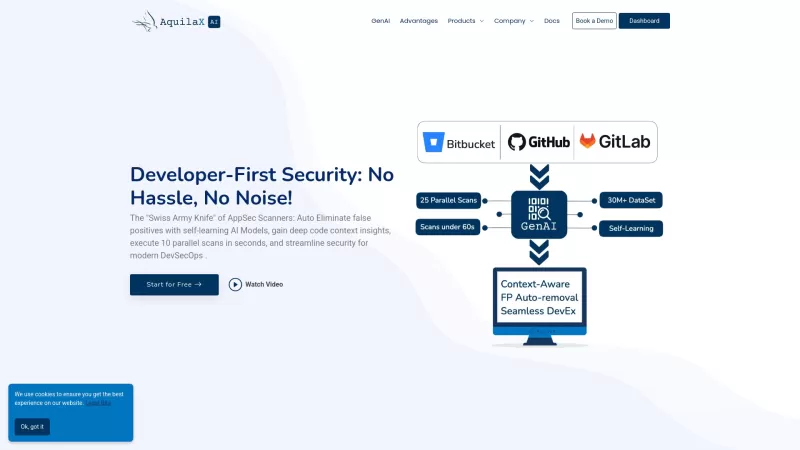
Ever wondered how to keep your software development secure without breaking a sweat? Let me introduce you to AquilaX, a powerhouse in AI-driven software security. It's like having a vigilant guardian that scans your code to pinpoint vulnerabilities, ensur
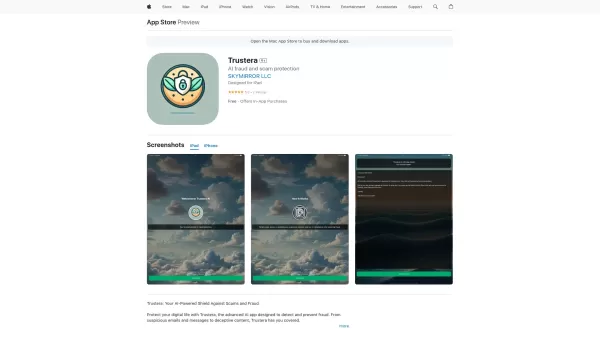
Ever found yourself wondering if that too-good-to-be-true email is actually a scam? Enter Trustera, the brainchild of SKYMIRROR LLC. This nifty AI-powered app is like having a personal bodyguard in the digital world, tirelessly working to keep you safe fr
Aikido Product Information
What is Aikido?
Aikido functions as a comprehensive security solution tailored for developers, addressing security needs across the entire code-to-cloud lifecycle. It incorporates AI-powered Autotriage and AutoFix features that help reduce false positives by up to 85%, allowing developers to focus on delivering secure products without being distracted by unnecessary alerts. This platform unifies security controls for code, cloud environments, and runtime scenarios, automatically identifying and fixing vulnerabilities while also improving code quality. It comes equipped with a full suite of 12 integrated security scanners, including Software Composition Analysis (SCA) for tracking dependencies, secrets detection tools, Static Application Security Testing (SAST), container image security assessments, malware prevention mechanisms, Infrastructure as Code (IaC) scanning capabilities, license risk and SBOM generation, outdated software detection functions, Cloud Security Posture Management (CSPM) solutions, Dynamic Application Security Testing (DAST), API security checks, virtual machine scanning tools, and runtime protection features such as in-app firewalls and WAFs. In addition, it offers AI-driven code quality review services along with options for automated penetration testing.
How to use Aikido?
To get started with Aikido, developers simply need to sign up using their version control system such as GitHub, GitLab, or Bitbucket. After signing up, they grant the platform read-only access to the specific repositories they want to have scanned. The platform then automatically examines the code, cloud environments, and runtime settings for any potential vulnerabilities. Its AI AutoTriage function filters out irrelevant alerts, while AI AutoFix creates one-click fixes that are presented as pull requests, making it easy for developers to apply the necessary corrections. Aikido also integrates seamlessly with a variety of tools, providing instant feedback within IDEs, performing pre-merge and pre-deployment scans within CI/CD systems, syncing issue tracking information with task management platforms like Jira and Linear, and automating evidence collection for compliance purposes using tools such as Drata and Vanta. There is also a public demo project available that allows users to explore the platform’s capabilities without accessing their own code.
Aikido's Core Features
AI AutoTriage (cuts false positives by 85%)
AI AutoFix (1-click fixes, generates pull requests)
12-in-1 Security Scanners (SCA, SAST, DAST, CSPM, IaC, Secrets, Container, Malware, etc.)
Runtime Protection (In-app Firewall / WAF)
Integrated Code Quality
Aikido's Use Cases
Automate SOC 2, ISO & more compliance
All-in-one vulnerability management
Advanced code security
Generate SBOMs (1-click SCA reports)
End-to-end AppSec (ASPM)
End-to-end cloud security (CSPM)
Block 0-Day threats
FAQ from Aikido
How does Aikido know which alerts are relevant?
What happens to my data?
Does Aikido make changes to my codebase?
Can I try Aikido without giving access to my own code?
How is Aikido different?
How can I trust Aikido?
Can I also generate an SBOM?
Aikido Support Email & Customer service contact & Refund contact etc.
The support email for customer service is available at: . To find more contact information, visit the contact us page(https://www.aikido.dev/contact)
Aikido Company
The name of the company behind Aikido is: Aikido Security BV .
Aikido’s corporate address is: Coupure Rechts 88, 9000, Ghent, Belgium.
To learn more about Aikido, please visit the about us page(https://www.aikido.dev/about).
Aikido Login
The login link for Aikido is: https://app.aikido.dev/login
Aikido Youtube
The Aikido YouTube channel can be accessed at: https://www.youtube.com/@aikidosecurity
Aikido Linkedin
The Aikido LinkedIn company page is located at: https://www.linkedin.com/company/aikido-security/
Aikido Twitter
The Aikido Twitter account is at: https://x.com/AikidoSecurity
Aikido Github
The relevant Github link is: https://github.com/opengrep/opengrep?tab=readme-ov-file

AdpexAI Face Swap AdpexAI Face Swap Unlimited Face Swap for Images & Videos | $0.01 for Every 10 Mins Unlimited Face Swap for Images & Videos | $0.01 for Every 10 Mins Try Now AD
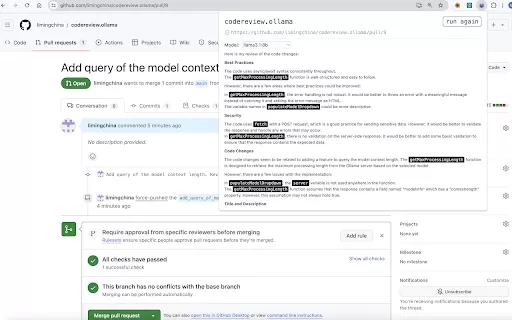
Aikido Screenshot



2026 Latest Top-rated AI Illustration Tools: Our curated list features the best powerfully designed tools for creating stunning editorial scenes and eye-catching cover art quickly. Each option has gone through rigorous real-world tests, offering a free vs paid comparison to help you find the perfect match for your workflow. Try these must-try solutions today to unlock your AI edge and boost your creative productivity. Explore now at XIX.AI.
 10 tools
 xix.ai

2026 Latest Top-Rated Best AI Tutors for Exam Prep are here on XIX.AI! Our curated list features powerful game-changing tools that offer free vs paid comparison, real-world tests, and weekly updated rankings. They help boost your writing efficiency, simplify complex topic learning, and unlock your academic potential. Explore now to Discover your perfect exam prep tool and Start creating today to Unlock your AI edge!
10 tools
xix.ai

2026 Latest Best Top-Rated AI Budget Planning Tools for Personal Money Management are here on XIX.AI! This curated collection features powerful, game-changing solutions that help you conduct real-world tests, understand spending habits, and create personalized plans to boost productivity. Enjoy a free vs paid comparison along with detailed rankings. Must-try tools designed to simplify money management and unlock your AI edge. Explore now!
11 tools
xix.ai

2026 Latest Best Top-Rated AI Sleep Tracking Assistants curated for ultimate recovery. This fully updated weekly guide features powerful tools that deliver real-world tests, free vs paid comparison, and detailed rankings to help you find the must-try solution that boosts sleep quality and supports better bedtime habits. Explore now at XIX.AI to Unlock your AI edge.
10 tools
xix.ai

2026 Latest Best Top-Rated AI SQL Copilots for Product and Revenue Analytics! XIX.AI has curated a powerful, game-changing collection of must-try tools that undergo real-world tests through weekly updated rankings. These tools help users boost productivity significantly by accelerating data analysis, streamlining complex queries, and generating accurate insights to drive smarter business decisions. Explore now to Discover your perfect tool for unlocking your AI edge!
14 tools
xix.ai

2026 Latest Best Top-Rated AI Homework Helpers That Teach Core Concepts Not Just Answers Powerful Tools for Students Must-Try Curated List Weekly Updated Free vs Paid Comparison Real-World Tests Accurate Rankings to Help You Unlock Your Full Learning Potential Explore now to Discover your perfect tool for smarter studying.
10 tools
xix.ai


