


 Home
Home2Slash
2Slash: AI-Powered Browser Extension for Text Fields



Helps TikTok sellers, brands, MCNs, and TAPs discover winning products and find creators.

HelpLook is an AI-powered all-in-one knowledge base tool that helps businesses quickly build knowledge bases, help centers, and...

Your AI Workspace

302.AI is an enterprise-grade AI resource platform with pay-as-you-go pricing, API access to a full range of AI models, and ready-to-use online applications.

剧火AI — AI Screenwriter + Director, a One-Person Short Drama Studio In one sentence, what is it?
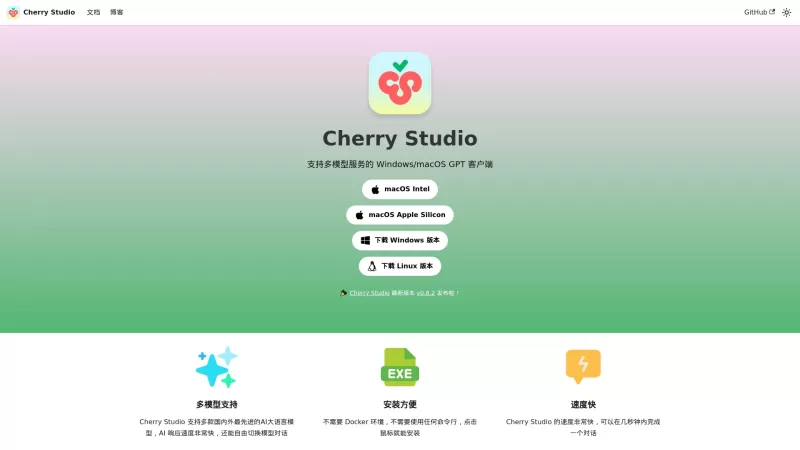
Ever stumbled upon Cherry Studio AI and wondered what it's all about? Well, let me break it down for you. Cherry Studio AI isn't just another run-of-the-mill AI tool; it's a powerhouse desktop client that lets you dive into advanced AI interactions across

Discover Plume AI: Your Ultimate Academic Writing AssistantAre you tired of struggling with your academic writing? Well, say hello to Plume AI, the innovative AI assistant that's here to revolutionize the way you write! Designed with students in mind, Plume AI harnesses the power of cutting-edge art
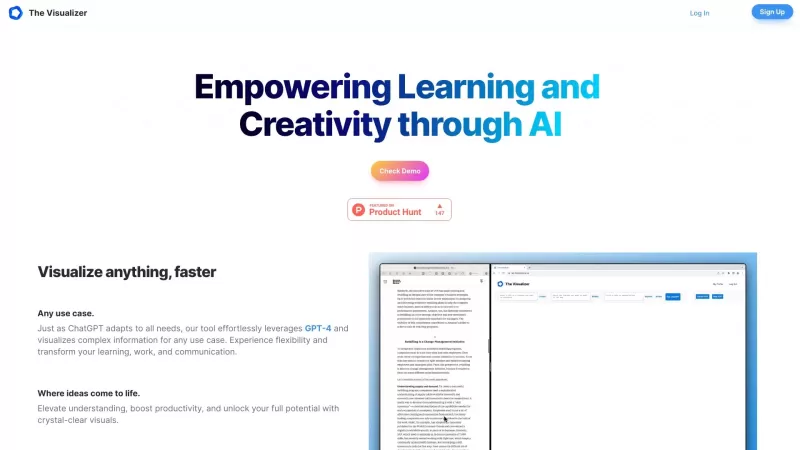
Ever wondered how to turn your jumbled thoughts and complex queries into something you can actually grasp? Enter The Visualizer, your new best friend in the world of learning and creativity. This nifty tool takes your written queries, URLs, and even PDFs,

Ever wished for a trusty sidekick to help you navigate the digital world with ease? Enter Sider, your personal AI companion designed to seamlessly blend into your daily routine. Starting off as a handy Chrome/Edge extension, Sider transforms your browsing
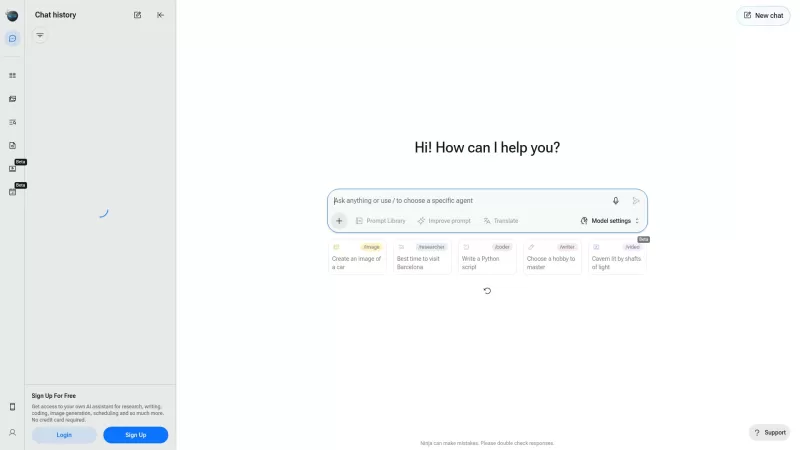
Ever wondered what Ninja AI is all about? Well, let me tell you, it's like having a Swiss Army knife for your digital needs! Ninja AI isn't just another AI tool; it's a powerhouse that brings together over 24 top-notch Large Language Models (LLMs) to help
2Slash Product Information
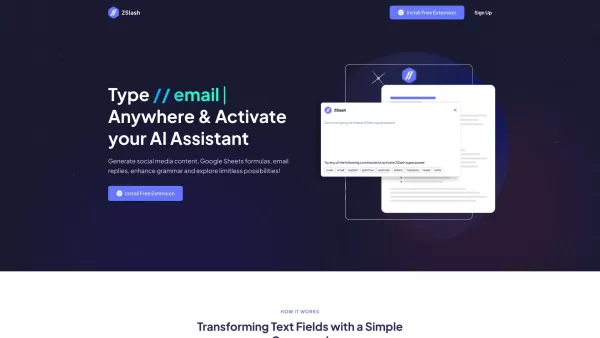
Ever heard of 2Slash? It's this nifty browser extension that brings AI magic right into any text field you're working in. Think of it as your personal AI sidekick, ready to jump in and help you whip up emails, translate texts, fix those pesky grammar errors, craft paragraphs, rephrase sentences, or even generate code—all in a snap. It's like having a Swiss Army knife for your digital writing needs.
How to Use 2Slash?
Getting started with 2Slash is a breeze. Just pop the extension into your Chrome browser. Once it's in there, you're all set. Whenever you need it, just type '//' in any text field, and voilà! You're in command mode. From there, you can use keywords like 'email', 'write', 'translate', 'code', or 'tweet' followed by what you want done. The AI will then do its thing, generating content or performing tasks based on your instructions. It's that simple and quick.
2Slash's Core Features
Email and Content Generation
Need to draft an email or a blog post? 2Slash makes it effortless. It's like having a ghostwriter at your fingertips.
Google Sheets Integration
No Excel skills? No problem. 2Slash can help you build complex formulas in Google Sheets with ease.
Translation
Want to sound like a native speaker in another language? 2Slash can translate your text, making you multilingual in a matter of seconds.
Coding and Development
Whether you're a seasoned coder or just starting out, 2Slash can generate code snippets in various programming languages, giving you a head start on your projects.
Social Media Post Generation
Looking to make your social media presence pop? 2Slash can whip up engaging posts that'll catch your followers' eyes.
2Slash's Use Cases
Improving Productivity
With 2Slash, you can streamline tasks like writing emails, responding to prospects, and booking meetings, making your workday more productive.
Content Creation
Whether it's for emails, blogs, articles, or social media, 2Slash helps you generate fresh and unique content without breaking a sweat.
Language Translation
Communicating in different languages has never been easier. Use 2Slash for personal or professional purposes and break down language barriers.
Coding Assistance
Need a quick code snippet or guidance on minor coding tasks? 2Slash is there to assist, making coding a bit less daunting.
Engaging with the Community
Boost your community engagement on social media with tailored responses and comments, courtesy of 2Slash.
FAQ from 2Slash
- What browsers is the extension available on?
- What AI models do you use?
- Why should I use 2Slash over ChatGPT?
- Is this completely free?
- What is the lifetime deal?
- Can I configure my own commands?
- How configurable is the AI?
For any questions or support, you can reach out to 2Slash at [email protected].
Want to know more about the folks behind 2Slash? Check out their about us page.
Already a user? Log in here: 2Slash Login. New to 2Slash? Sign up here: 2Slash Sign up.
Curious about the pricing? Take a look at the 2Slash Pricing.
Follow 2Slash on social media for updates and tips: TikTok, LinkedIn, and Twitter.
2Slash Screenshot



2026 Latest Top-rated AI Illustration Tools: Our curated list features the best powerfully designed tools for creating stunning editorial scenes and eye-catching cover art quickly. Each option has gone through rigorous real-world tests, offering a free vs paid comparison to help you find the perfect match for your workflow. Try these must-try solutions today to unlock your AI edge and boost your creative productivity. Explore now at XIX.AI.
 10 tools
 xix.ai

2026 Latest Top-Rated Best AI Tutors for Exam Prep are here on XIX.AI! Our curated list features powerful game-changing tools that offer free vs paid comparison, real-world tests, and weekly updated rankings. They help boost your writing efficiency, simplify complex topic learning, and unlock your academic potential. Explore now to Discover your perfect exam prep tool and Start creating today to Unlock your AI edge!
10 tools
xix.ai

2026 Latest Best Top-Rated AI Budget Planning Tools for Personal Money Management are here on XIX.AI! This curated collection features powerful, game-changing solutions that help you conduct real-world tests, understand spending habits, and create personalized plans to boost productivity. Enjoy a free vs paid comparison along with detailed rankings. Must-try tools designed to simplify money management and unlock your AI edge. Explore now!
11 tools
xix.ai

2026 Latest Best Top-Rated AI Sleep Tracking Assistants curated for ultimate recovery. This fully updated weekly guide features powerful tools that deliver real-world tests, free vs paid comparison, and detailed rankings to help you find the must-try solution that boosts sleep quality and supports better bedtime habits. Explore now at XIX.AI to Unlock your AI edge.
10 tools
xix.ai

2026 Latest Best Top-Rated AI SQL Copilots for Product and Revenue Analytics! XIX.AI has curated a powerful, game-changing collection of must-try tools that undergo real-world tests through weekly updated rankings. These tools help users boost productivity significantly by accelerating data analysis, streamlining complex queries, and generating accurate insights to drive smarter business decisions. Explore now to Discover your perfect tool for unlocking your AI edge!
14 tools
xix.ai

2026 Latest Best Top-Rated AI Homework Helpers That Teach Core Concepts Not Just Answers Powerful Tools for Students Must-Try Curated List Weekly Updated Free vs Paid Comparison Real-World Tests Accurate Rankings to Help You Unlock Your Full Learning Potential Explore now to Discover your perfect tool for smarter studying.
10 tools
xix.ai


Finalmente uma extensão que torna o trabalho online menos chato! Uso o 2Slash direto no Gmail e nas redes sociais. Melhorou muito minha produtividade, mas às vezes sinto que fico dependente da IA para tasks simples 😅 Será que estamos ficando preguiçosos?


