


 Lar
LarAI Video Narration
Narração de Vídeo por IA: Qualidade Profissional com Facilidade


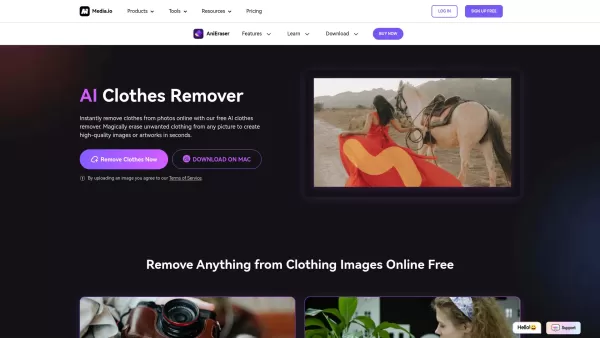
Apresentando o AniEraser: O melhor AI Clothes RemoverSe você sempre quis editar fotos como um profissional sem o incômodo de ferramentas complicadas ou instalações de software, o AniEraser está aqui p
O que é o Undressbaby AI?O Undressbaby é uma plataforma de ponta, impulsionada por IA, que permite aos usuários alterar de forma criativa suas fotos e vídeos. Desde trocar rostos até experimentar roup
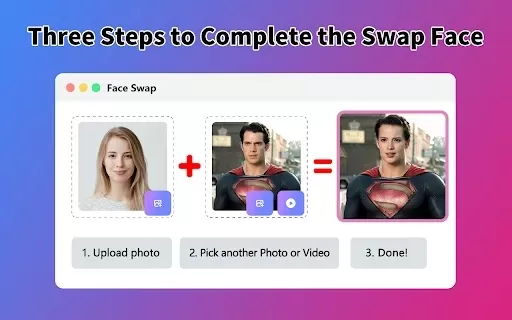
O que é o Face Swap - AI Face Swapper?O Face Swap AI Face Swapper é uma ferramenta online de última geração que permite trocar rostos em fotos e vídeos sem esforço. Alimentado por inteligência artific
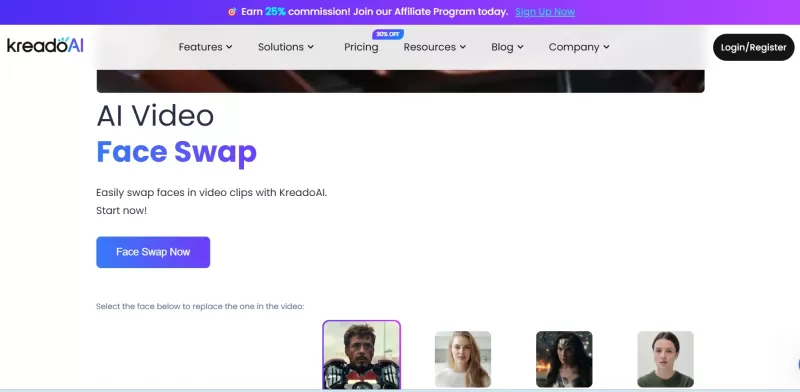
Sempre quis dar aos seus vídeos uma reviravolta peculiar ou um toque profissional? Não procure mais do que a troca de vídeo de vídeo Kreadeai! Esta ferramenta bacana é um divisor de águas para quem deseja substituir perfeitamente os rostos nos vídeos. O que é ainda melhor? É absolutamente grátis e
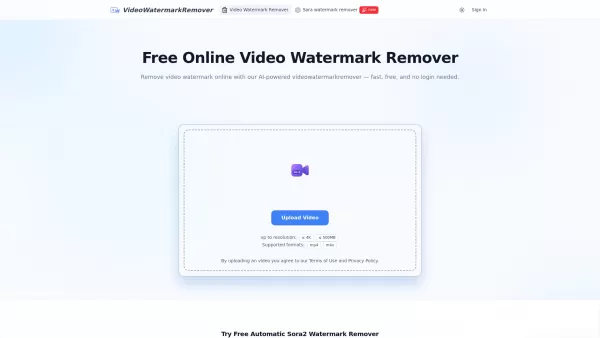
O que é o VideoWatermarkRemover AI? O VideoWatermarkRemover é uma ferramenta online gratuita, baseada em IA, que remove marcas d’água de vídeos de forma rápida e fácil. É compatível com formatos popul
Informações sobre o produto
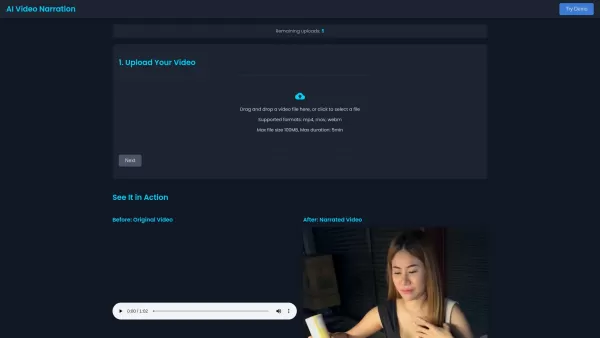
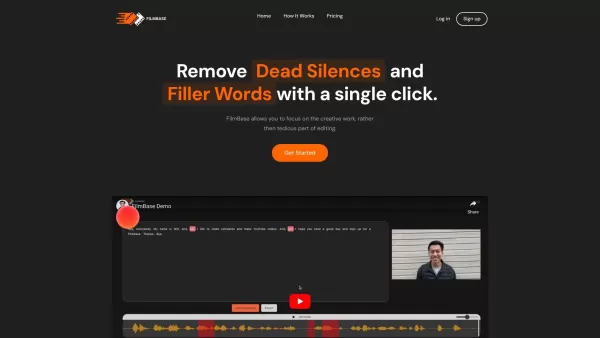
Ever wondered how to add a professional touch to your videos without breaking a sweat? Enter AI Video Narration, your new best friend in video creation. It's like having a personal voiceover artist at your fingertips, ready to transform your videos into polished, narrated masterpieces in just minutes. No need to be a tech wizard; just upload your video, tweak the narration style and language to your liking, and voilà! You've got yourself a slick, narrated video ready to download and share.
How to Use AI Video Narration?
Getting started is a breeze. First, upload your video to the platform. Then, dive into the fun part—choosing your narration style and language. Once you've got everything set, hit that 'Start Narration' button. Sit back and relax; your narrated video will be ready for download in no time. It's that simple!
AI Video Narration's Core Features
AI-Powered Narration in Multiple Languages and Styles
Imagine having the power to narrate your video in any language or style you desire. From a soothing, professional tone to an energetic, engaging voice, AI Video Narration has got you covered. It's like having a multilingual voiceover artist on call, 24/7.
Zero Technical Expertise Required
Forget about needing a degree in video editing. AI Video Narration is designed for everyone, from beginners to pros. You don't need to know the ins and outs of video production to create something amazing. Just let the AI do its magic.
High-Quality Results
Don't settle for anything less than perfection. AI Video Narration delivers crisp, clear, and professional-quality narration that'll make your videos stand out. It's like having a studio-quality voiceover without the studio price tag.
AI Video Narration's Use Cases
Creating Narrated Educational Videos Quickly
Need to whip up an educational video for your class or online course? AI Video Narration can help you create engaging, informative content in a snap. It's perfect for teachers, trainers, and anyone looking to educate on the go.
Producing Promotional Videos with Professional Voiceovers
Want to make your promotional videos pop? Add a professional voiceover with AI Video Narration. It's an easy way to elevate your marketing game and capture your audience's attention. Whether it's for a product launch or a brand campaign, you'll sound like a pro.
FAQ from AI Video Narration
- What file formats are supported?
- AI Video Narration supports a variety of formats, including MP4, AVI, and MOV. Check the platform for the full list.
- How long does the narration process take?
- Typically, the narration process is quick, often completing within minutes depending on the video length and complexity.
- Is there a file size limit?
- Yes, there's a file size limit to ensure smooth processing. The exact limit can vary, so it's best to check the platform's guidelines.
- How many videos can I upload?
- The number of videos you can upload depends on your subscription plan. Some plans offer unlimited uploads, while others have a cap.
Screenshot AI Video Narration
Descubra os melhores chatbots românticos com IA de 2026 para construir relacionamentos genuínos e duradouros. Nossa lista selecionada apresenta personalidades marcantes e consistentes, comparações entre versões gratuitas e pagas, além de testes práticos. Encontre seu companheiro ideal e comece a construir seu relacionamento hoje mesmo no XIX.AI.
 10 ferramentas
 xix.ai
Descubra os melhores mentores em ciência de dados com IA para 2026, que o ajudarão a dominar SQL, Pandas e fluxos de trabalho de aprendizado de máquina. Conheça nossa seleção cuidadosamente elaborada e altamente avaliada no XIX.AI para obter orientações poderosas e revolucionárias. Compare opções gratuitas e pagas com informações valiosas da prática real. Domine a ciência de dados hoje mesmo.
10 ferramentas
xix.ai

Descubra os melhores treinadores de conversação e paquera com IA de 2026 no XIX.AI. Nossa seleção cuidadosamente escolhida e com as melhores avaliações ajuda você a desenvolver carisma social e confiança em tempo real. Explore ferramentas imperdíveis e revolucionárias, com comparações entre versões gratuitas e pagas e rankings atualizados semanalmente. Descubra hoje mesmo o seu diferencial social.
10 ferramentas
xix.ai

Descubra as mais recentes e bem avaliadas ferramentas de IA de 2026 para testes unitários automatizados. Nossa seleção cuidadosa inclui soluções poderosas que podem transformar o seu processo, permitindo gerar casos de teste para Jest, PyTest e JUnit de forma instantânea. Compare opções gratuitas e pagas com testes reais e classificações atualizadas semanalmente no XIX.AI. Desfrute das vantagens da IA e aumente a produtividade do seu desenvolvimento hoje mesmo.
10 ferramentas
xix.ai

Descubra as melhores ferramentas de visualização de dados com IA de 2026 no XIX.AI. Nossa seleção cuidadosamente escolhida e com as melhores avaliações ajuda você a gerar automaticamente painéis de BI poderosos e interativos a partir de arquivos brutos, de forma instantânea. Compare opções gratuitas e pagas com testes práticos e rankings atualizados semanalmente. Liberte o potencial dos seus dados hoje mesmo.
10 ferramentas
xix.ai

Descubra os melhores kits de branding com IA para redes sociais de 2026. A lista selecionada pela XIX.AI apresenta ferramentas de ponta e revolucionárias para manter uma identidade visual de marca perfeitamente consistente em todos os canais. Compare opções gratuitas e pagas com testes práticos. Destaque-se visualmente com sua marca hoje mesmo.
10 ferramentas
xix.ai


