


 Home
HomeTranscribeAI: Audio to Text
AI Speech-to-Text: Fast & Accurate Transcriptions


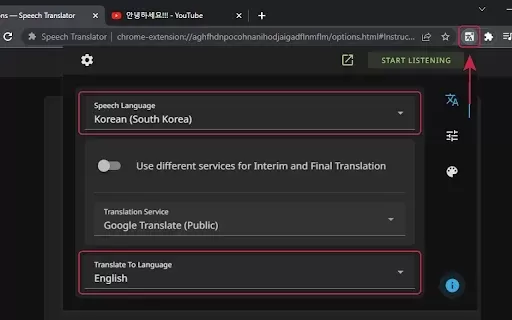
What is Speech Translator?Speech Translator leverages Google's advanced speech recognition to deliver real-time translation for videos, audio, and live streams. This tool bridges language gaps, enabling seamless conversations and fostering clearer un
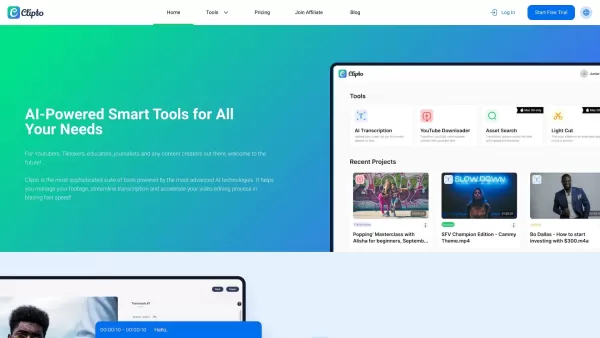
Ever wondered how to effortlessly turn your audio and video files into text? Enter Clipto, the powerhouse of AI transcription on the web. Imagine harnessing the same cutting-edge tech that fuels ChatGPT to convert your Zoom meetings, interviews, and
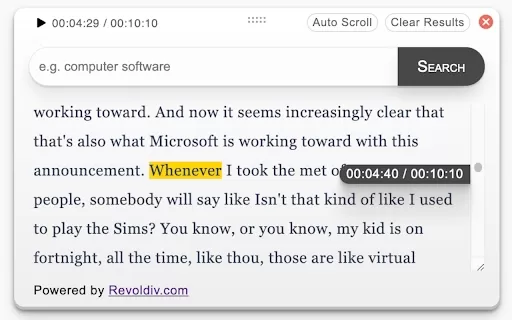
What is Revoldiv AI Chrome Extension? Revoldiv is a Chrome browser extension that instantly transcribes audio and video directly in your browser. It lets users follow along by reading live transcriptions and search for specific spoken words within po
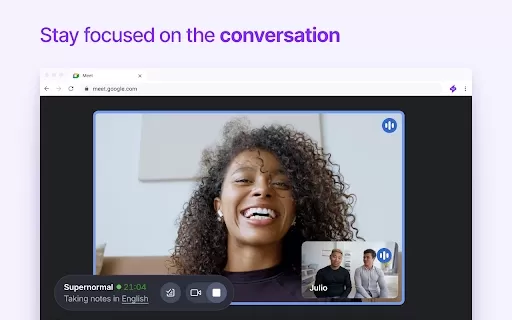
Ever found yourself in a meeting, scribbling notes furiously, only to realize you missed half of what was said? Enter Supernormal, a Chrome extension that's here to save the day—and your sanity. This nifty tool uses cutting-edge AI models like ChatGPT and
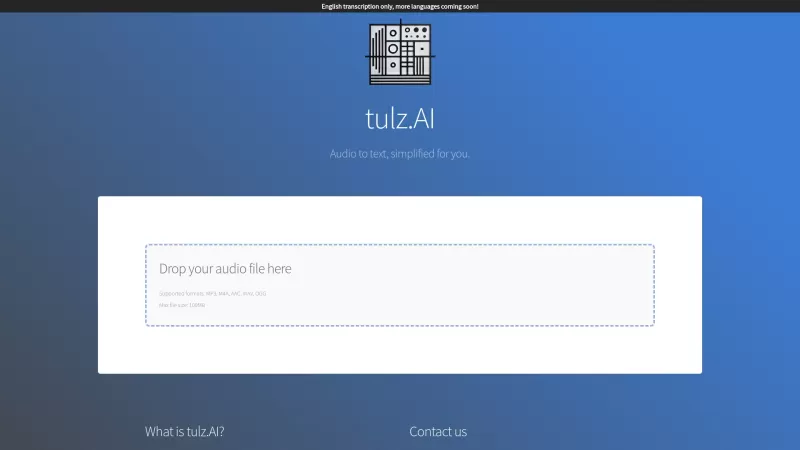
Ever found yourself needing to turn spoken words into written text? Well, let me introduce you to tulz.AI—an AI-powered service that's all about making audio transcription a breeze. Whether it's a podcast, a business meeting, or any other spoken content,
TranscribeAI: Audio to Text Product Information
What is TranscribeAI: Audio to Text?
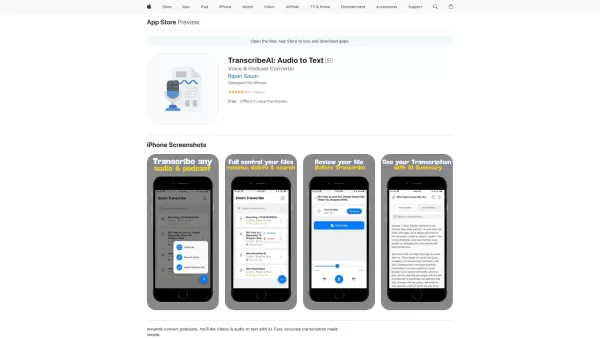
TranscribeAI is an intelligent transcription service that effortlessly converts audio into text. It delivers highly accurate results with fast processing times, supporting various audio formats like MP3, WAV, and M4A. Ideal for students transcribing lectures, professionals documenting meetings, and podcasters crafting show notes, TranscribeAI features real-time recording and transcription with no hidden costs. It provides transparent pay-as-you-go access to advanced AI technology through an intuitive, user-friendly interface.
Who will use TranscribeAI: Audio to Text?
- Students
- Professionals
- Podcasters
- Content Creators
- Researchers
How to use the TranscribeAI: Audio to Text?
- Step 1: Download and install TranscribeAI from the App Store.
- Step 2: Launch the app and select your audio file for transcription.
- Step 3: Configure your preferred transcription settings.
- Step 4: Tap 'Transcribe' to begin the conversion.
- Step 5: Review and save the final text output.
Platform
- macOS
- iOS
TranscribeAI: Audio to Text's Core Features & Benefits
The Core Features
- Instant Audio Transcription
- Voice Recording & Transcription
- Podcast Transcription
- Support for Multiple Audio Formats
The Benefits
- High Accuracy
- Fast Processing
- User-Friendly Interface
- Secure & Private
- Transparent Pricing
TranscribeAI: Audio to Text's Main Use Cases & Applications
- Transcribing lectures
- Documenting meetings
- Creating show notes for podcasts
- Taking quick voice notes
- Transcribing research interviews
- Aiding content creation
FAQs of TranscribeAI: Audio to Text
How do I download TranscribeAI?
TranscribeAI can be downloaded from the iOS App Store and installed directly on your device.
What audio formats does TranscribeAI support?
TranscribeAI supports several popular audio formats, including MP3, WAV, and M4A.
Do I need an internet connection to use TranscribeAI?
An internet connection is necessary for transcription, but not for the recording function.
Is there a subscription fee?
TranscribeAI uses a straightforward pay-as-you-go model with no subscriptions or hidden fees.
Can I use TranscribeAI for transcribing podcasts?
Yes, TranscribeAI is perfect for turning your podcast episodes into readable text.
How accurate is TranscribeAI?
TranscribeAI provides highly accurate audio-to-text conversion.
Is my data secure with TranscribeAI?
Absolutely. TranscribeAI prioritizes the security and privacy of your data.
Can I transcribe in real-time?
Yes, TranscribeAI supports both real-time recording and live transcription.
Are there in-app purchases?
Certain advanced features may be accessed through in-app purchases.
What devices are compatible with TranscribeAI?
TranscribeAI is compatible with iPhone, iPad, iPod touch, Mac, and Apple Vision devices running the specified operating system versions.
TranscribeAI: Audio to Text Company Information
TranscribeAI: Audio to Text Screenshot
Discover the 2026 best AI concept art generators for sci-fi mechas, monsters, and game character outfits. XIX.AI's top-rated, curated list features powerful, game-changing tools. Compare free vs paid options with weekly updated rankings and real-world tests. Unlock your creative edge and explore now.
 10 tools
 xix.ai
Discover the 2026 best AI thesis generators at XIX.AI. Our curated list features top-rated, powerful tools to structure outlines and craft academic arguments fast. Compare free vs paid options with real-world tests. Unlock your research edge and start writing today.
10 tools
xix.ai

Discover the 2026 best AI tools for React & Vue frontend development. Our curated, top-rated list helps you generate clean, production-ready component code directly from UI mockups. Compare free vs paid options with real-world tests and weekly updated rankings. Find your perfect dev assistant on XIX.AI. Start building faster today.
10 tools
xix.ai

Discover the 2026 best AI pose generators for comic artists. Our curated list features top-rated, game-changing tools that use AI rigging to create complex, dynamic action poses effortlessly. Compare free vs paid options with weekly updated rankings. Unlock your creative potential and start drawing today at XIX.AI.
10 tools
xix.ai
Discover the 2026 best AI help desk assistants for drafting empathetic email replies. Our top-rated, curated list features powerful tools that transform customer service. Compare free vs paid options with real-world tests and weekly updated rankings. Unlock your AI edge with XIX.AI.
10 tools
xix.ai

Discover the 2026 best AI photo generators for ultra-realistic virtual humans & avatars. Explore XIX.AI's curated, top-rated tools with free vs paid comparisons, real-world tests, and weekly updated rankings. Unlock your creative edge and start creating today!
10 tools
xix.ai


